Contact subscriptions
Purpose and access
Open Contact conversation → More Sections → Subscriptions. CRM access and a valid account contact are required. This view retrieves up to 100 of that contact’s subscriptions, newest ID first.
Read and open a subscription
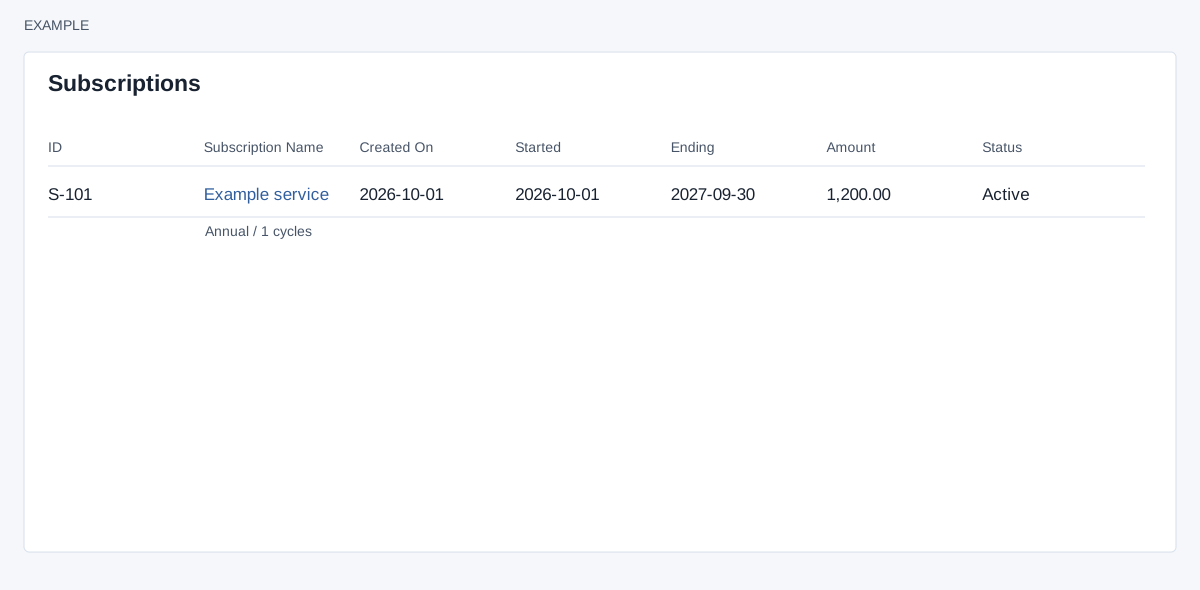
The row shows ID, Subscription Name and description, Created On, Started, Ending, Amount and Status. Select the name to open subscription details. Browser popup settings may prevent the window from opening. There is no create, filter, send, download or edit control in this frame; use the detail screen for available follow-up actions.
When a billing term is present, the line beneath the name can also show term and cycles, next billing date if set, non-manual renewal mode and generation days before, email Auto or Manual, reminder days before and after, grace days, Ends at term or Open ended, seats, discount type and value, and proration mode. These are displayed settings, not controls on this list.
Example: open Example Co’s maintenance subscription and check its end date and renewal settings before discussing renewal. See Subscriptions for the wider workflow.
Check and recover
“Nothing here” means there are no matching rows in the list. Check the contact and CRM access; older items may fall beyond the 100-record limit. Confirm billing and changes in the detail view rather than inferring them from a missing optional metadata line.