Contact invoices
Access and available data depend on your account.
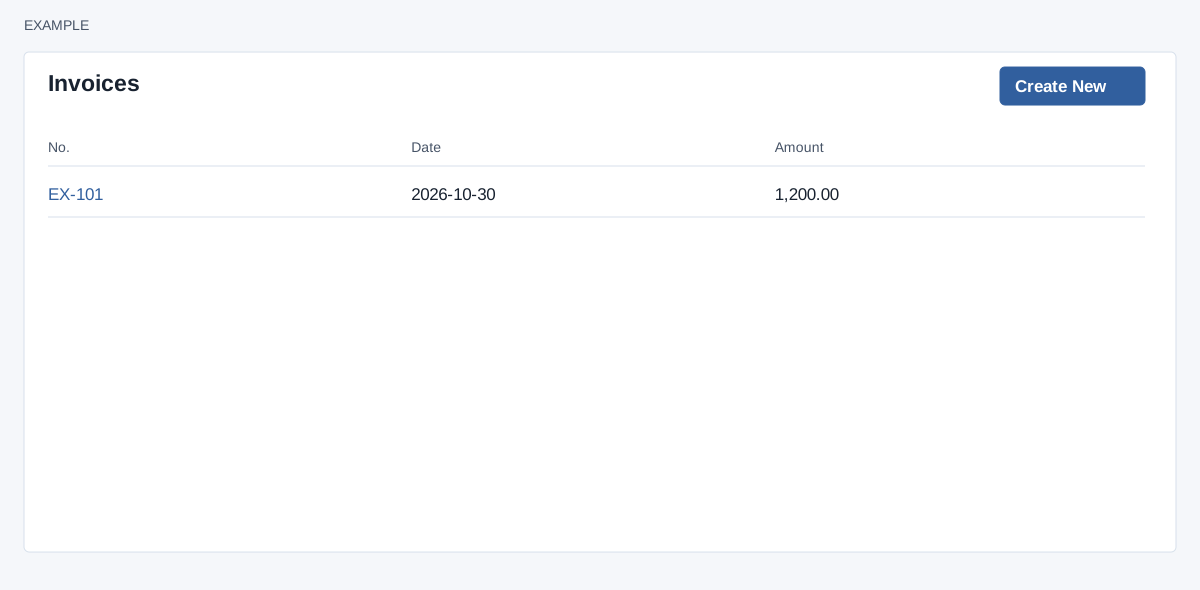
Purpose and access
Open a contact conversation → More Sections → Invoices. This frame requires CRM access and a valid contact in your account. It lists this contact’s invoices; the document editor may have additional access requirements.
Find or create
- Read No., Date and Amount. The list shows at most 100 matching documents, newest dated first; “Nothing here” means none were returned.
- Select the document number to open its detail in a new browser tab. For example, open Example Co’s document before checking its amount and status in the document screen.
- Select Create New to open a new invoice for the contact in a new tab. Complete and save the downstream form; opening it alone does not create a document.
The frame itself has no send, download, edit or delete controls. For document fields and subsequent actions see quote and invoice editor.
Check and recover
If a document is absent, verify the contact and document type, then check the downstream list; older records can fall beyond the 100-row limit. If access fails, check CRM and document permissions with an administrator. After saving, return and reload the frame to check the new row.