Older renewal and license increase
This older billing screen may be available depending on your account and its terms.
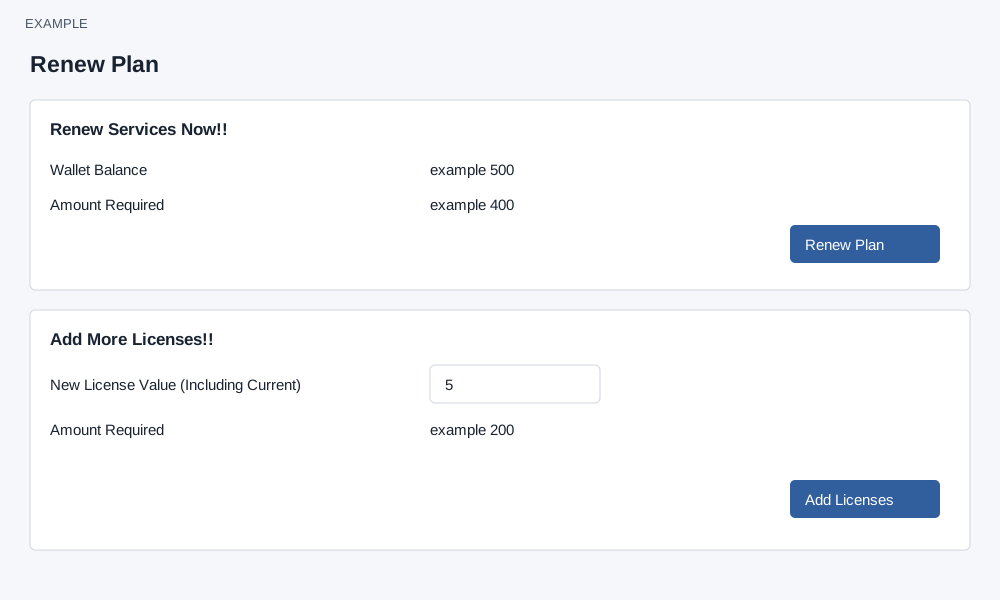
Review and renew
The older Renew Plan variants are intended for administrators. Review the current plan, term, wallet balance and amount required. Renewal can normalize the chargeable license count upward to cover active users and the plan minimum; early renewal may reset remaining validity. When the wallet is short, Add Funds opens funding; otherwise Renew Plan asks for confirmation and sends a renewal request. Check the live quote and term before confirming.
Increase licenses
For a per-user plan, New License Value (Including Current) means the desired total, not the increment. For example, if Example Co has three licenses and needs five, enter 5. Leaving the field recalculates a prorated amount and can replace Add Licenses with a funding link. A total at or below the current count is rejected. At least one day must remain and a per-license rate must be configured. The daily rate is rounded to two decimals before multiplying by additional licenses and remaining days. Confirm Add Licenses only after reviewing the charge. Check current plan and wallet after success; if the result is uncertain, inspect both before retrying.
Subscription plans may require subscription management. Billing changes require an administrator and a valid session.