IVR menus
Availability depends on your account configuration and permissions.
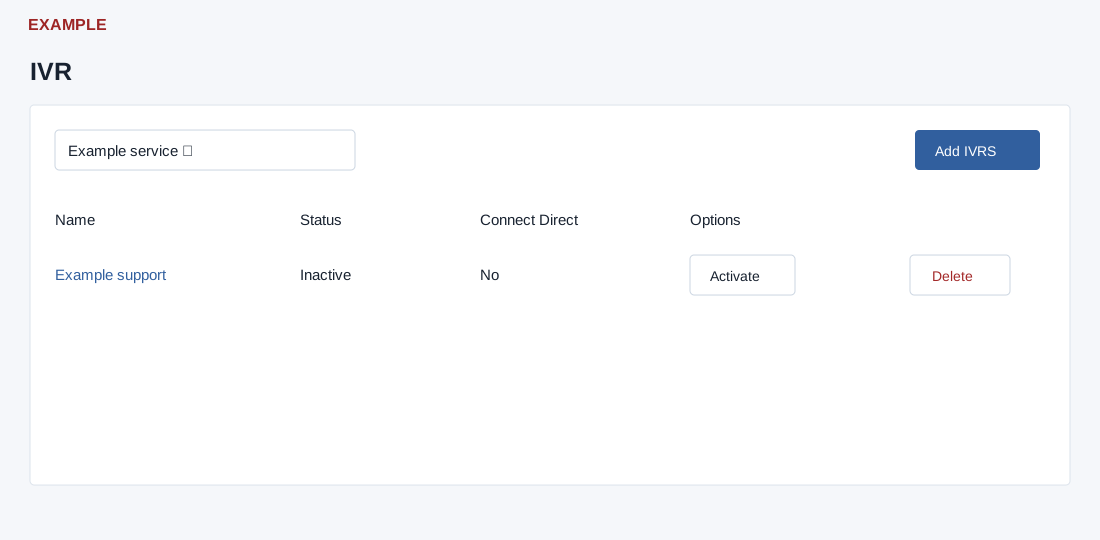
Open the page
Telephony IVR page (/v4/telephony/ivrs.php, if available). IVR changes require an administrator; access to the service depends on linked telephony configuration.
Review and create a menu
- Select the service number and review Name, Status, Connect Direct and Options. Select an IVR name to open its flow. Choose Add IVRS, enter an IVR Name of 5–45 letters and spaces only and choose Add IVR to create a menu.
- An inactive menu can offer Activate. Activation changes which menu is active without a confirmation; the service’s previously active IVR is set inactive. Delete asks for confirmation. Reload and check the status after the change. Both affect the live service; verify the selected service and routing before proceeding. The interface warns that deletion cannot be recovered.
Example
- Create a Customer support menu, add and verify its prompts and options, then activate it only after authorized review. Availability and activation behavior depend on the provider and account.