Build an IVR flow
Availability depends on your account configuration and permissions.
Open the page
IVR > select an IVR name. IVR changes require an administrator; use a valid linked service and IVR.
Set the prompt and options
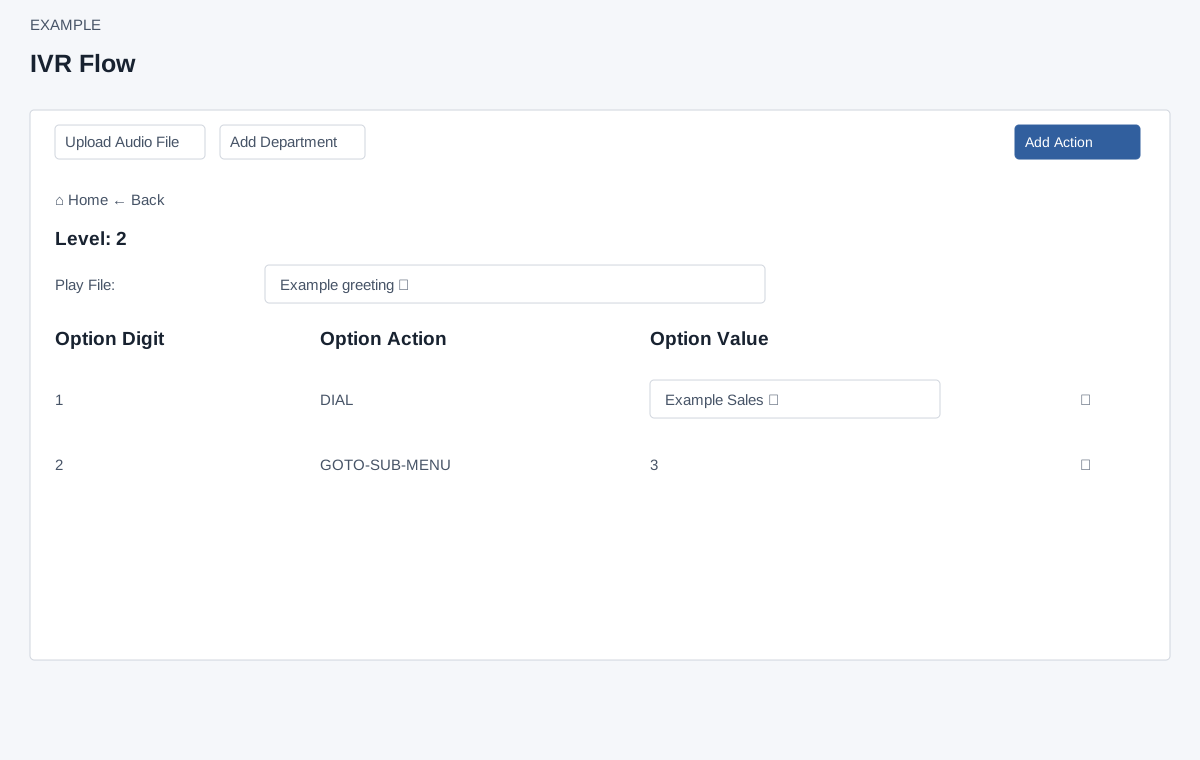
- The flow displays Level, Play File and rows for Option Digit, Option Action and Option Value. Choose an available audio file for the level; the selection sends immediately on change. Select One does not send a reset. Reopen the level to check whether the change was saved.
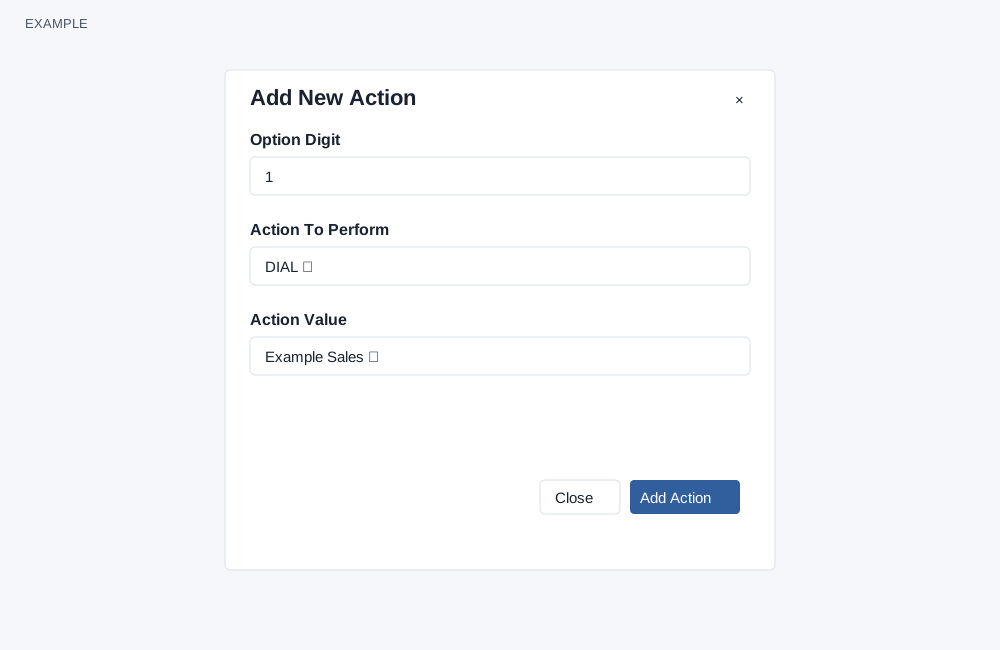
- Choose Add Action, enter a unique digit from 0 to 9, select Action To Perform and supply an Action Value when requested. DIAL presents a department selector. Add Action saves the option. The menu lists GOTO-SUB-MENU, DIAL, REPEAT, GOTO-BACK-MENU, GOTO-MAIN-MENU, EXTENSIONS, CALLBACK-REQUEST, CONFERENCE, VOICEMAIL, COMPLAINT, SUBIVR and HANGUP. The form requires a value for DIAL, CONFERENCE, SUBIVR and EXTENSIONS, but the dialog only shows a value selector for DIAL and hides it for other actions. Therefore the other three value-required actions cannot be relied on through this dialog; contact support.
Navigate and maintain
- A GOTO-SUB-MENU option opens another level; the interface has no action type editor or reorder control, so replacing a type requires deleting and recreating the option; Home and Back navigate levels where shown. Changing the department for a DIAL option sends an immediate update. The invalid-department response is incorrectly marked as non-error, so re-open the level and verify rather than relying on the absence of an error. Deleting an option requires confirmation and the page warns its data cannot be recovered. Deleting a submenu may not reliably remove the intended submenu or its descendants. Review dependent paths and ask support to verify the result. Reopen and inspect the flow after deletion.
- Upload Audio File opens audio management; Add Department opens department configuration. Example: for a support menu, digit 1 dials the Service department. Review all paths and service ownership before changing a production flow.