IVR audio files
Availability depends on your account configuration and permissions.
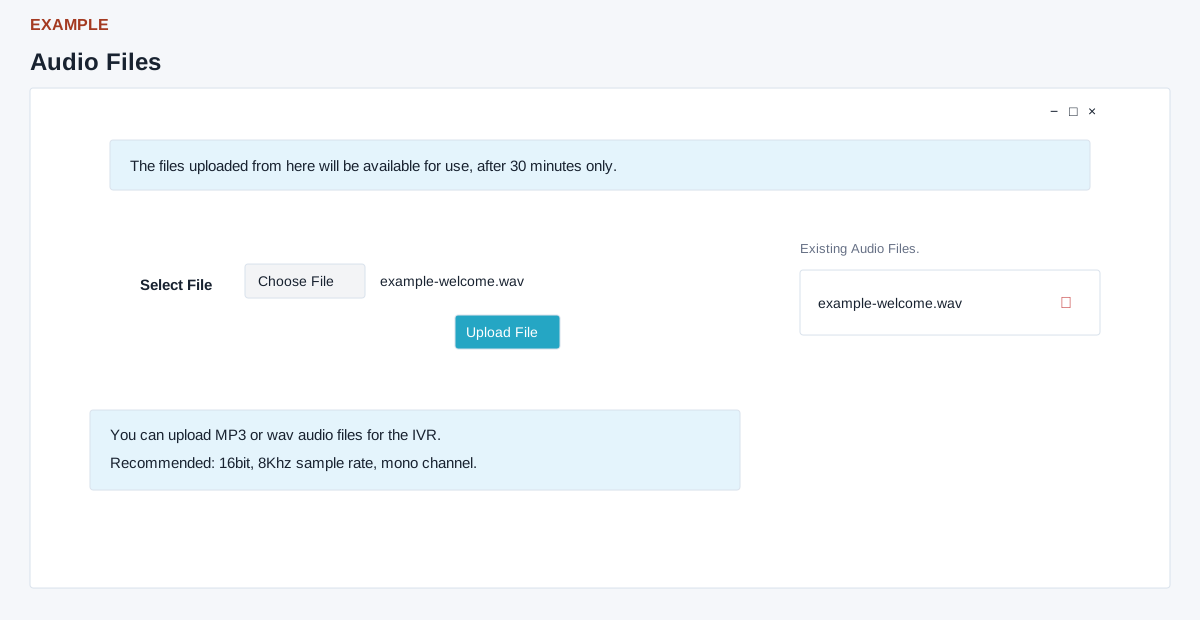
Open the page
IVR flow > Upload Audio File. The page checks for an administrator role.
Prepare and upload audio
- Select File and choose Upload File to upload a prompt to the live service. Use an MP3 or WAV filename; 16-bit, 8 kHz mono audio is recommended. It says uploaded files become available after 30 minutes.
- Use a greeting in examples, such as “Welcome to Example Co. support.” Confirm the file, service and provider requirements before uploading, then check the refreshed Existing Audio Files list and, after the stated waiting period, check the relevant IVR flow. The success response can occur even if conversion returned no result, so it does not prove the file is usable. If absent, inspect the displayed error, file format and upload-size limits, then ask an administrator to investigate before retrying.
Maintain files
- Existing Audio Files lists uploaded names and a delete action. Choose the trash icon, then “Yes, delete it!” to remove the file record and request file deletion, or “No, cancel plz!” to keep it. The confirmation warns that a deleted file cannot be recovered; check whether any flow uses it first. An administrator is required.