Stripe payment gateway
Configure Stripe checkout payment details and the CRM payment ledger.
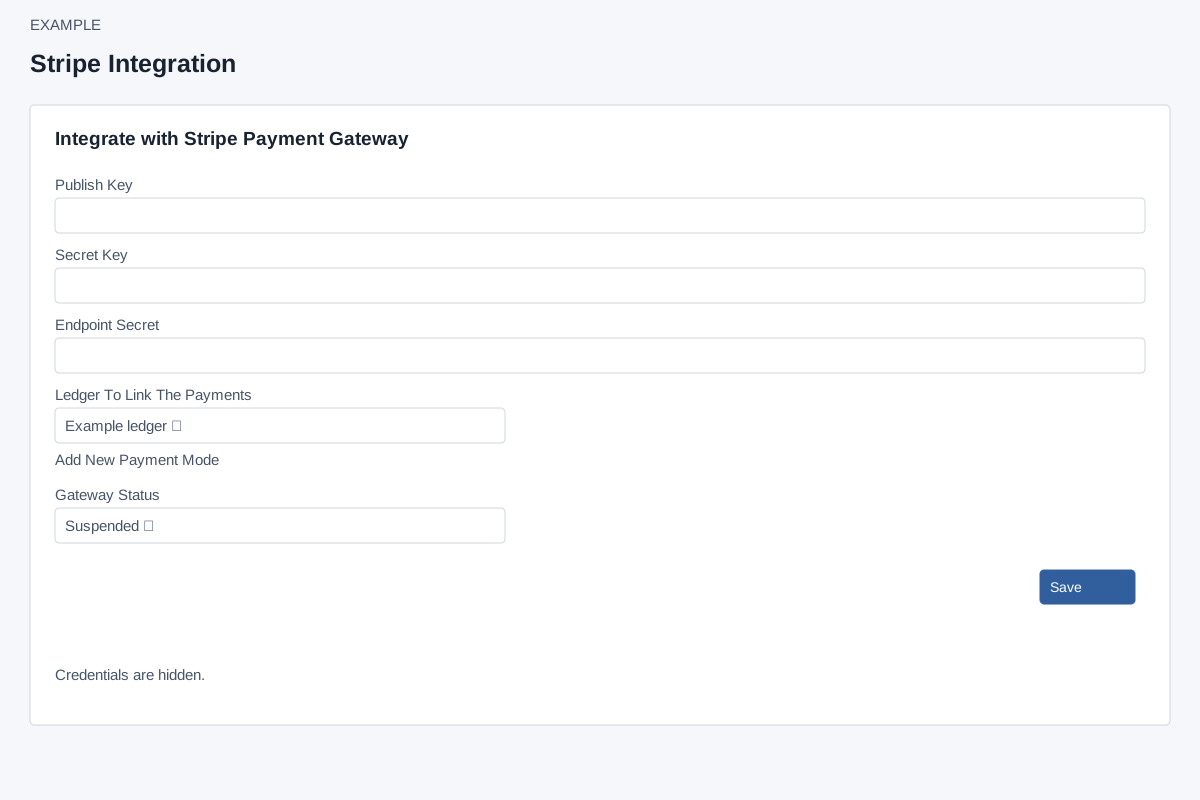
Enter and save
Account Settings → Integrations → Stripe (PG) requires ADMIN and Standard Integration access. The integration class requires a custom domain and valid payment mode. Enter required Publish Key, Secret Key and Endpoint Secret, choose Ledger To Link The Payments and Gateway Status Enabled or Suspended, then Save. Add New Payment Mode opens invoicing settings. The page initializes an absent Endpoint Secret to NA; the class stores that sentinel as empty, so supply the actual signing secret for the intended webhook rather than relying on the placeholder.
Existing secrets appear in ordinary text inputs and are submitted again on Save; blank entries are rejected rather than silently retaining secrets. Save creates or updates the local configuration, not a test transaction. No test, default selector or visible delete control appears here. If the save result is uncertain, reopen the settings before retrying. Reopen to verify status and ledger, and keep credentials private.
Webhook and recovery
The page instructs administrators to add https://api.intueri.io/stripe/webhook.php as an endpoint for checkout.session.completed and enter its signing secret as Endpoint Secret. Provider configuration is separate; use its current interface. If Save fails check the fields, custom domain and valid payment mode. A success toast does not establish webhook delivery or payment settlement; inspect the provider and CRM records when an authorized verification is appropriate.