SMS group CRM query
Availability depends on your account configuration and permissions.
Open the page
SMS → Manage Groups → CRM Query group → Edit Query. SMS access and Allow SMS Groups are required; ADMIN is required for saving criteria or running the query.
Set matching criteria
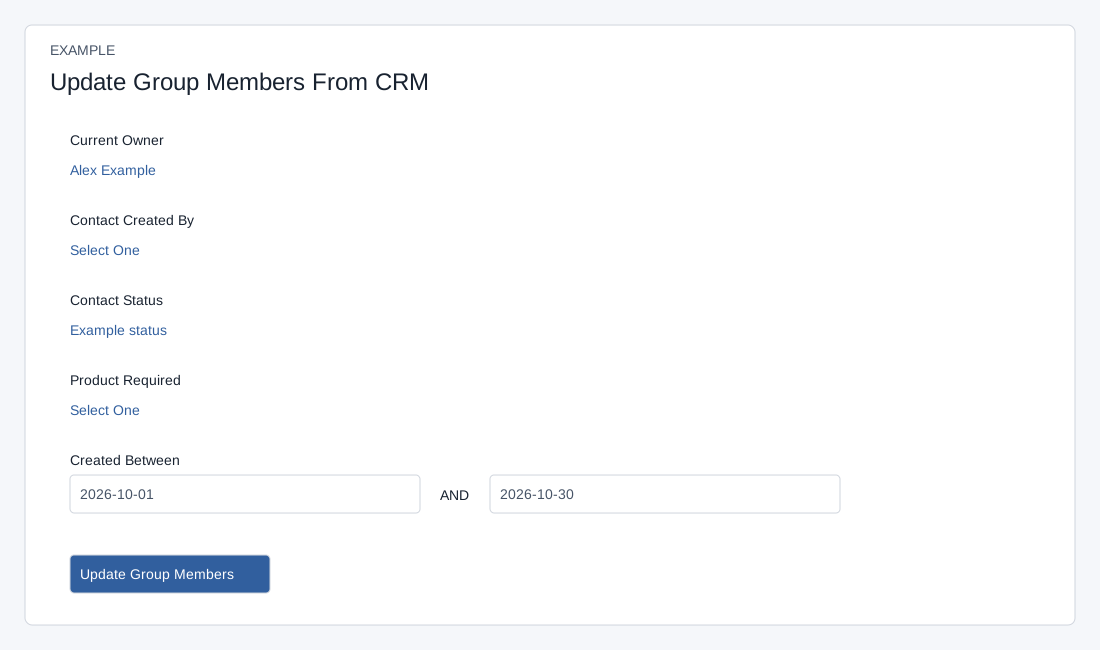
Each editable selector includes Select One and account-specific users, lead statuses or products; the dates can be cleared. Product matches the product on a contact’s deal. Date comparisons use the stored contact creation timestamp and supplied date boundaries; check results around the end date.
- Review Current Owner, Contact Created By, Contact Status and Product Required. Each is an editable selection. Created Between provides start and end dates in YYYY-MM-DD format. Select criteria relevant to the intended audience.
- The system saves individual selections and date changes as they are made; leaving the page is not a cancel operation. Configure only when authorized. Criteria can be combined, so review the complete set before updating members.
Update membership
- Choose Update Group Members to run the saved query and return to Manage Groups, or use Refresh in the group list later. The query adds matching phone entries not already in the group; it does not remove prior members who no longer match.
- A CRM group with no saved criteria may not refresh successfully; save a criterion first. Inspect the group count and audience before sending. Example: select an owner and Interested status for a product update. The query applies a 5,000-row limit when it has no criteria; avoid assuming an unfiltered query includes the whole CRM.