PhonePe payment gateway
Configure the PhonePe gateway and its CRM payment ledger.
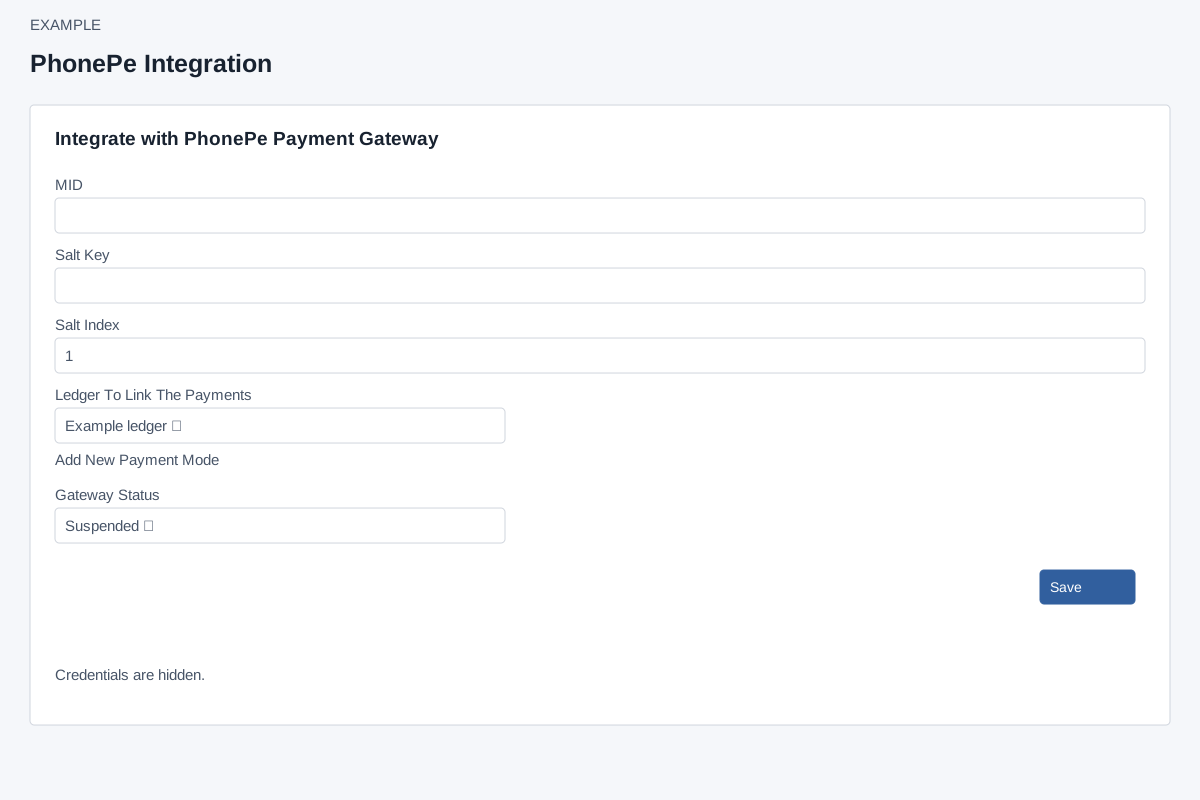
Enter and save
Account Settings → Integrations → PhonePe (PG) requires ADMIN and Standard Integration access, a custom domain and valid payment mode. Enter MID, Salt Key and positive numeric Salt Index (default 1), select Ledger To Link The Payments and Gateway Status Enabled or Suspended, then Save. The form requires each value and a nonzero ledger. Add New Payment Mode opens invoicing settings. Save creates or updates the local configuration; reopen to verify ledger and status.
Saved credentials are populated in ordinary inputs and submitted again; blank values do not mean keep the existing secret. Keep the screen private. This page has no test, callback/webhook setup, default selector or visible delete control. Saving does not initiate a payment.
Recover
If Save reports an error, verify the credentials, positive salt index, configured custom domain and valid payment mode. A success response reports the configuration request result; reopen to check that the intended values persisted. It does not verify a payment or provider connection. Check the provider and CRM records when an authorized verification is appropriate.