Enroll a company as a partner
Join the partner workspace so the company can track referrals, earnings and, where its partner type permits, customer accounts.
Before starting, sign in as an active administrator of an active company. This enrollment screen is offered to companies billed in INR. An assigned reseller or partner type is needed to manage customer accounts; enrollment alone does not guarantee that access.
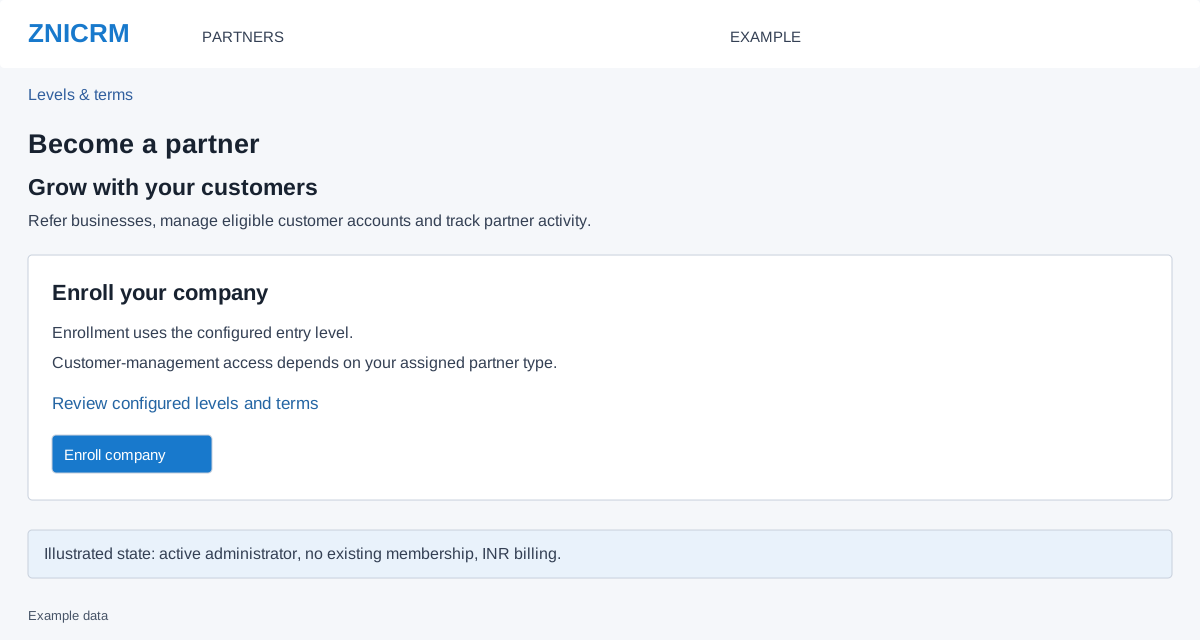
Enroll and verify
- Open Partners. If the company already has an active recognized membership, the application opens Overview.
- On Become a partner, select Review configured levels and terms. Check the entry level, partner type, rates and thresholds that apply to the company’s currency.
- Return to the enrollment screen. When the company is ready to join under those terms, select Enroll company once and wait for the result.
- After the success redirect, review the partner identity on Overview. Check whether Customers is available before planning to create or fund customers.
When enrollment is unavailable
| Message or result | Next step |
|---|---|
| Existing membership is not currently available | Contact support to review that membership. Do not create another enrollment. |
| Enrollment available only for INR billing | This screen cannot enroll the current company. Ask support about eligibility. |
| Reload to verify the partner session | Reload the form and sign in again if required, then check Overview before resubmitting an uncertain result. |
| The page or result cannot be confirmed | Reopen Partners to check membership state; do not interpret a connection failure as proof that enrollment failed. |
Example: a company, Example Co, reviews its configured entry level and then confirms that the resulting workspace shows its own company identity. Actual eligibility and terms come from the account, not this illustration.