Invoicing document defaults
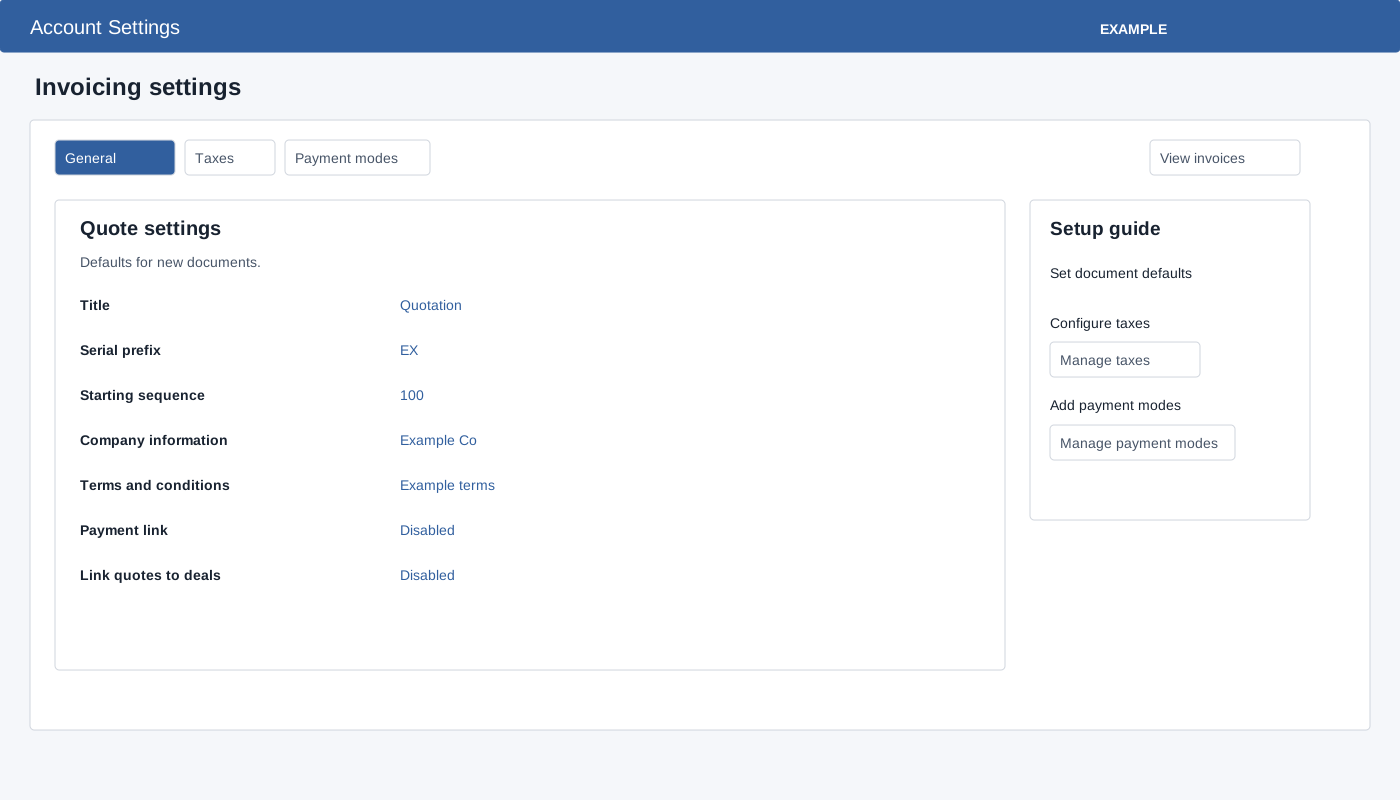
Administrators open Account Settings → Invoicing → General Settings → General. These settings provide defaults for quotes and invoices.
- Under Document logo select Gallery, choose an image and use its gallery action. The choice immediately posts the logo URL; the same logo is used on quotes and invoices. An image must be available in the gallery. Check the response and reopen the page to verify.
- In Quote settings and Invoice settings, select each value and confirm its inline editor. Title, Serial prefix, Starting sequence, Company information and Terms and conditions are separate saves; blank entries are rejected. Enter numeric starting sequences for quotes and invoices. Use a valid numeric sequence and verify the saved value.
- For each document type, set Payment link to Enabled or Disabled. This does not connect a gateway; configure an appropriate gateway separately. Quote settings additionally offers Link quotes to deals Enabled or Disabled.
- Check the response for each field and reload to verify. A later failure does not undo earlier saves. For example, set the quote title to “Example Co quotation,” confirm it, and reopen to check it.