Customer ledger transactions
Open the page
Open a customer’s ledger transactions from its account or invoicing workflow. INVOICE access is required.
Review history
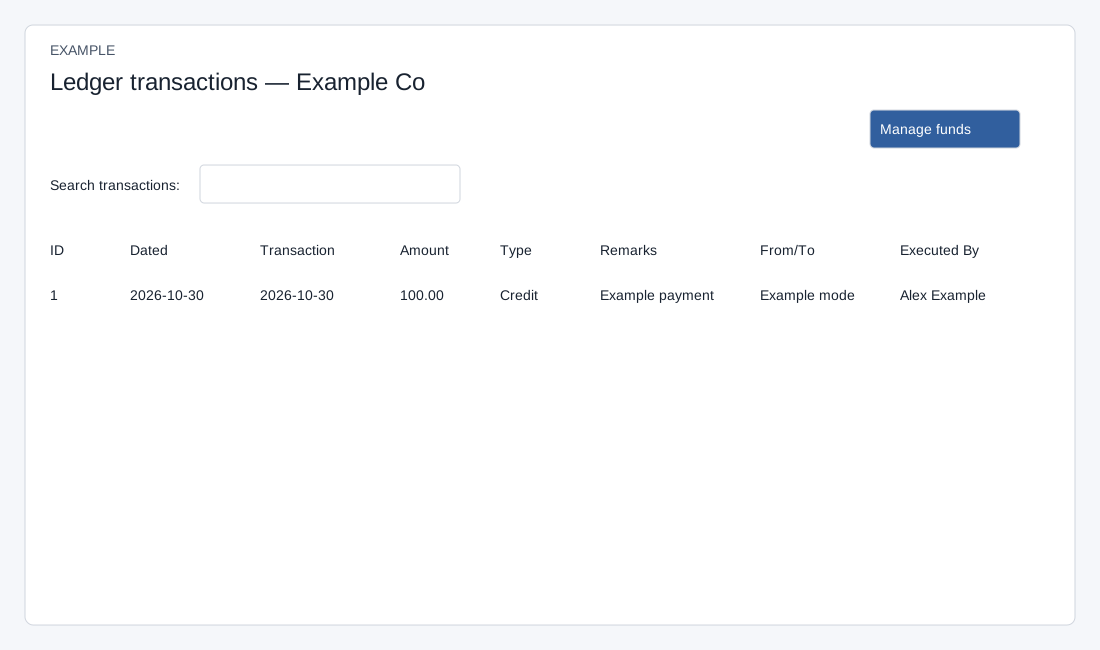
- Review ID, Dated, Transaction, Amount, Type, Remarks, From/To and Executed By. Use the available customer context and report controls to identify the relevant credit, debit or payment.
- Example: compare a credit with its receipt and invoice balance. Do not share transaction screenshots containing real customer or billing information.
Loaded rows and navigation
INVOICE access and a valid account are required. The page loads at most 500 transactions for that account. Search transactions, sorting, page size and pagination work on those loaded rows; they do not search beyond that limit. Dated is record creation date, Transaction is transaction date, From/To shows the payment mode, and Type displays Credit or Debit. Manage funds opens the entry page, but that page still asks you to select a contact; do not assume the account is preselected. An empty table can mean there are no returned transactions or the account context is wrong.