Incentive structure controls
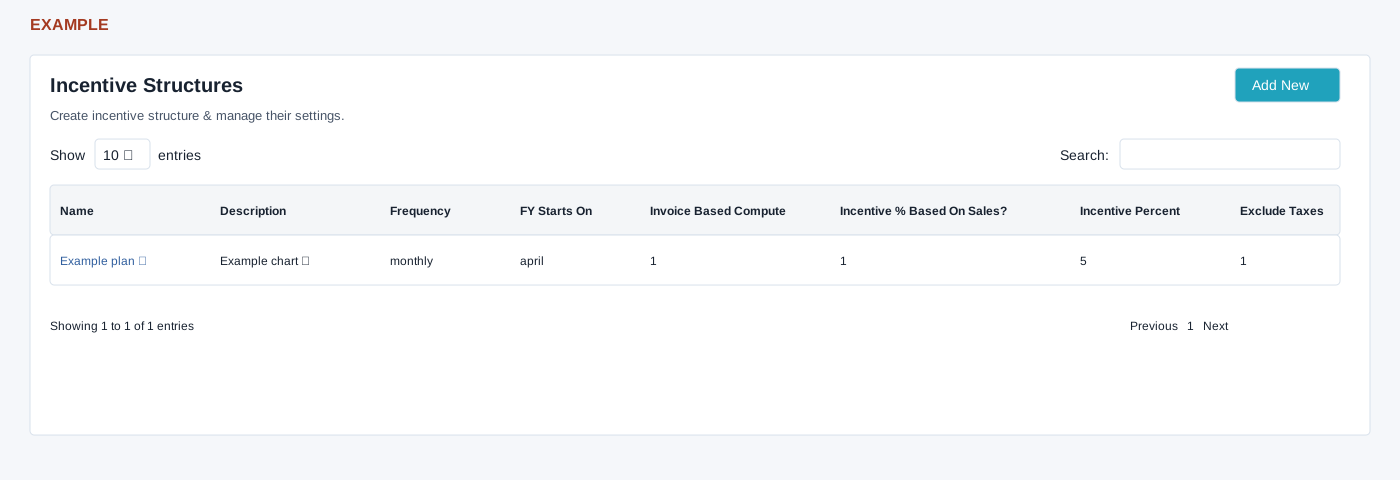
Open HRMS → Incentive Structure with HRMS access and payroll management permission or administrator role for the payroll check. The list shows name, description, frequency, financial-year start, invoice-based compute, incentive percentage based on sales, incentive percent and tax exclusion. Search, column sorting, Show entries and pagination operate on the loaded list. The name links to the nested page.
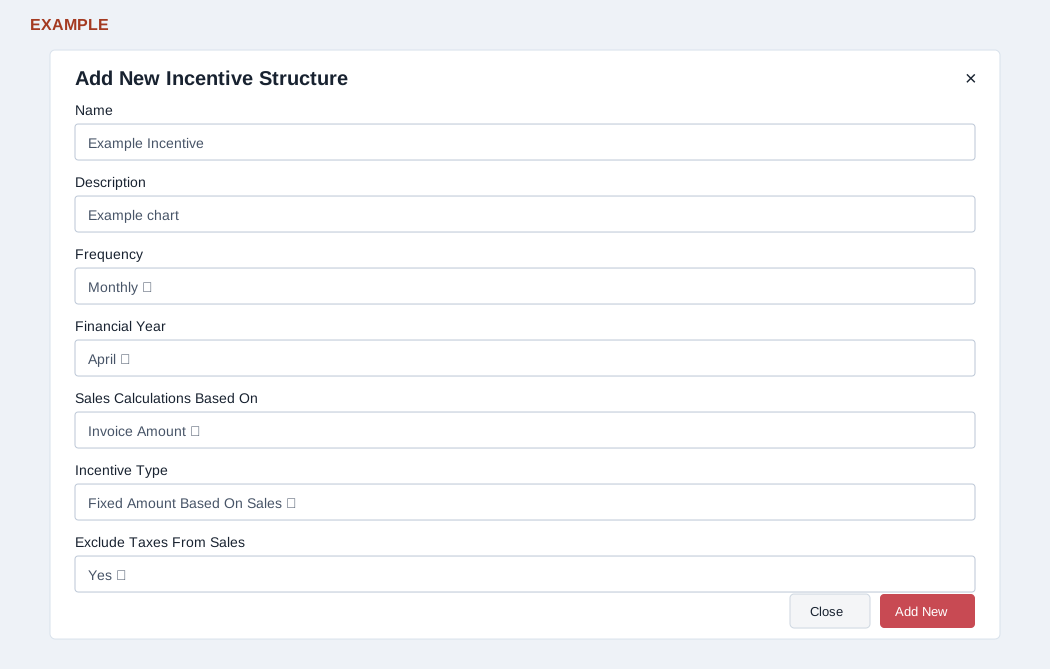
Add New displays Name, Description, Frequency (Monthly, Quarterly, Half Yearly or Yearly), Financial Year (January through December; April initially selected), Sales Calculations Based On (Invoice Amount or Receipt Amount), Incentive Type (Fixed Amount Based On Sales or Percentage of Sales Amount), and Exclude Taxes From Sales (Yes or No). Creating an incentive chart from this screen does not reliably save its incentive-specific selections and can open salary component management. The linked detail opens salary component management rather than a separate incentive chart. The name and description edit controls do not reliably update an incentive chart. A reliable incentive chart creation or editing procedure therefore cannot be verified from these screens. Ask support to confirm the supported workflow before using it.