Facebook sync and CAPI diagnostics
Investigate sync runs, sanitized errors and conversion delivery.
Controls depend on your account and permissions.
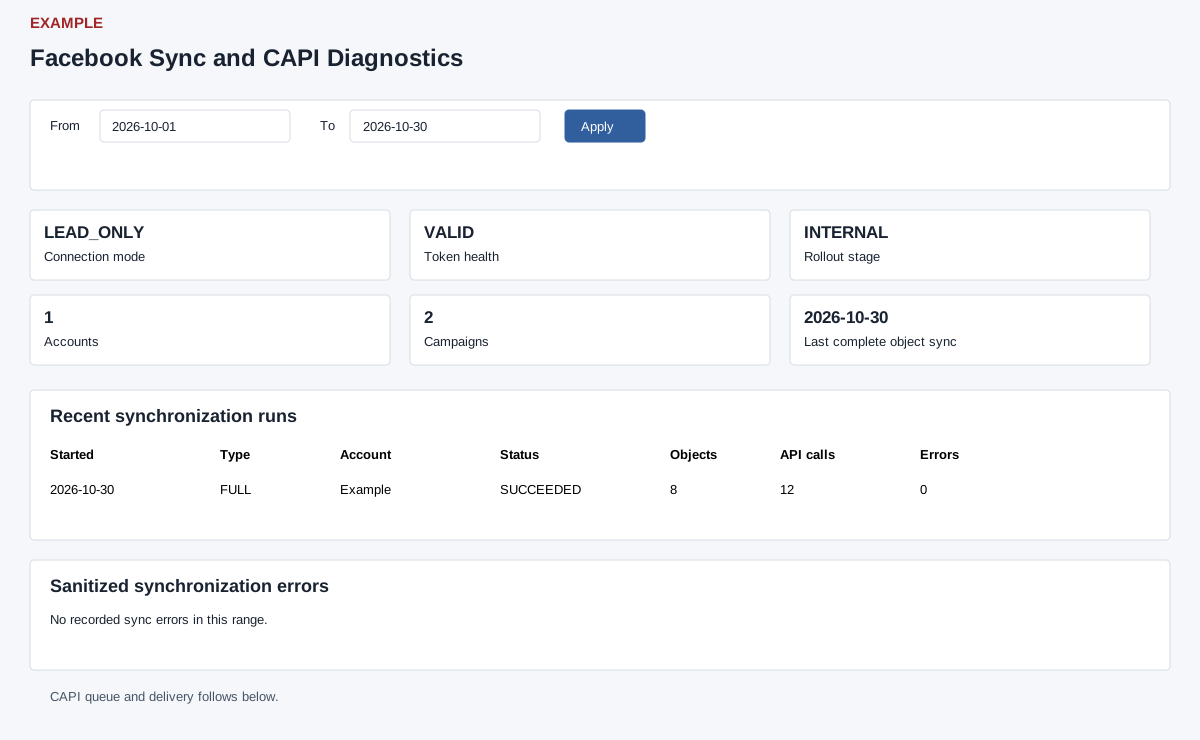
Open and prepare
- Facebook Reporting → Sync and CAPI Diagnostics
- Access to diagnostics and available integration history are required.
Review evidence
- Set From and To and select Apply. Read Connection mode, Token health and validation time, granted-scope count, Rollout stage, object counts, Last complete object sync and Last Insights fact fetched. The coverage cards count Facebook leads, captured, eligible and accepted CAPI events in range. Then review Recent synchronization runs for status, objects, pages, API calls, errors, rate-limit snapshot and finish time.
- Review Sanitized synchronization errors for category, code, transient status, message and trace ID. Review CAPI queue and delivery for status, event count, average delivery latency and last update.
- Use the information to locate a failed run or delivery issue; a successful past sync does not prove the scheduler or current provider delivery is healthy. These are read-only evidence tables, without per-event retry; diagnostics may still contain account metadata and should be reviewed before sharing.