Digest discussions
Find recent team threads and inspect their contact context and latest messages.
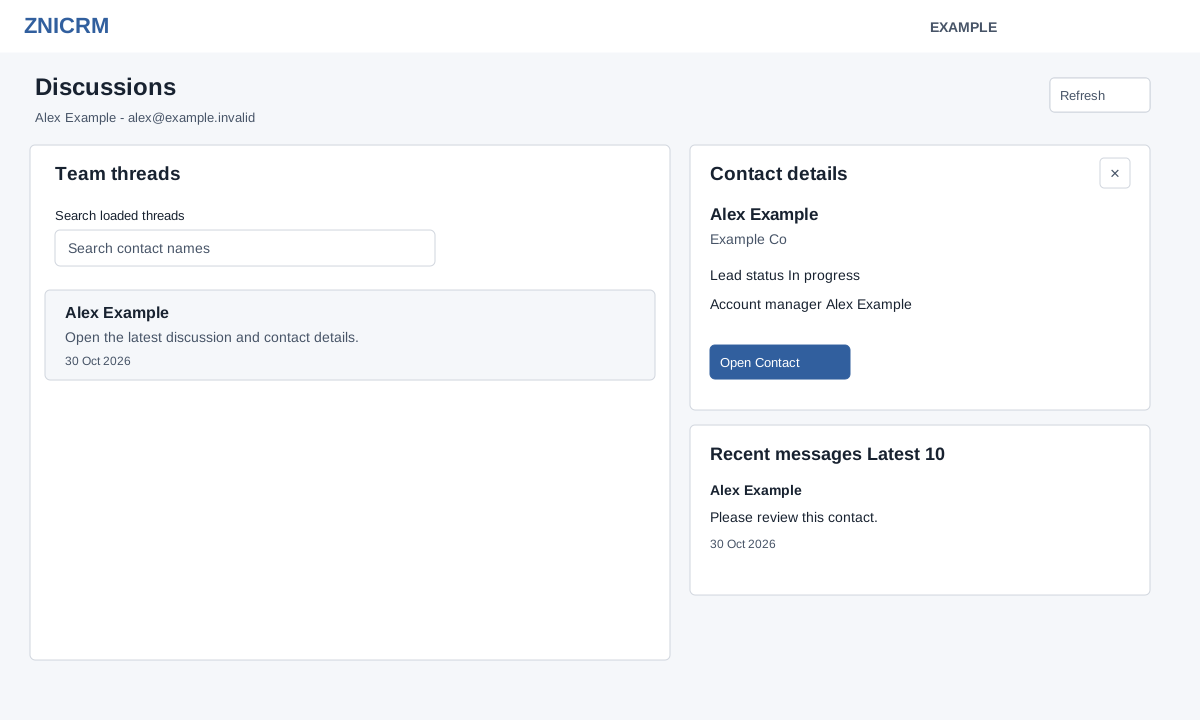
Open the new Daily Digest → Discussions. CRM access and permission to view the selected Digest user are required. The feed shows up to 100 recent threads involving that user; dates are shown as recorded.
- Search loaded threads by contact name; the shown count updates. Select a thread to load Contact details and up to the latest 10 discussion messages, with author and date.
- Use Open Contact to open the full contact conversation in a new tab. The preview has no message composer; make any reply in the appropriate contact workspace.
- Use the close control to dismiss the preview, or Refresh to reload the section.
If contact or messages cannot load, select the thread again to retry and check access. Selecting a thread opens its preview without marking the discussion as read.