Digest analytics
Review sales targets, contact activity and trends for the selected Digest user.
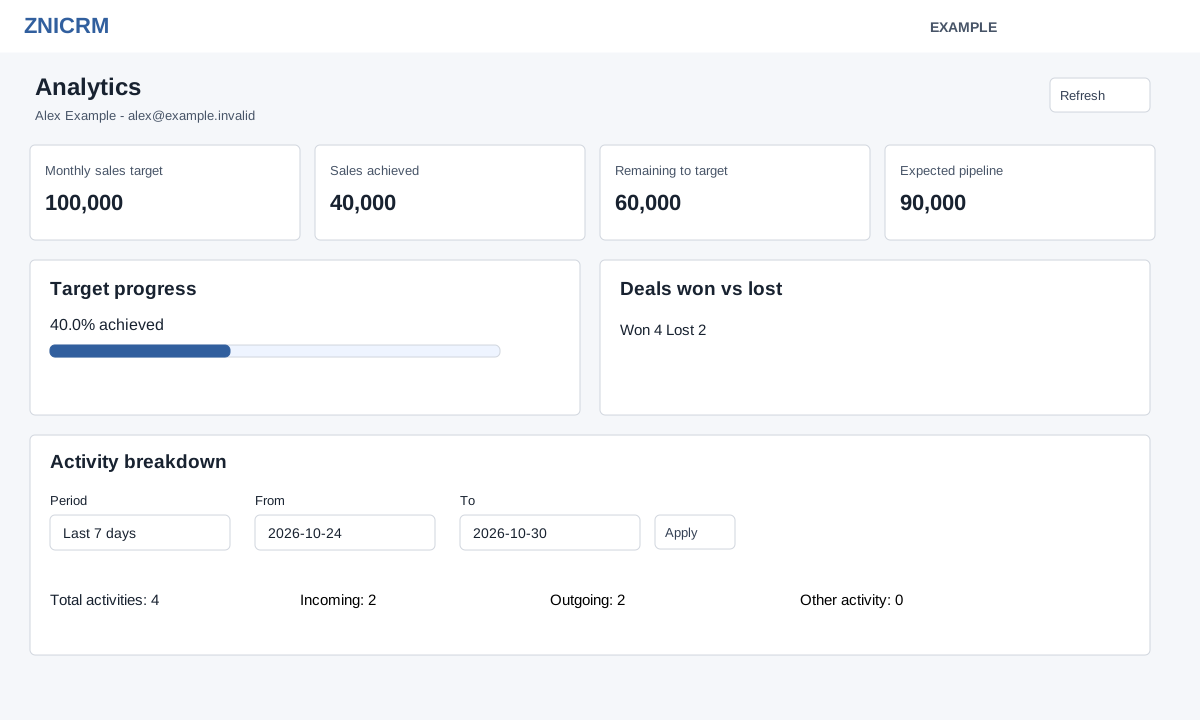
Open the new Daily Digest → Analytics. CRM and selected-owner view access are required. The heading shows the selected user and timezone. Refresh reloads the section.
Sales and trends
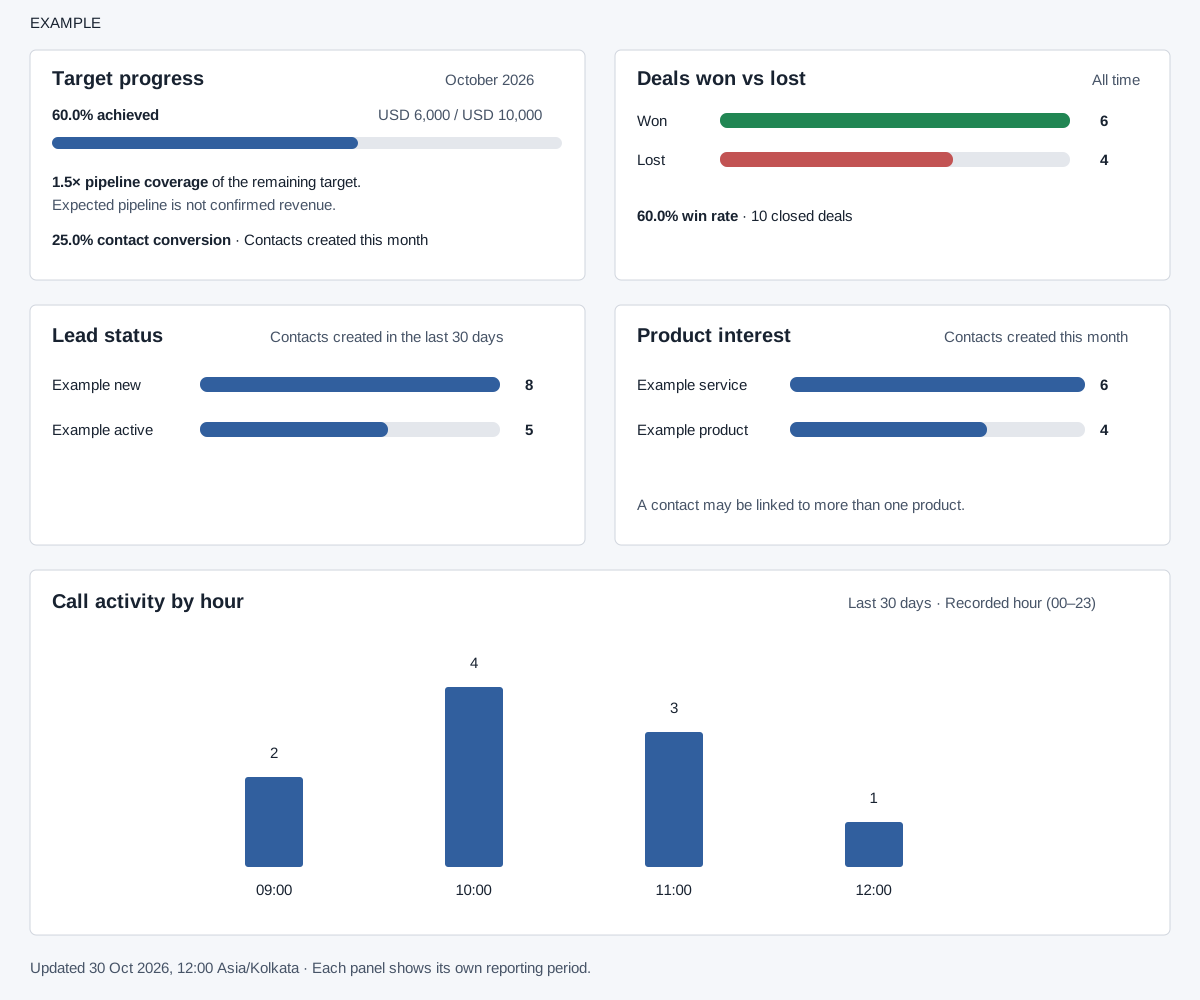
Monthly sales target, sales achieved from won deals closed this month, remaining target and expected pipeline appear at the top. Target progress shows achieved percentage, remaining-target pipeline coverage and contact conversion among contacts created this month. Expected pipeline is not confirmed revenue. Deals won vs lost and win rate cover all time. Lead status covers contacts created in the last 30 days; Product interest covers contacts created this month, and a contact can have multiple products. Call activity by recorded hour covers the last 30 days.
Interpret the panels
| Panel or value | Meaning and example |
|---|---|
| Monthly sales target | The selected user’s configured target. With no positive target, Remaining to target shows a dash and the progress panel says No target set. |
| Sales achieved | Value of the user’s WON deals with actual closure in this month. It is not collected payment or invoice revenue. |
| Expected pipeline | Value of INPROGRESS deals expected to close this month. It remains an expectation until the deal outcome is recorded. |
| Remaining to target | Target minus achieved value, with a minimum of zero. Exceeding the target does not produce a negative remaining amount. |
| Target progress and coverage | Achieved divided by target. The percentage text can exceed 100%, while the bar stops at 100%. Before the target is reached, pipeline divided by remaining target gives coverage: ₹90,000 expected against ₹60,000 remaining is 1.5×. |
| Contact conversion | Converted contacts among contacts created this month and currently owned by the selected user. The calculation counts built-in converted-status record ID 8; custom status names or types do not automatically qualify. Zero contacts produces zero percent. |
| Deals won vs lost | All-time outcome counts. Win rate is Won divided by Won plus Lost; 6 won and 4 lost gives 60%. No closed deals displays a message instead of a rate. |
| Lead status | Status counts for contacts created in the last 30 days. The bars compare category counts; they are not changes over time. |
| Product interest | Product counts for contacts created this month. One contact can appear under multiple products, so summed bars need not equal unique contacts. |
| Call activity by hour | Recorded CALL activity grouped by hour 00–23 in the last 30 days. The displayed axis uses recorded hours; the timezone label alone does not establish that old stored times were converted. |
Activity breakdown
- Choose Period: Today, Yesterday, Last 7 days, Last 30 days, This month, Last month or Custom dates. Presets update the dates and load automatically. This month sets the range through the last calendar day of the month, including dates still in the future.
- For custom dates, set From and To and choose Apply. Both are required and To must be on or after From.
- Read total, incoming, outgoing and other activity, followed by the activity type, direction and count table. This filter applies to Activity breakdown; the other panels retain their stated periods. Incoming counts direction IN, Outgoing counts OUT, and Other includes the remaining directions. Total is the sum of all returned groups; these are conversation/activity records for the selected user, not unique contacts. The date range begins at 00:00:00 and stops before 23:59:59 on the End date. A request still loading or reporting an error is not a zero result.
If activity is unavailable, apply the range again. Empty panels mean no matching data for that panel’s period; review the selected user and dates before drawing conclusions.