Pending Escalations
Use this report
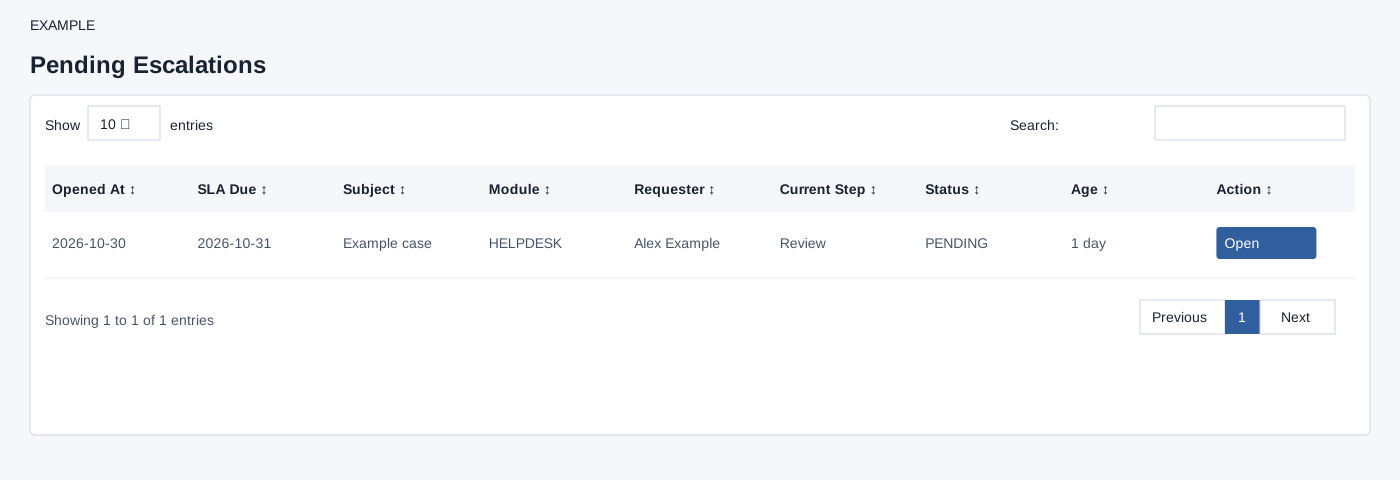
Open Pending Escalations from New Digest for the selected permitted user. The Action Required Queue lists up to 500 assignments for the selected user whose assignment is PENDING or NOTIFIED and whose escalation instance is ACTIVE or WAITING. The report orders by step due time, then opened time, with missing due dates last. Open follows the subject link in the same window when available. Review SLA Due, current step and status before acting in the originating module. If expected work is absent, confirm the selected user and whether it is still pending.
The table search filters loaded rows, column headers sort them, and pagination changes the visible page. These controls do not change the underlying records.
Verify the result
For Example Co, compare SLA Due and Current Step before choosing Open. Opening follows the subject link; it does not resolve the escalation here. If no action link appears, use the originating module and check the subject. Refresh to see whether it remains pending; the 500-row cap can hide later entries.