Overshot Deals
Use this report
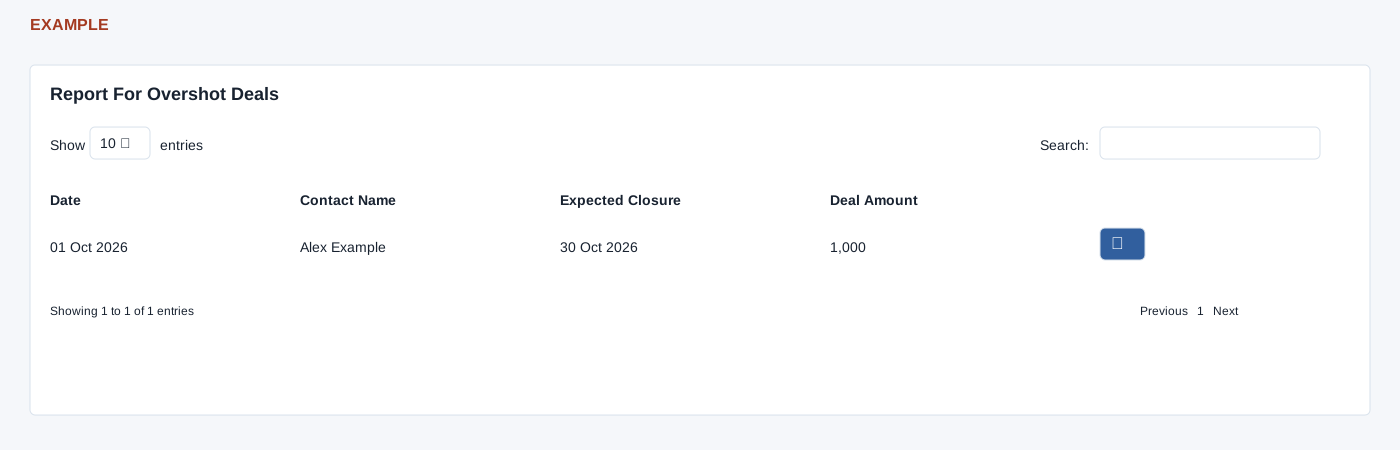
Open Overshot Deals from New Digest for the selected permitted user. CRM access is required. The report shows Date, contact, expected closure and deal amount; the action icon opens the contact conversation in a new tab. Review the deal and its expected closure before updating it. A missing row may be outside the selected user’s scope or no longer meet the overshot criteria.
The table search filters loaded rows, column headers sort them, Show entries controls page length, and pagination changes the visible page. There is no export control or in-report date filter. These controls do not change the underlying records.
Verify the result
For Example Co, compare Date (deal creation) with Expected Closure, then open the contact and review the deal. The report shows the chosen owner’s in-progress deals whose expected closure is on or before today, ordered by expected closure before the table applies its own sorting; it does not change the deal. Expected closure is compared with today’s date, so a value with a time later today may not qualify. The page defaults an invalid or unauthorized user to the current user. After an authorized update in the contact, refresh this report to check whether it still qualifies.