Follow-up Review
Use this report
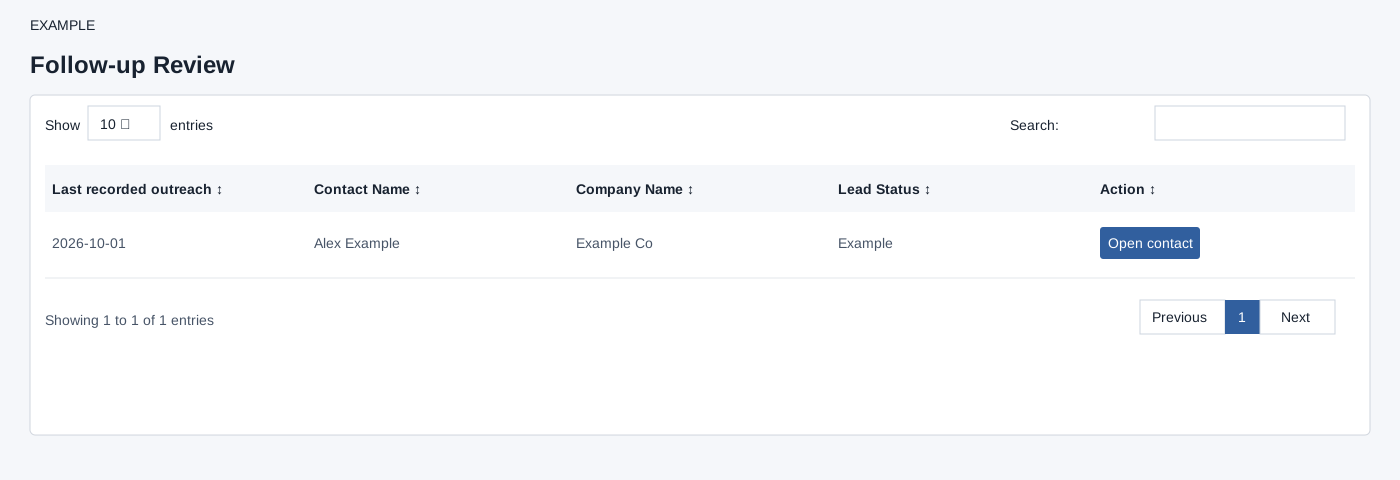
Open Follow-up Review for the selected user. Up to 500 nondeleted contacts owned by the selected user in the configured follow-up statuses are selected by contact creation date ascending. The report includes contacts with no recorded outgoing follow-up, or both incoming and outgoing follow-up timestamps at or before midnight 15 days ago; a missing incoming timestamp does not satisfy the latter comparison. The timestamp is last recorded outreach, not necessarily a scheduled due date. Open contact opens the CRM conversation. Scheduled tasks are available separately under Tasks Due. Check the contact’s recent activity and follow-up before deciding what to do.
The table search filters loaded rows, column headers sort them, and pagination changes the visible page. These controls do not change the underlying records.
Verify the result
For Example Co, open the contact and inspect its timeline before recording the next action. The report itself does not schedule or send anything. Refresh after working in the contact; if no row appears, check the selected user and the 500-row limit.