Follow-up Alerts
Use this report
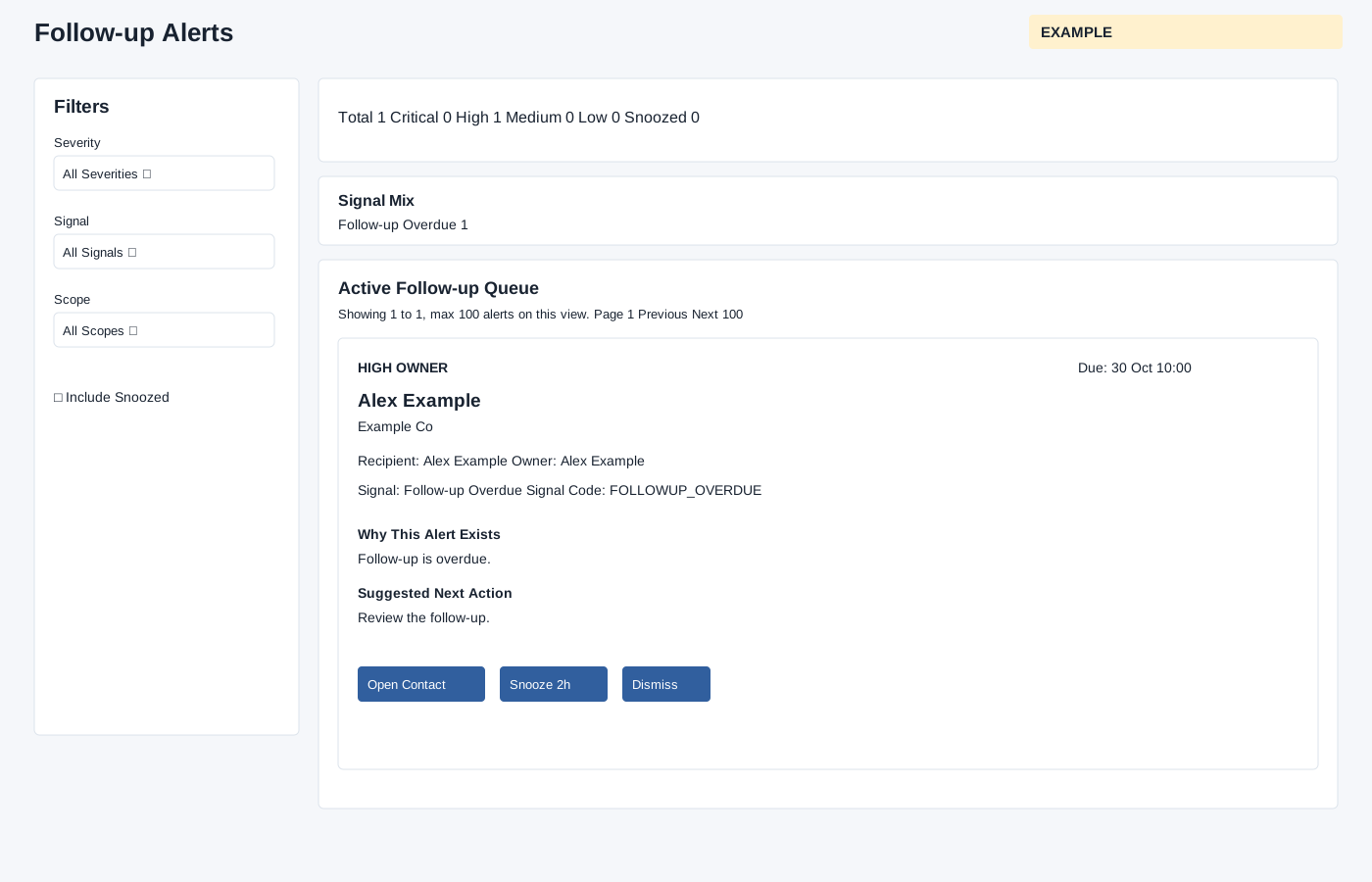
Choose Severity (All, Critical, High, Medium, Low), Signal, Scope (All, Owner, Escalated, Unowned), and Include Snoozed. Each change reloads the view and returns to the first page. Signals include new lead without first response, unanswered outcall retry, overdue follow-up, customer reply waiting for agent, stale outbound or recent touch, and no next action scheduled. Cards show Total, Critical, High, Medium, Low and Snoozed; Signal Mix summarizes signals when available. Each alert shows severity and scope, due time, contact and company, recipient and owner, signal and code, why it exists, and suggested next action. A snoozed alert also shows its expiry. Pages contain 100 alerts.
Open Contact opens the CRM conversation. Snooze 2h prompts for an optional reason and hides the alert for two hours; Dismiss prompts for an optional reason and records dismissal. Both actions check whether the actor may manage the alert and record an event; dismissal resolves the queue item as dismissed. Neither schedules a task. Cancel the prompt to leave the alert unchanged. Success reloads and refreshes the digest; errors are displayed. Availability depends on the selected user and permitted alert scope.
Verify the result
For Example Co, choose High and the relevant Signal, then inspect the contact before deciding whether to snooze or dismiss. Include Snoozed reveals snoozed active alerts in the filtered view. Cancel either prompt to make no change; after Snooze 2h, enable Include Snoozed to check the expiry. A dismissal does not create a follow-up task.