Revival Queue
Use this report
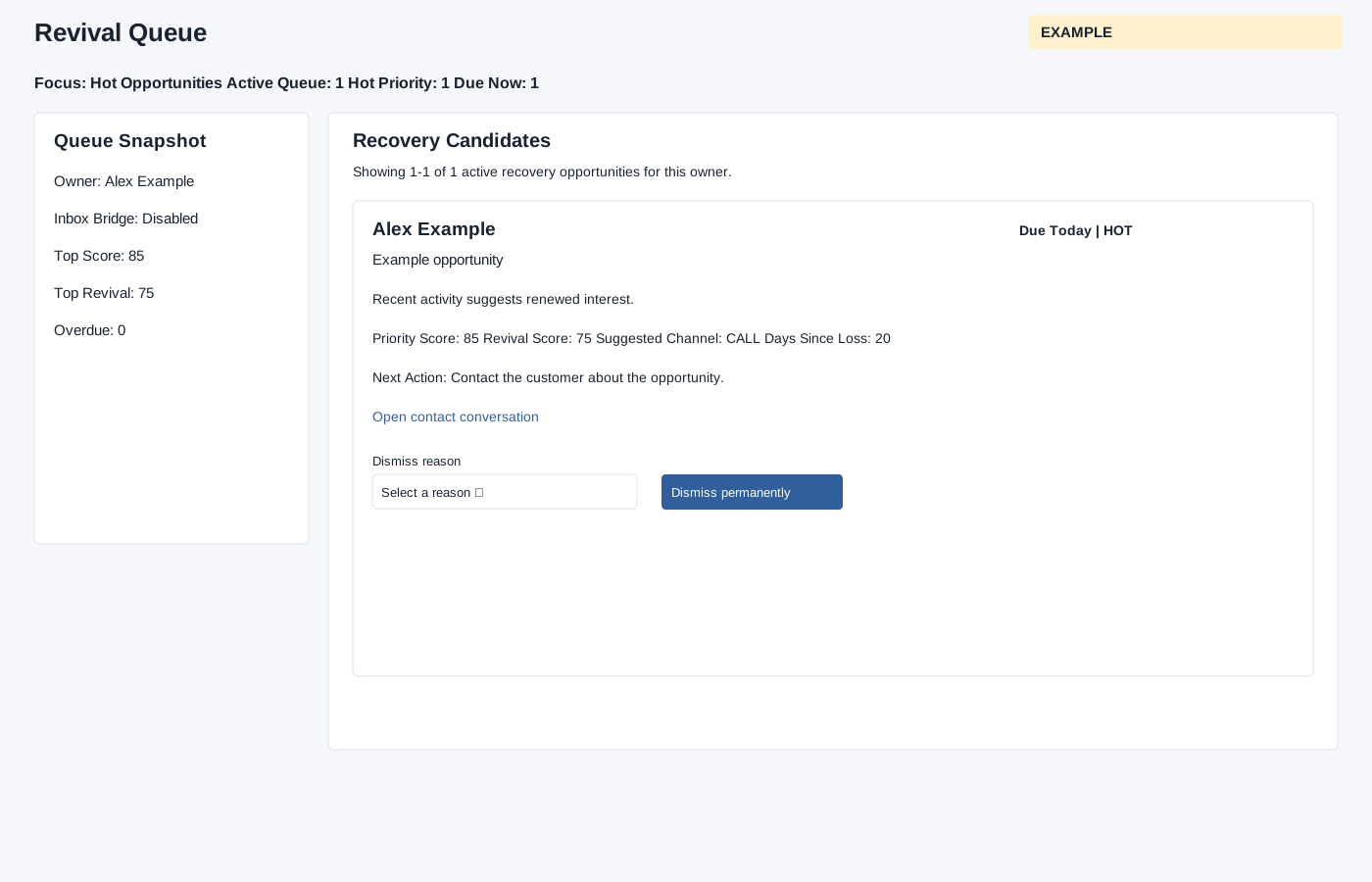
Open Revival Queue from New Digest for the selected permitted user. Deal Analytics must be enabled. The header shows Focus, Active Queue, Hot Priority and Due Now. Queue Snapshot shows the owner, inbox bridge setting, top priority and revival scores, and overdue count; Recovery Candidates are ordered by priority and paginated 50 at a time. Cards include contact and deal, due state and priority band, reason, priority and revival scores, suggested channel, days since loss and next action. Open contact conversation opens the CRM record.
When dismissal is permitted, choose Another deal was won, Customer dropped the plan or No longer relevant and select Dismiss permanently. The system checks feature enablement and permission for the current queue owner, and records dismissal reason, actor and time on the active queue item. This changes live queue state; verify the resulting queue after the operation. If the queue is unavailable, check the feature setting, user scope and permission.
Verify the result
For Example Co, open the contact to review the lost deal before choosing a dismissal reason. Permanent dismissal keeps that deal out of the revival queue for everyone even after new activity or automatic refresh; other deals for the contact are unaffected. Refresh and check the queue after a successful dismissal. An empty queue can mean no active recovery candidates for that owner.