Contact support tickets
Open the page
Contact conversation → More Sections → Tickets
Review and create tickets
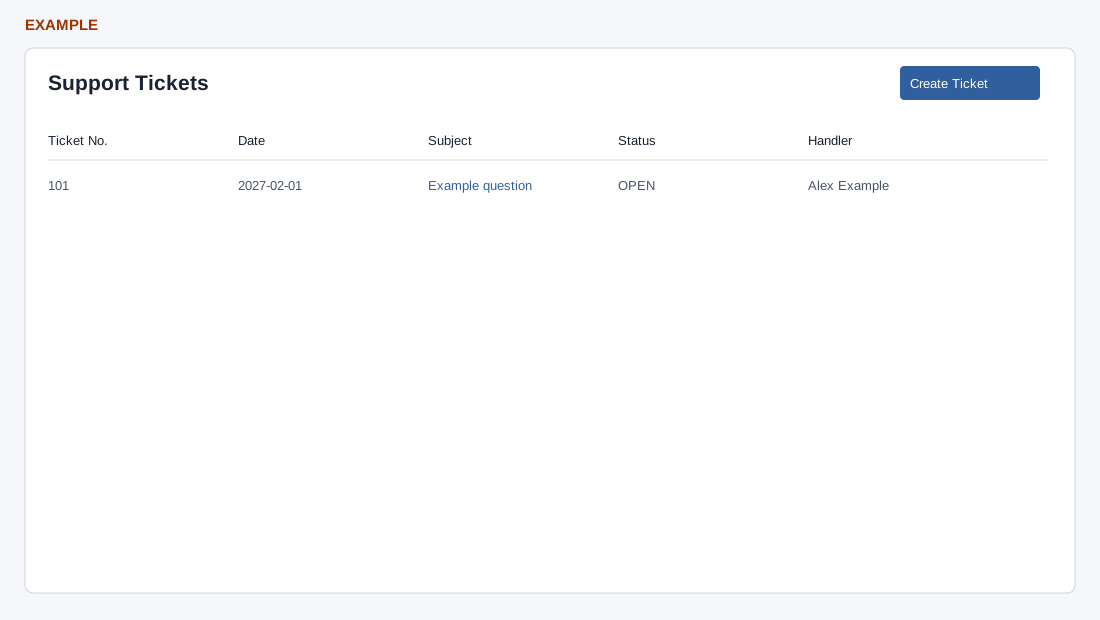
- Review Ticket No., Date, Subject, Status and Handler; open a ticket to inspect its source record. Choose Create Ticket to open the helpdesk creation page for this contact.
- Example: review a service issue before creating a separate ticket. Saving a new ticket changes live data.
Scope and actions
CRM access and a valid company contact are required for the frame. The list requests up to 100 tickets for that contact and displays only OPEN, CLOSED and ONHOLD statuses among the returned rows. The table has Ticket No., Date, Subject, Status and Handler. A subject opens the ticket in a separate window; opening the ticket records a viewed event and may affect escalation tracking. Create Ticket opens the helpdesk creation page with this contact preselected; its own access and validation apply. See Helpdesk workspace guide for ticket creation.
Example: check an existing open support issue for Alex Example before creating a duplicate. If it is absent, check the status, contact and 100-row limit; an empty-looking table can also result when returned tickets have other statuses.