Contact purchase orders
Access and available data depend on your account.
Purpose and access
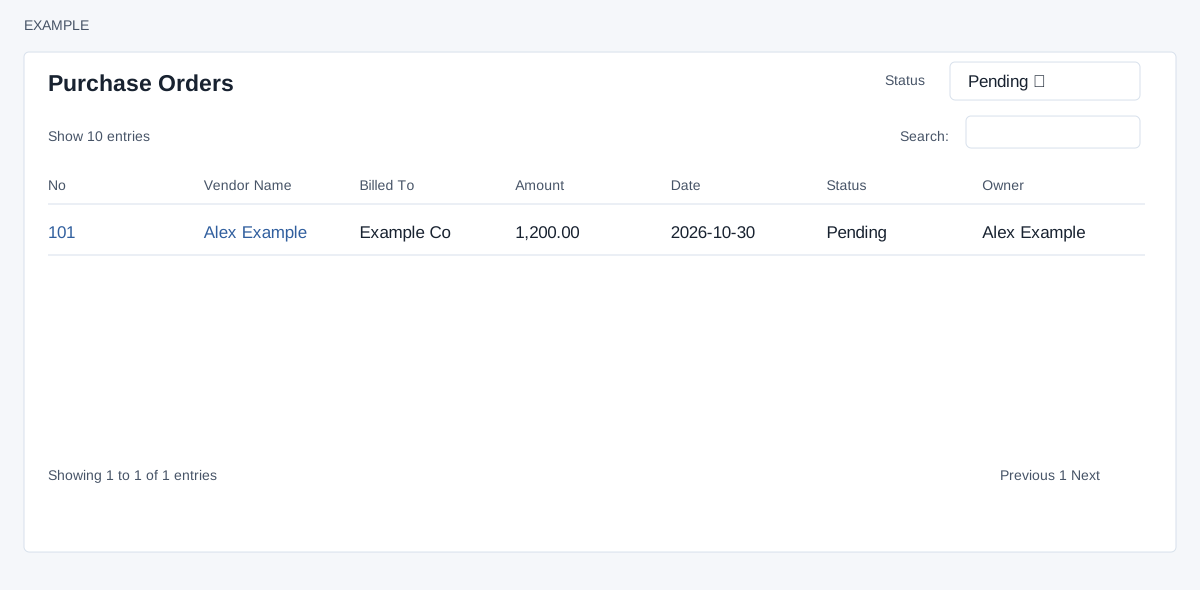
Open the vendor contact conversation → Purchase Orders to review orders for that vendor. Inventory access and either Manage Products permission or the ADMIN role are required, as is a valid contact in the account.
Filter and open orders
- Use Status: Pending is the default; Final and Delivered select orders with those stored statuses. Changing it reloads the frame and does not change any order.
- Use the table search to narrow displayed rows, column headers to sort, the page-size selector and pagination to browse. The initial sort is Date descending. The list returns at most 100 orders for the selected vendor and status.
- Read No, Vendor Name, Billed To, Amount in the account currency, Date, Status and Owner. Select the number to open the purchase order in a new tab; select the vendor name to open its contact conversation in a new tab.
For Example Co, choose Final and open the order number to inspect its details. This frame does not create or edit an order; those actions belong to the downstream inventory page.
Check and recover
“No purchase orders with this status” can mean a different status is selected. Check all three statuses, vendor and access; older results may exceed the 100-row limit. Ask an inventory administrator to check permissions when access is denied.