Review and update an assignment
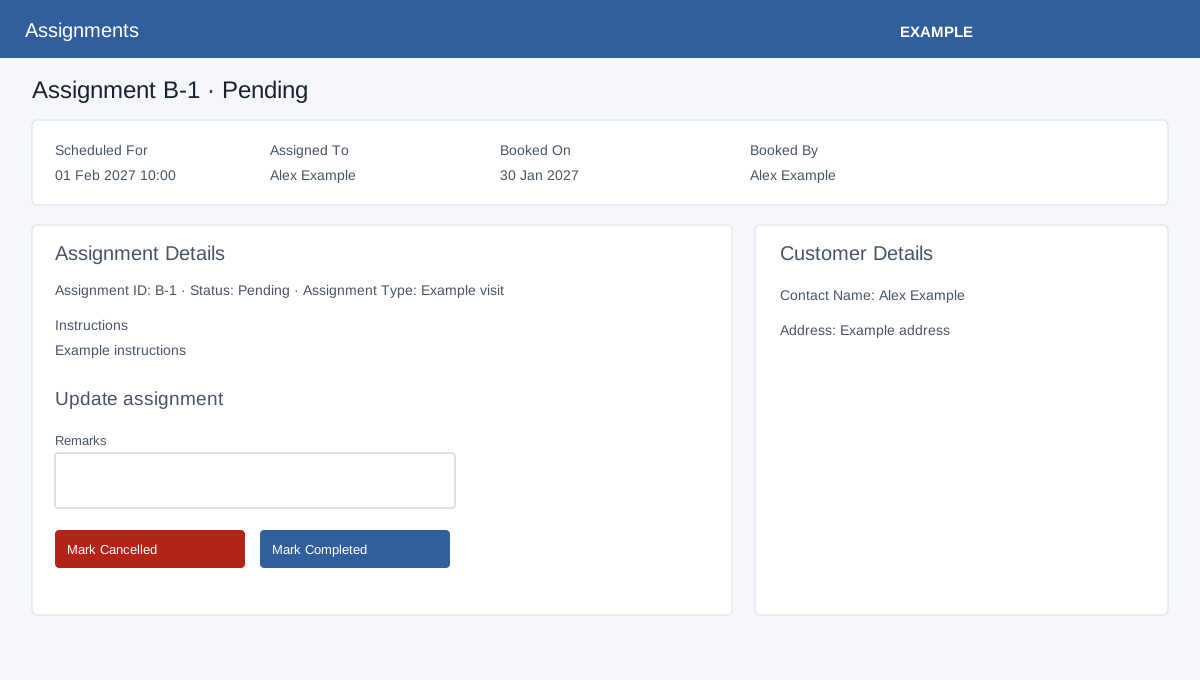
Open Assignments → Reports and select a B-number. Your CRM access and the assignment status determine which changes are available. Availability depends on the account and user access. Back to Assignments returns to the report; Notes opens the side panel.
Review
The heading shows ID, status and type. Scheduled For, Assigned To, Booked On and Booked By identify the work. Assignment Details repeats ID, Status and Assignment Type; Instructions are the original description. Customer Details shows contact name and the address snapshot stored when the assignment was created.
Record the outcome
For Pending only, enter required Remarks and select Mark Completed or Mark Cancelled. The update records the status, remarks and completion time. It does not update the CRM task or confirm a TeamSpoor update. Success reloads the detail page; the non-pending view shows Staff Remarks and Completion Date instead of the form. Completed bookings cannot be changed here, and only Pending bookings can be marked Completed. A missing remark or an invalid or disallowed status produces an error. If the request cannot be confirmed, reload and verify status before retrying.