Billing address in company profile
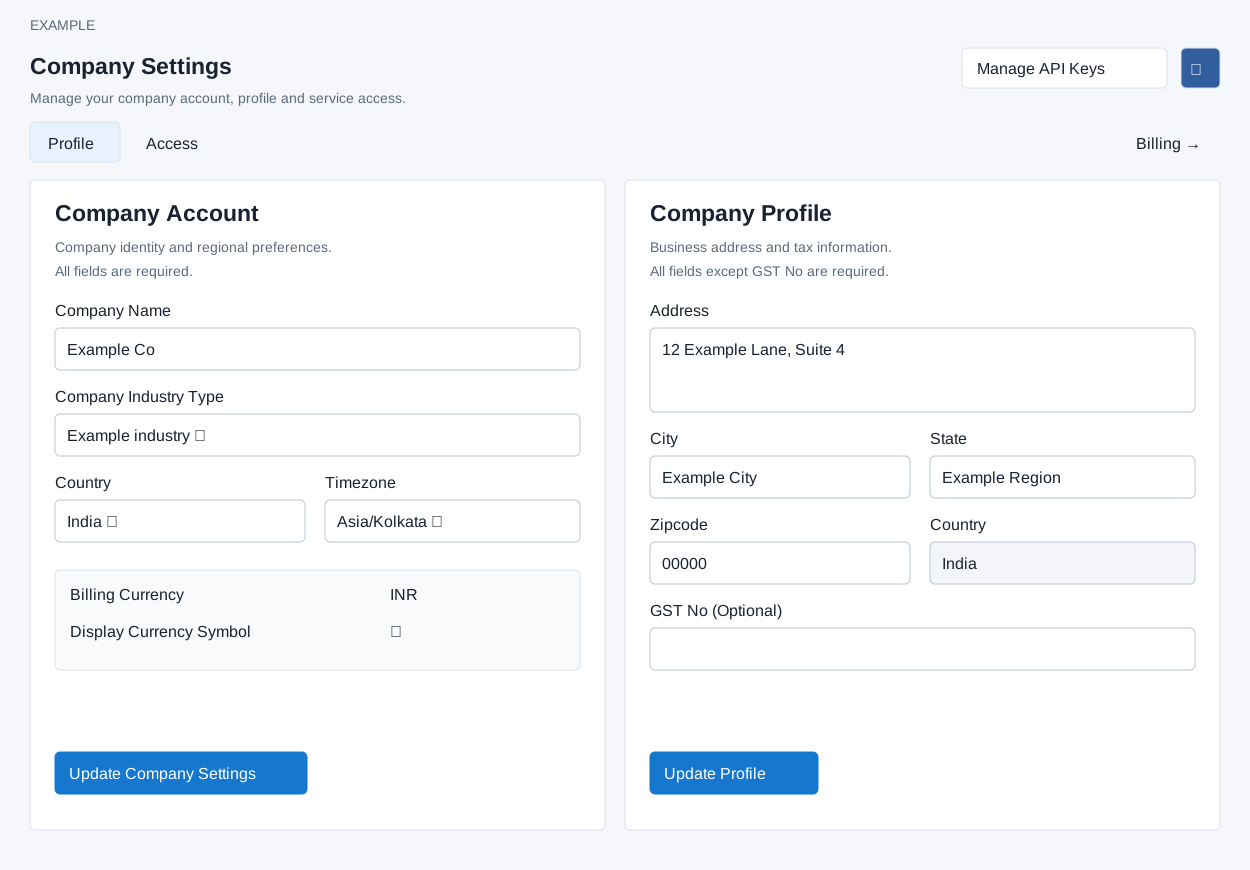
Open Account Settings → Company Settings → Profile. Company Profile contains business address and tax information. Address, City, State, Zipcode and Country are required by this form; GST No is optional. Country is read-only here and comes from Company Account. Enter the applicable values and select Update Profile. Check the displayed result and revisit Profile to verify the stored values.
Company Account separately has required Company Name (up to 45 characters), Company Industry Type, Country and Timezone, saved with Update Company Settings; country and timezone selectors are searchable. Selecting country refreshes the available timezones and displayed currencies. Company Account displays Billing Currency and Display Currency Symbol derived from country. Country or billing currency may be locked when wallet balance exists, or country and timezone may be locked after leads or additional users exist; read the explanation displayed beside the control. The wallet checkout has its own address form when completion is needed, where postal code is optional. If a save fails, complete the required fields and read the displayed message or ask an administrator to review access.