Review a CRM plan upgrade
Open Billing → Compare plans. Administrator access is required. Set the total team size using the number field or minus/plus controls; it cannot be less than the active CRM user count or 1, and the field maximum is 999. Choose an offered billing cycle, use Show full comparison if needed, select an eligible plan and Continue to review. Availability and cycle options are supplied by the account catalog.
Review before confirming
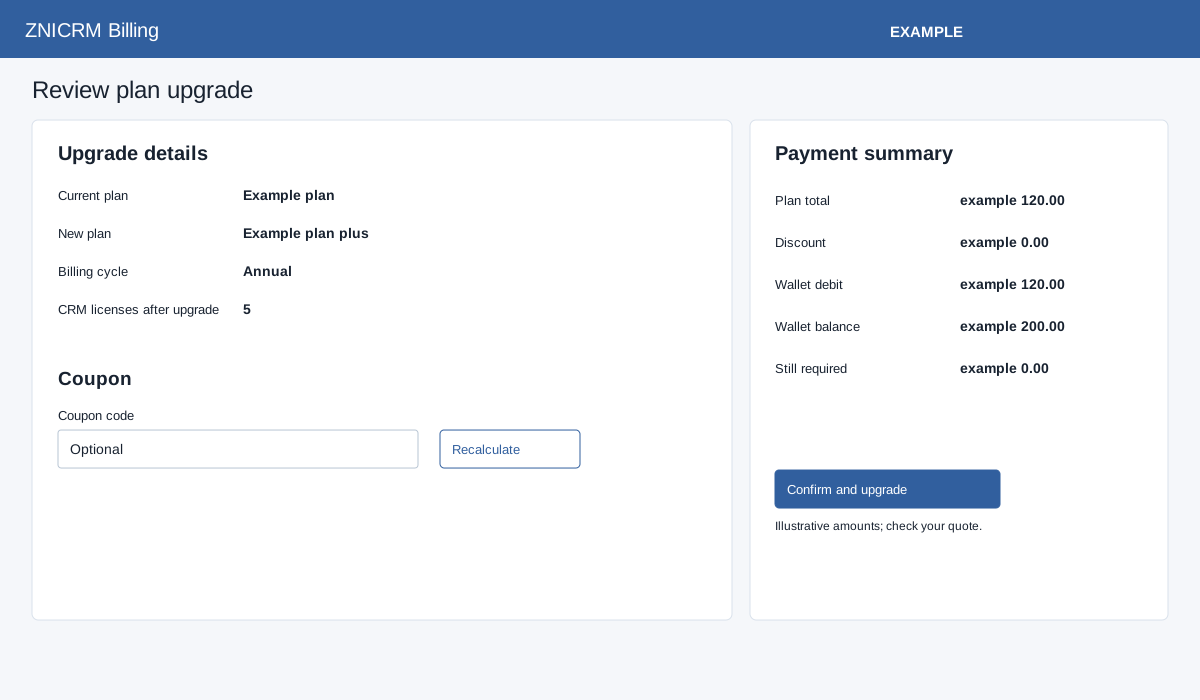
Review plan name, cycle, licenses, included and additional users where shown. For a non-subscription plan, optionally enter a Coupon code (up to 80 characters) and select Recalculate. Check the recalculated discount, plan total, wallet debit, wallet balance and Still required. If funds are insufficient, Add wallet funds prepares the funding flow; otherwise Confirm and upgrade submits the upgrade. For a subscription plan, review the recurring subtotal, tax and total, then Continue to Central Billing or Retry Central Billing if shown. A conflicting request may offer subscription management or Resolve and cancel stale request. The latter asks for confirmation and cancels the earlier eligible request; if the earlier response was interrupted, the page says it first recovers that same request before cancellation.
Use the actual review and provider checkout for current prices, tax and terms. If the review cannot be prepared or the billing session expires, return to plan selection and choose again. After a successful wallet-funded upgrade, the workflow returns to Billing overview; verify the current plan and history there. If the result is uncertain, inspect the plan and wallet history before retrying. The amount and selection are checked again before the wallet charge or Central Billing handoff.