Renew or change CRM licenses
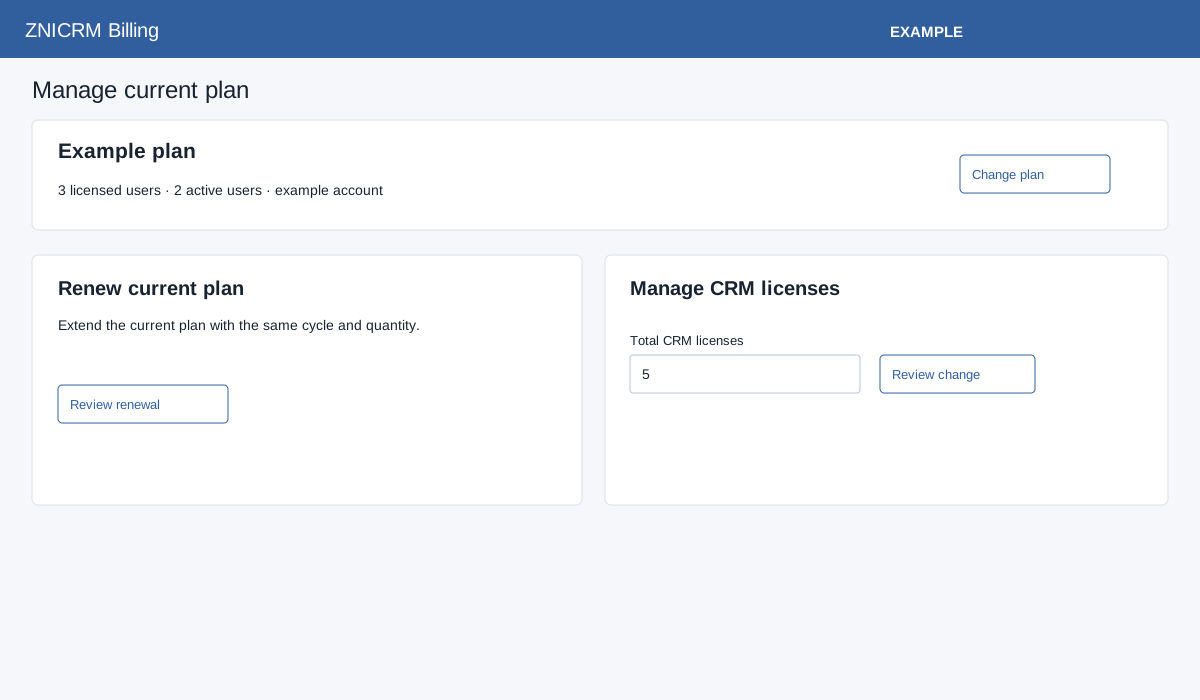
Open Billing → Current plan as an administrator. The current plan summary shows plan and license information. Choose Change plan to compare eligible alternatives.
Review renewal or license change
For eligible non-subscription plans, Review renewal prepares a renewal with the existing cycle and quantity. The screen warns that renewing with more than 15 days left may reset unused validity. For an eligible license increase, enter the desired total (the default is at least one above the current quantity and no less than active users) in Total CRM licenses (minimum the active user count, maximum 999) and select Review change. An unchanged quantity is rejected; increases are quoted for the remaining term. Fixed bundles instead offer comparison with another capacity. A reduction produces a support-assisted Request license reduction link.
Review the quoted wallet debit, wallet balance, still required and any warnings. If funds are short, select Add wallet funds; otherwise Confirm renewal or Confirm license increase submits the action. On success the screen returns to current plan; verify the updated term or quantity. If the result is uncertain, inspect current plan and wallet history before retrying. A billing session error requires returning to the screen and preparing a fresh review. Subscription plans instead link to subscription management. Charges and conditions are determined by the actual quote.