Transfer wallet funds to service credits
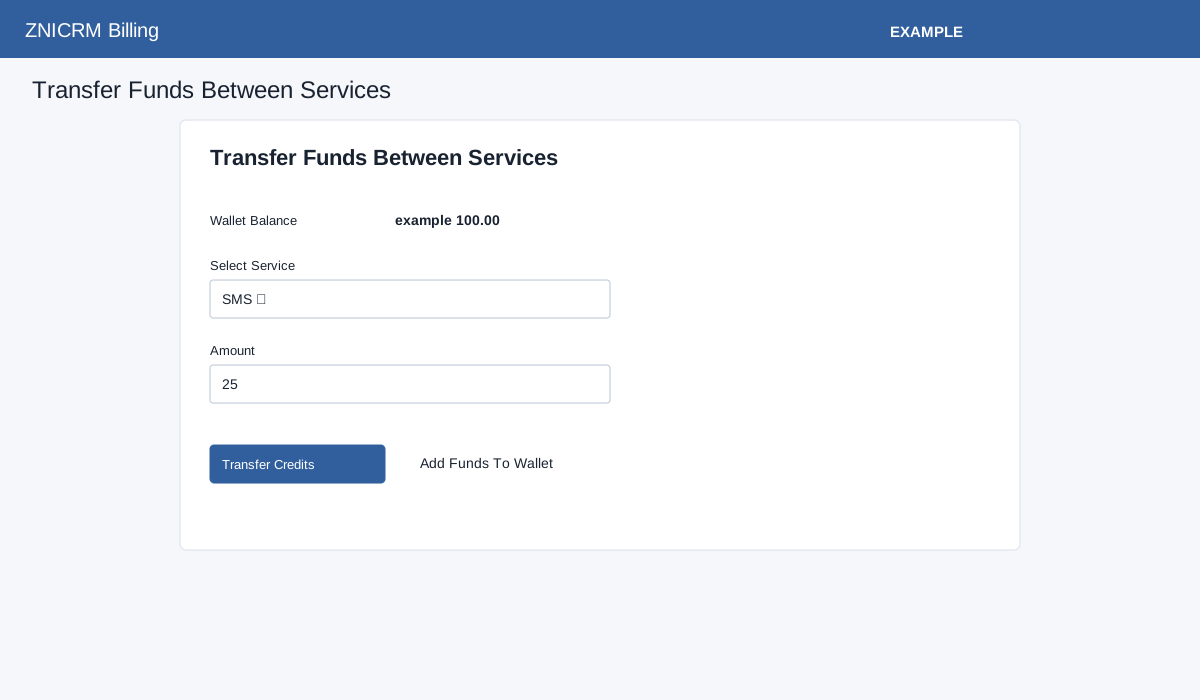
The Transfer Funds Between Services page shows Wallet Balance, Select Service and Amount. The selector lists SMS, Voice and Email, but transfers currently accept only SMS and reject Voice and Email with a support message. When SMS is intended, enter a positive amount within the available wallet balance and choose Transfer Credits; the button is shown only when the displayed wallet balance is positive. The confirmation dialog warns that the transfer cannot be reversed; the success message says funds have been transferred and the displayed wallet balance updates. If the service is missing or the amount is not positive or exceeds the balance, the page reports an error. Decimal points are removed before processing: for example, 1.5 is interpreted as 15. Use whole-number amounts only and verify the amount and both balances. Wallet debit and service credit update are separate writes, so after an error or interruption check both balances and billing history before retrying. Add Funds To Wallet opens wallet funding. For AI credit transfers, use Add AI Credits.