Review and update an assignment
Availability depends on your account configuration and permissions.
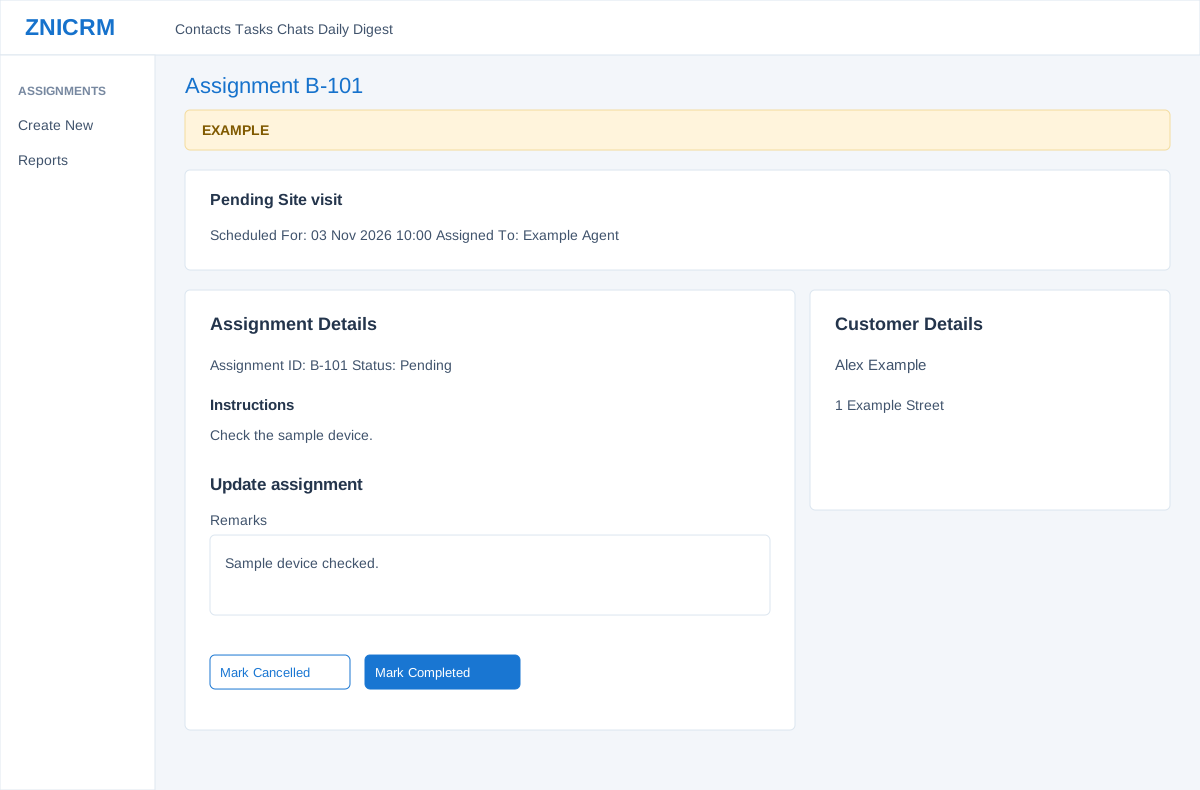
Open the page
Assignments > Reports > open an assignment ID. Administrator permissions may be required.
Review the work
- The header shows the assignment ID, status and type. Read Scheduled For, Assigned To, Booked On and Booked By, then review Instructions and Customer Details. Back to Assignments returns to the report.
- Example: the Site visit for Alex Example is scheduled for Example Agent. Verify the contact and instructions before attending.
Record the outcome
- For a Pending assignment, enter Remarks and choose Mark Completed or Mark Cancelled. Remarks are required for either action; choosing a button updates the live status.
- For a non-pending assignment, review Staff Remarks and Completion Date instead of the pending update form. If the response cannot confirm an update, reload the record and check its status before trying again.