Older admin contacts view
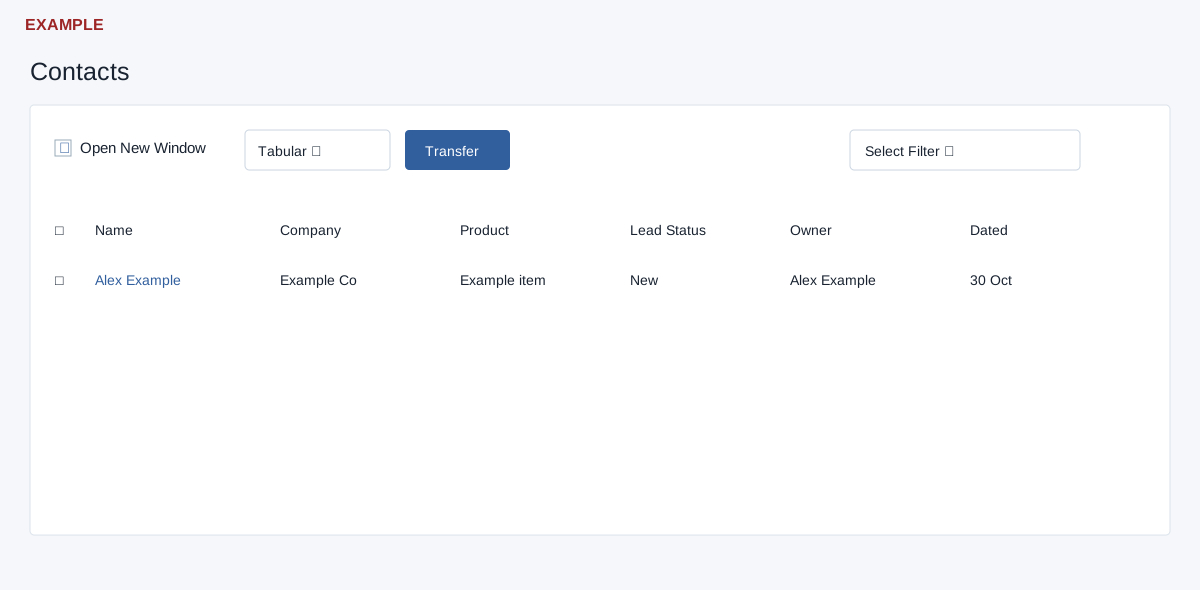
This separate older Contacts screen requires CRM access. Its Tabular view has Open New Window, Tabular/Kanban, Transfer and a saved filter selector. The table has selection checkboxes, Name, Company, Product, Lead Status, Owner and Dated; search and ordering retrieve matching records, with 25 rows per page. Opening a contact follows the Open New Window preference, which is stored in a browser cookie. Kanban groups contact cards by lead status and links to conversations.
Changing the filter or view navigates to the CRM Contacts route, not back to this admin route. For the older transfer flow, select the displayed table rows, choose Transfer, select a new owner and then Transfer Contacts; confirm the warning to queue the transfer. Cancel closes without requesting it. The selection collector reads selected rows currently in the table; do not assume selections on other pages are included. Bulk-transfer permission and a valid recipient are required. A success message says the transfer was queued; check ownership after processing rather than assuming it is complete. If uncertain, verify the result before submitting again.