Custom telephony accounts
Register numbers for a custom telephony integration.
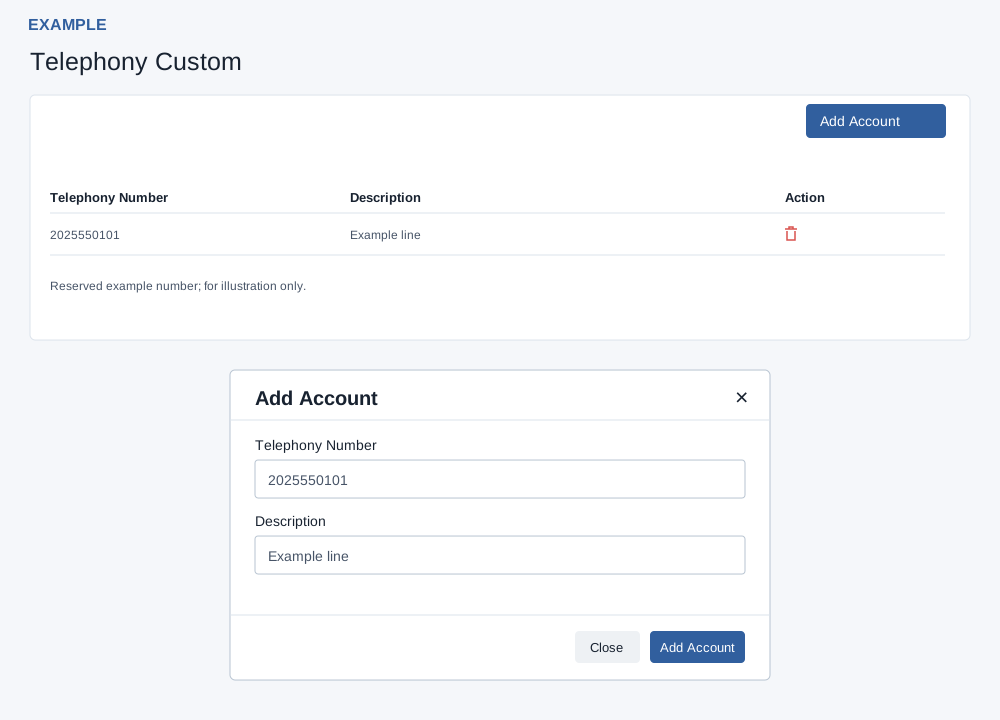
Add and remove
Administrators open Account Settings → Telephony Custom. The list shows up to 50 company accounts, with Telephony Number, Description and a delete icon.
- Select Add Account, enter a number and description, then Add Account. The number must contain 5–15 digits after sanitizing; duplicate numbers are rejected. A successful result adds a temporary row without a delete icon; reload to verify the saved values and reveal the normal row action.
- Known limitation: the number is saved in place of the entered description. Confirm the stored value after an authorized change; correction requires a product fix.
- To remove an account, select its delete icon and confirm. The dialog warns that logs will be deleted. Do not assume the logs have been removed; confirm with support if necessary. Review related integration impact before removing it.
If the number is rejected, check its length, duplication and administrator access.