
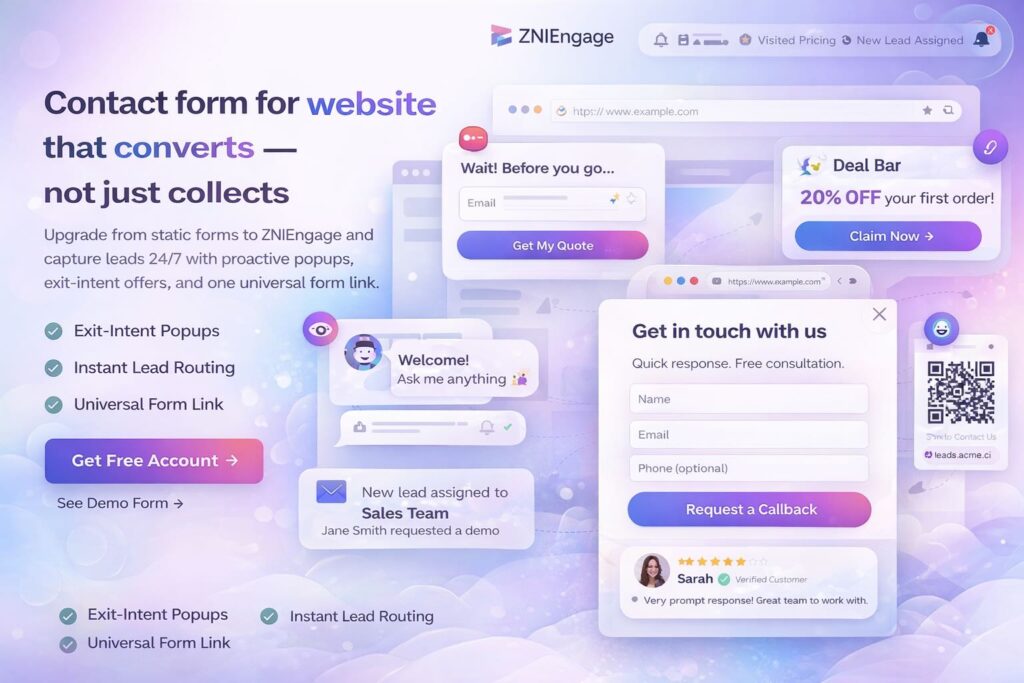
Website user engagement popups developers can ship fast
Build exit-intent popups, slide-ins, deal bars, and responsive contact forms with a lightweight snippet. Target the right pages, capture clean leads, and route them automatically—so you can improve conversion without rebuilding your site.
+70%
Conversion
12,370+
Active users
< 30s
Copy & paste snippet
Built to work even when you’re offline—visitors can leave their details and you respond on your schedule.
What is a website user engagement popup?
A website user engagement popup is an on-page widget (modal, slide-in, or sticky bar) that appears based on visitor behavior—like exit intent, time on page, or scroll depth. It’s used to capture leads, promote a relevant offer, or surface helpful content at the right moment. ZNI Engage provides these patterns as configurable components you can deploy across pages without changing your site layout.
Common patterns you can deploy
- ✓Exit-intent popup to catch abandoning visitors with a last-minute offer.
- ✓Popup notification / slide-in for announcements, upgrades, and page-specific deals.
- ✓Deal bar for site-wide promos with a persistent CTA.
- ✓Contact form popup for lead capture without redirecting to another page.
Why this works (without harming UX)
- ✓Use contextual targeting so the message matches the page intent.
- ✓Add frequency limits so returning users aren’t repeatedly interrupted.
- ✓Keep forms minimal (name + email) and only add fields when needed.
- ✓Route leads automatically so responses are faster and follow-ups don’t slip.
Choose the right popup pattern for each page
Developers get better results when the widget matches visitor intent. Use exit intent on pricing pages, a deal bar for site-wide promos, and a contact form popup on high-intent product pages where visitors need a quick next step.
| Pattern | Best pages | Trigger | Best CTA | Notes |
|---|---|---|---|---|
| Exit-intent popup (Last Minute Deal) | Pricing, comparison, checkout | Exit intent | Get quote / Trial / Coupon | Works best when the offer is genuinely strong and time-sensitive. |
| Popup notification | Feature, blog, product pages | Time delay / scroll depth | Learn more / See update | Use to announce launches or page-specific deals. |
| Deal bar | Site-wide | Always visible | Book demo / Start trial | Lower intrusion, great for persistent promos. |
| Contact form popup | High-intent landing pages | Auto-popup / click | Request demo / Contact sales | Keep fields minimal; add phone only when qualification demands it. |
Want the fastest path to “live”?
Register your account, add your domain, configure triggers, then paste the snippet into your site header.
Triggers, targeting, and frequency rules (developer checklist)
The difference between “annoying popups” and high-performing engagement widgets is control. Use the trigger that fits the page, apply page targeting, and cap frequency.
Triggers you’ll actually use
- ✓Exit intent: catch abandoning visitors with a last-minute deal.
- ✓Time delay: show after the visitor has engaged with the page.
- ✓Scroll depth: target readers who show intent (e.g., 50–75%).
- ✓Click-based: open the contact form only when the user asks.
Targeting & frequency (protect UX)
- ✓Page targeting: keep messaging contextual to the URL/page type.
- ✓Device targeting: use mobile-friendly patterns (bars, slide-ins) where needed.
- ✓Frequency caps: once per session/day, and respect dismissals.
- ✓Lead routing: assign leads automatically so follow-ups happen faster.
Implementation notes: ship safely in production
ZNI Engage is deployed via a snippet added to your website header. For stable rollouts, load scripts asynchronously, validate in staging, and standardize analytics events. If your site is a SPA, ensure the widget initializes on route changes so targeting stays accurate across virtual pageviews.
Performance & reliability
- ✓Load the widget asynchronously to avoid blocking rendering.
- ✓Test on key templates: pricing, product, landing pages, and mobile breakpoints.
- ✓Confirm the widget doesn’t conflict with existing modal libraries or z-index stacks.
Your snippet comes from the ZNI dashboard. Avoid copying from third-party sources.
Measurement (recommended event names)
- ✓popup_view: when a widget is displayed
- ✓cta_click: when a primary button is clicked
- ✓lead_submitted: when the contact form submits
- ✓Segment results by page + trigger so you can iterate confidently.
Popup widget vs live chat vs embedded forms
If you’re choosing tooling for lead generation and engagement, align it to response expectations and your team’s availability.
| Option | Best for | Expectation | Risk |
|---|---|---|---|
| Engagement popups (ZNI Engage) | Lead capture + promotions + guided next steps | Visitor can leave details; you respond later | Needs targeting + frequency limits to protect UX |
| Live chat tools | Real-time support and immediate answers | Visitor expects instant replies | Missed conversations if you’re offline |
| Embedded forms | Low-friction contact on a dedicated page | Visitor must navigate to the form | Lower capture rate on high-intent pages |
Free within usage limits
ZNI Engage is free for up to 10,000 unique website hits per month and 5,000 leads/contacts in the CRM (within limits, you never pay).
Quick definition (for teams & docs)
A website user engagement popup is a modal, slide-in, or sticky bar triggered by visitor behavior—such as exit intent, time on page, or scroll depth. It helps capture leads, promote an offer, or surface helpful content at the right moment. The best implementations use contextual targeting and frequency limits to protect UX.
Common questions about engagement popups and ZNI Engage
How much will ZNI Engage cost?
ZNI Engage is free for up to 10,000 unique website hits per month and 5,000 leads/contacts in the CRM. If you stay within those limits, you never pay anything.
Do I need to purchase the CRM along with this live-chat alternative?
No. As long as your monthly volume stays below 5,000 leads and 10,000 unique hits, you do not need to buy any additional CRM plan.
How is ZNI Engage different from Intercom or Tawk.to?
Intercom and Tawk.to are live-chat tools where customers expect instant replies. Small businesses can’t always be online 24/7. With ZNI Engage, visitors leave their details and expect the vendor to respond later, so you never miss a lead even when you’re offline.
How do I install the ZNI Engage widget on my website?
Follow the step-by-step guide at Get started with ZNI Engage to add the widget to your site.
Can I use this live-chat alternative even if I don’t have a website?
Yes. You can generate leads with ZNI’s Universal Contact Form, which works without a website. Learn more at znicrm.com/contact-form.
Can I install ZNI Engage on multiple client websites from a single account?
Yes. You can register multiple domains in one panel and deploy separate instances of the widget to each client’s site.
How do I prevent popups from annoying returning users?
Use frequency caps such as once per session or once per day, and respect dismissals. Also target only high-intent pages so the popup feels contextual rather than random.
Which popup trigger should I start with?
Exit intent is a strong default for pricing and comparison pages. For content pages, start with time delay or scroll depth so you engage readers who show intent.
What fields should a popup contact form include?
Default to name and email, then add phone or message only if it improves qualification enough to justify extra friction. Minimal forms typically convert better.
Can I send email, SMS, or make automated calls to the leads received?
Yes. You can connect your preferred SMS, email, WhatsApp, and telephony vendors in the CRM and trigger automated messages via workflows.
Is this tool for sales or support?
Both. Use ZNI Engage for sales by collecting leads or for support by surfacing knowledge-base answers directly in the widget.
Tip for WordPress + Elementor: If you want this page to inherit your theme fonts, remove the font-family line inside .zni-wrap.
Make every page a better landing page
Deploy contextual engagement popups and contact forms, capture leads 24/7, and route them automatically—without heavy dev work.