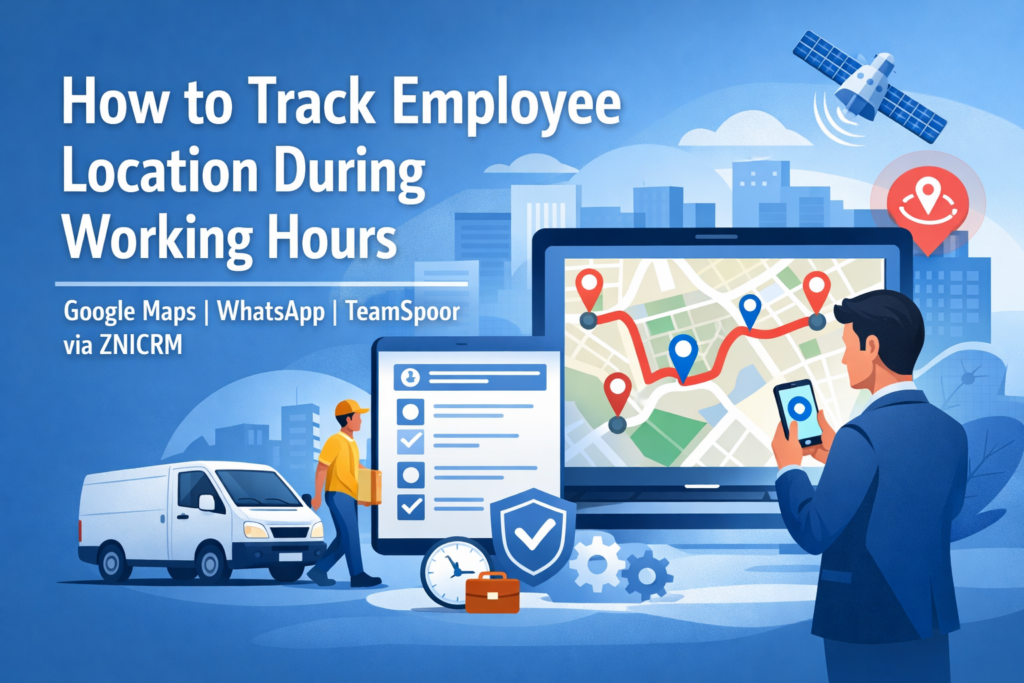
Organizations with field teams, hybrid workforces, delivery staff, service engineers, and distributed sales teams often need reliable visibility into where employees are during working hours only. This visibility helps improve dispatching, verify service delivery, validate attendance, and support employee safety.
There are three common approaches:
- Consumer location sharing (for example, Google Maps Location Sharing)
- Messaging-based live location (for example, WhatsApp Live Location)
- Professional field-force tracking platforms (for example, TeamSpoor via ZNICRM)
While free options can work for small teams and ad-hoc coordination, professional applications typically provide shift-based tracking, centralized reporting, route history, attendance workflows, geofencing, role-based access, and auditability. These capabilities become critical when location data is treated as operational evidence rather than casual convenience.
Why Track Employee Location During Working Hours?
Location visibility is not just about monitoring. When implemented ethically and transparently, it supports:
- Operational efficiency: Dispatch the nearest technician, rebalance territories, and reduce idle time
- Service proof and customer experience: Verify arrival time, time on site, and visit completion
- Safety and duty-of-care: Quickly locate staff during incidents or emergencies
- Cost controls: Track travel distance for reimbursements and reduce fraudulent claims
- Compliance and governance: Demonstrate service coverage and adherence to site requirements
The key phrase is during working hours. This constraint should drive policy and tooling decisions, especially around consent, tracking schedules, and data retention.
Guiding Principles for Ethical and Defensible Tracking
Before choosing a tool, establish a strong foundation:
- Purpose limitation: Be explicit about why tracking exists, such as dispatch, safety, or proof of visit
- Transparency: Employees should clearly understand what is collected, when it is collected, and who can see it
- Working-hours boundaries: Tracking should start and stop based on shift or check-in and check-out
- Data minimization: Collect only what is necessary, such as live location or periodic pings
- Access control: Limit viewing to relevant managers or dispatchers
- Retention rules: Keep location history only as long as operationally necessary
Option A: Sharing Location Using Google Maps
What It Is
Google Maps supports real-time location sharing where a person chooses who can see their location and for how long. It can also display contextual details such as battery status and recent location history depending on configuration.
How Businesses Commonly Use It
- A field worker shares location with a dispatcher during a shift
- A small team shares location with a manager for a limited window, such as eight hours
- Teams share trip progress for a specific journey to a client site
Strengths
- Fast to start with minimal setup
- Familiar interface for most users
- Time-bound sharing options
- Contextual indicators such as battery level
Limitations for Business Operations
- Not designed for workforce management
- Weak administrative and organizational controls
- Device and account dependent configuration
- No built-in attendance workflows, visit proof, or standardized business reports
Option B: Sharing Location Using WhatsApp
What It Is
WhatsApp provides Live Location sharing within individual or group chats. The platform states that this feature is end-to-end encrypted, meaning only chat participants can view the shared location. Location sharing is time-bound and can be stopped manually.
How Businesses Commonly Use It
- Temporary live location sharing in team chats for deliveries or meetings
- Sending static location pins as informal proof of presence
Strengths
- Extremely low friction and high adoption
- Secure in-chat sharing
- Useful for short-term coordination
Limitations for Business Operations
- No centralized operational record
- Chat-based data is difficult to audit or report on
- Not scalable for larger teams
- Permissions, retention, and compliance are difficult to manage
Option C: Using a Professional App Like TeamSpoor via ZNICRM
What It Is
TeamSpoor, available through ZNICRM, is a professional field-force management platform combining a manager dashboard with a mobile app for on-field employees.
What Professional Grade Means in Practice
Professional tools convert location data into operational workflows, typically offering:
- Real-time GPS visibility for managers and dispatch teams
- Shift-based tracking controlled through check-in and check-out
- Geo-tagged attendance linked to location verification
- Route history, travel distance, and conveyance insights
- Geofencing with alerts for boundary violations
- Task scheduling, reporting, and expense capture
- Clear positioning as a work tracking system rather than a spying tool
TeamSpoor states that it tracks location only during working hours and does not access personal phone data. Location is sourced through GPS and mobile network signals. The mobile application also notes that background location tracking may be active during working hours, which should be clearly communicated to employees.
Comparative Analysis: Professional App vs Free Alternatives
Strategic Difference
Free tools show a location point on a map. Professional tools create a repeatable operating system for field operations.
Comparison Table
| Dimension | Google Maps Location Sharing | WhatsApp Live Location | Professional App (TeamSpoor via ZNICRM) |
|---|---|---|---|
| Primary intent | Personal sharing | Messaging coordination | Field-force operations |
| Working-hours enforcement | Manual | Manual | Check-in to check-out |
| Central dashboard | Limited | No | Yes |
| Attendance integration | No | No | Yes |
| Route maps and distance | Limited | No | Yes |
| Geofencing and alerts | No | No | Yes |
| Proof of visit quality | Medium | Low to medium | High |
| Scalability | Limited | Limited | Designed for scale |
Why Businesses Graduate to Professional Apps
1. Consistency and standard operating procedures
Professional tools enforce uniform processes across teams.
2. Operational data instead of chat artifacts
Structured logs provide defensible records for audits and disputes.
3. Clear working-hours boundaries
Shift-based tracking protects employee privacy outside work hours.
4. Workflow integration
Location data connects directly to tasks, visits, expenses, and reports.
5. Governance and access control
Role-based permissions support larger organizations.
Implementation Blueprint
Step 1: Define the Use Case
Choose a primary goal such as dispatch optimization, proof of visit, travel reimbursement, or safety monitoring.
Step 2: Set a Working-Hours Tracking Policy
Define start and stop rules, break handling, and emergency exceptions.
Step 3: Choose the Technology Tier
- Small teams or temporary needs can use Google Maps or WhatsApp
- Ongoing field operations benefit from professional platforms like TeamSpoor via ZNICRM
Step 4: Pilot the Solution
Test with a limited team to validate accuracy, battery impact, and reporting usefulness.
Step 5: Operationalize Reporting
Move from passive monitoring to actionable KPIs such as response times, arrival punctuality, and administrative efficiency.
Risk Management and Employee Trust
Employee location data is sensitive. Sustainable programs build trust through:
- Clear communication of purpose and boundaries
- Strict working-hours-only tracking
- Limited access based on roles
- Disciplined data retention policies
Conclusion
Tracking employee location during working hours should be treated as an operational capability, not surveillance. Google Maps Location Sharing and WhatsApp Live Location are suitable for small-scale or temporary coordination.
For organizations that require scalability, reporting, governance, and structured workflows, professional platforms such as TeamSpoor via ZNICRM provide a stronger and more sustainable foundation by combining real-time visibility with attendance, geofencing, route history, and field reporting.