Manage opportunities from the contact conversation, not from disconnected pipeline notes.
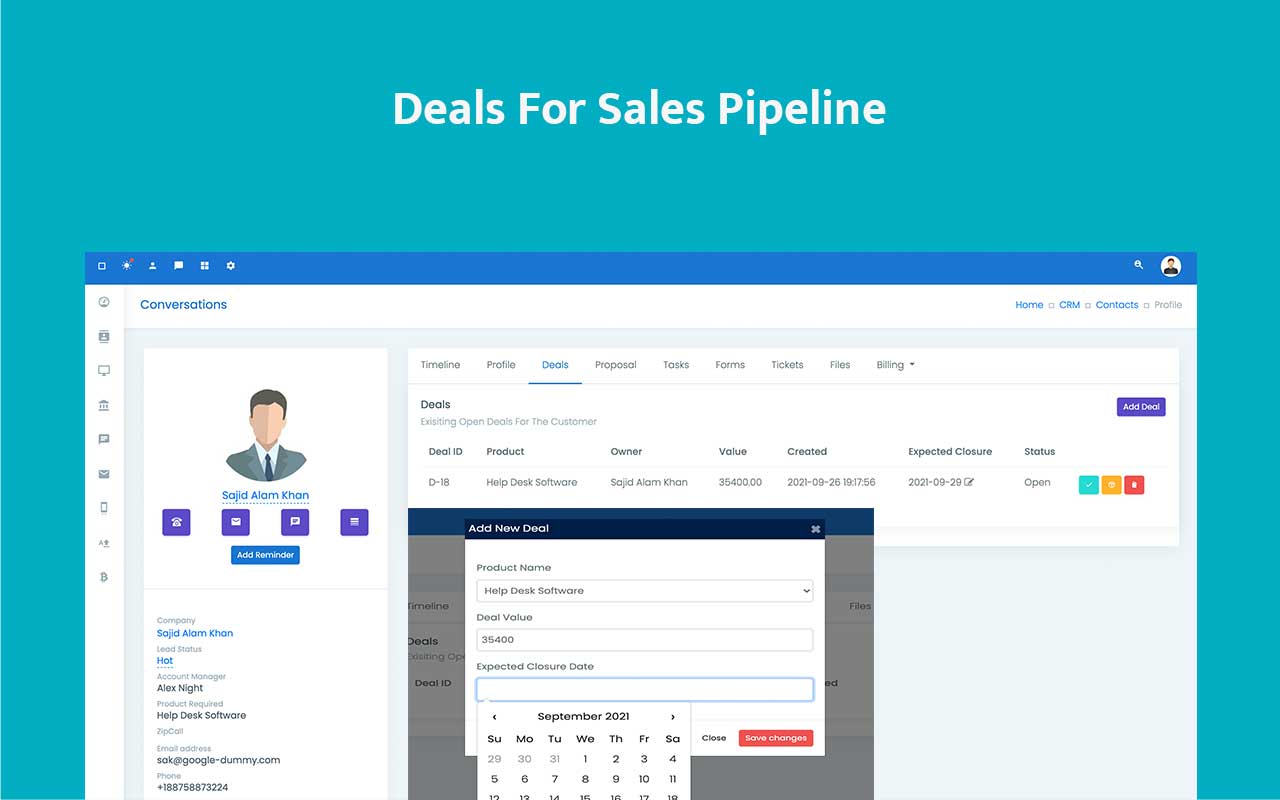
Deals live inside the CRM contact workflow and open into detailed deal views where teams can manage stage, value, expected closure date, linked products, proposals, quotes, and forms with the customer context already attached.
- Create and manage deals from the contact conversation workspace.
- Track value, closure timing, and stage movement in a form that supports actual follow-up work.
- Review revenue, sales growth, average deal value, and overshot opportunities through deal reporting.
Commercial opportunities stay visible when value, timing, and assets stay linked.
Useful for teams that need more than a simple stage board.
Track value, timing, and stage on one opportunity.
Keep proposals, products, and forms tied together.
Spot delayed closures before momentum fully disappears.
Use structured deals instead of pipeline guesswork.
Review revenue and growth patterns with clearer inputs.
Pipeline visibility breaks when opportunity data sits outside the customer workflow.
Teams lose commercial clarity when value, stage, documents, and expected closure dates are tracked in fragments rather than on the actual deal record.
Revenue context gets lost
Deal value and close timing stop being actionable when they are recorded outside the main CRM flow.
Commercial assets split apart
Proposals, forms, and quotes become harder to trace when they are not linked to the underlying opportunity.
Reporting arrives too late
Without disciplined deal structure, revenue and sales-growth reporting turn into retrospective guesswork.

Use deals as the commercial record that ties customer context to revenue movement.
The deals module is not just a stage board. It connects timing, value, related documents, and reporting so the opportunity stays operationally visible from first commercial intent to closure.
Conversation-linked creation
Create and manage deals from the contact conversation view where prior context already exists.
Detailed deal view
Open into the dedicated deal details screen for commercial updates that need more than a stage change.
Linked execution assets
Attach products, proposals, quotes, and forms so the opportunity record reflects the actual work being done.
Manager-ready reporting
Use revenue, average deal value, and sales growth reports to understand outcome quality across the pipeline.
Opportunity controls that go beyond a simple Kanban label.
Deals stay useful because they carry the fields and linked objects sales teams actually need to close work.
Stage, value, and date
Track core commercial health from one record instead of splitting these signals across tools.
Product-linked opportunities
Connect the deal to the product or service context that shapes scope and revenue.
Proposal and form linkage
Keep proposals, quotes, and related forms attached to the same opportunity trail.
Overshot visibility
Missed expected closure dates can surface again through Daily Digest and related reporting.
Create the deal in context, enrich it with linked assets, then report on the outcome.
The workflow stays close to the contact record while preserving the detail needed for commercial execution.
Create from contact context
Open the contact conversation and create the deal where the relationship history is already visible.
Set deal fundamentals
Capture stage, value, expected closure date, and other fields that define commercial health.
Link the working assets
Attach products, proposals, quotes, and forms so the opportunity record reflects what is actually happening.
Measure the result
Use deal reports for revenue, average deal value, sales growth, and delayed pipeline intervention.
Turn opportunities into structured deal records your team can actually manage.
Use ZNICRM deals management to keep pipeline value, timing, related documents, and reporting connected to the real customer workflow.