Create proposals in CRM, link them to deals later if needed, and export cleanly.
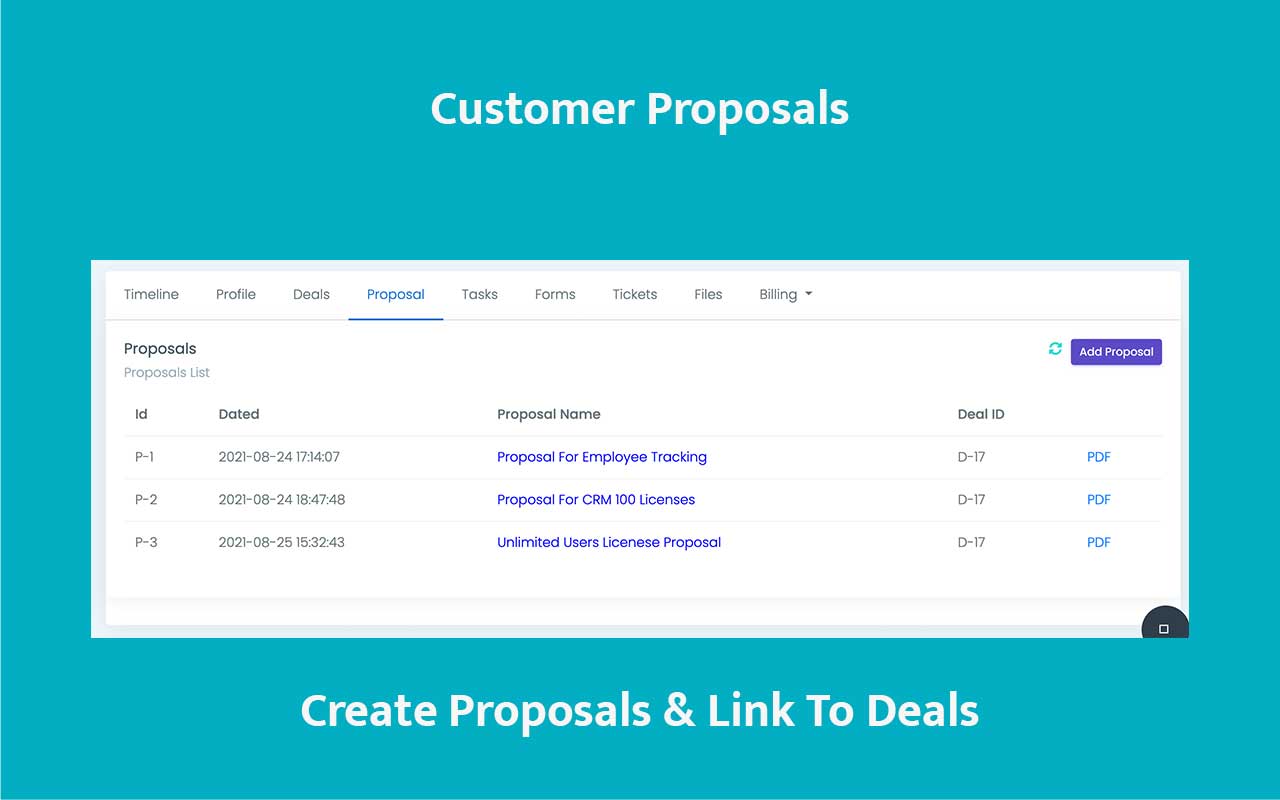
Manage proposals from the CRM proposal workspace, start from an optional template, send by email, export to PDF, and keep proposal records available from both contact-level and deal-linked views.
- Create proposals independently from a contact, then attach them to a deal later if the opportunity structure changes.
- Use the proposal management and export flows for document control and reuse.
- Keep customer-facing commercial documents in the same system as the underlying CRM context.
Commercial documents feel faster, cleaner, and easier to trust.
Built for teams that need polished proposal work without leaving the CRM trail.
Start from templates when speed and consistency matter.
Keep commercial documents tied to the opportunity story.
Generate PDFs and send polished versions quickly.
Track what changed without chasing scattered files.
Link proposals to deals now or later.
Base commercial layout
Start from a reusable structure when speed and consistency matter.
PDF and email ready
Send the current version or export it cleanly without leaving the CRM workflow.
Commercial documents become hard to trust when versions, deals, and exports are managed in separate tools.
Proposal work slows down when teams rebuild the same layouts, lose track of what was sent, and cannot tell whether the document is connected to the right opportunity.
Templates are inconsistent
Every user starts from a different old file, so document quality drifts over time.
Linkage is unclear
Teams struggle to tell whether the proposal belongs to a contact, a live deal, or both.
Export and email are fragmented
Sending and PDF generation feel like separate chores instead of part of one commercial flow.

Keep proposals managed, exportable, and deal-aware from one CRM workspace.
The proposal module supports both independent proposal creation and tighter deal linkage, which makes it practical for early-stage quoting and structured pipeline work alike.
Contact-level and deal-level access
Work with proposals from the contact context or from the opportunity they support.
Optional template start
Begin from a template when consistency matters, or customize freely for the current customer.
PDF export and email flow
Move from editing to customer delivery without switching into an external document tool.
Late deal linkage
Attach the proposal to a deal later when the opportunity structure becomes clearer.
Create the proposal, link it where needed, then export or send the current version.
The proposal flow stays usable for both fast quoting and structured deal-driven sales work.
Open the proposal workspace
Create the proposal from the contact context or the proposal management screen.
Choose a template if useful
Start from an optional base layout, then adapt the content for the customer and scope.
Link to the deal when ready
Attach the proposal to the opportunity immediately or later as the pipeline structure evolves.
Export or email
Use the PDF export and email flow to deliver the proposal without breaking the CRM paper trail.
Send cleaner proposals without losing the CRM trail behind them.
Use ZNICRM proposals to create, link, export, and email customer-ready commercial documents from one coherent workflow.