Sales Pipeline Management: The Complete Guide to Building, Running, and Scaling Predictable Revenue
Sales doesn’t fail in dramatic, cinematic moments. It fails quietly: a lead that never gets called back, a proposal that sits un-reviewed, a champion who goes silent, a decision timeline that shifts without anyone noticing, a deal that looks “90%” until it dies at the finish line.
Sales pipeline management exists to prevent that quiet failure and to turn selling into a repeatable system instead of a heroic act.
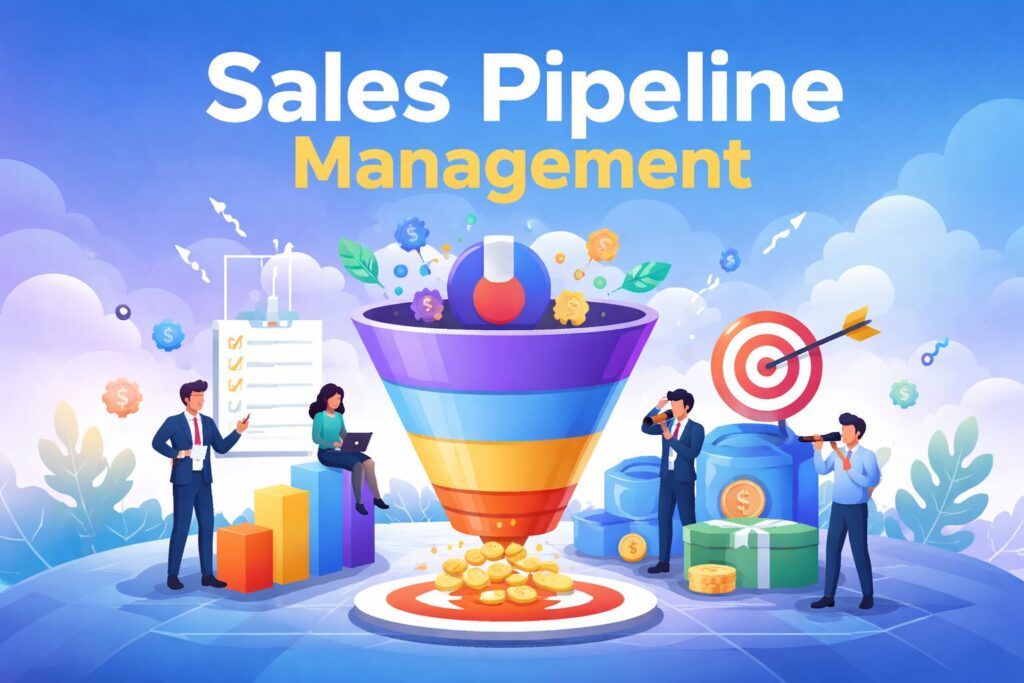
At its core, sales pipeline management is the discipline of guiding, tracking, and improving how opportunities move through your sales process from first touch to closed won (or closed lost).
Salesforce describes it as overseeing and tracking prospects as they move through the sales process, using defined activities associated with each stage. (Salesforce)
But pipeline management is bigger than “moving cards on a board.” Done well, it becomes the operational backbone of revenue: a shared language across sales, marketing, finance, and leadership for what is happening, what is likely to happen, and what needs to happen next.
This guide goes deep covering the “why,” the “who,” the “how,” the metrics, the operating rhythm, common mistakes, advanced strategies, and the top 10 tools.
1) What a Sales Pipeline Is and What Pipeline Management Actually Means
Sales pipeline vs sales process vs funnel (don’t mix these up)
- Sales process: the repeatable sequence of steps your team follows to sell (your internal playbook).
- Sales pipeline: the live set of opportunities currently moving through those steps (your active inventory of potential revenue).
- Sales funnel: often used to describe conversion rates and drop-off from one stage to the next (a performance lens).
They’re related, but they answer different questions:
- Process: “How do we sell?”
- Pipeline: “What deals do we have right now, and where are they?”
- Funnel: “How efficiently do we convert between stages?”
A practical definition of sales pipeline management
Salesforce frames pipeline management as the process of guiding and improving how opportunities move through stages. (Salesforce)
Translated into day-to-day reality, pipeline management means:
- Designing stages that reflect real buyer progress (not internal hope).
- Enforcing clear entry/exit criteria so stage changes mean something.
- Managing next actions (calls, demos, follow-ups, proposals, stakeholder mapping).
- Inspecting pipeline health routinely, finding bottlenecks, and fixing them.
- Forecasting responsibly using the pipeline as an input not as a fantasy generator.
- Coaching deals and reps using objective signals: activity, momentum, risk, and conversion patterns.
2) Why We Need Sales Pipeline Management
Pipeline management isn’t “admin.” It’s a revenue control system. Here’s why it matters.
2.1 Predictability beats pressure
Without pipeline management, sales becomes a monthly panic:
- “Where will revenue come from?”
- “Which deals can we pull in?”
- “Why didn’t we know this slipped?”
A managed pipeline turns revenue into something you can plan, not merely chase.
2.2 It prevents deal rot (the silent killer)
Deals rarely vanish. They decay:
- stakeholder changes
- urgency fades
- competitor enters
- your champion loses influence
- the problem stops feeling painful
Pipeline management catches decay early through aging, stalled-stage detection, and next-step discipline.
2.3 It improves conversion by revealing bottlenecks
If 40% of opportunities die after proposals, you likely don’t have a proposal problem you have a qualification, discovery, or stakeholder alignment problem. Pipeline management makes these patterns visible.
2.4 It makes coaching specific and actionable
Coaching without pipeline visibility turns into vague advice:
- “Work harder”
- “Follow up more”
- “Build relationships”
Pipeline management makes coaching concrete:
- “This deal has no identified economic buyer.”
- “No next meeting is scheduled.”
- “Legal hasn’t been engaged.”
- “The close date moved twice; we need a mutual action plan.”
2.5 It enables smarter resource allocation
When you know which segments and stages are clogged, you can:
- assign sales engineers where they matter most
- escalate exec involvement strategically
- fix enablement gaps
- prioritize inbound vs outbound investment
2.6 It improves customer experience
Prospects feel the difference between:
- a guided buying journey (clear next steps)
- a chaotic chase (random follow-ups)
Pipeline management creates consistent, professional progression.
2.7 It aligns leadership, finance, and sales
Pipeline management creates a shared operating picture:
- sales: what’s real
- finance: what’s likely
- leadership: what to invest in
- marketing: what pipeline needs feeding
Salesforce also emphasizes separating pipeline management and forecasting as distinct disciplines with different goals. (Salesforce)
3) Who Sales Pipeline Management Is For
Pipeline management helps almost everyone touching revenue, but they use it differently.
3.1 Sales representatives
Reps need pipeline management to:
- prioritize the right deals today
- never miss follow-ups
- keep momentum
- avoid “busywork selling”
What reps should get from a pipeline: clarity on the next best action and where time matters most.
3.2 Sales managers
Managers use pipeline management to:
- coach deal strategy
- spot risk early
- allocate support (SEs, leaders, pricing help)
- enforce standards
What managers should get: a clear view of deal health and rep execution quality.
3.3 Sales leadership (VP Sales / CRO)
Leaders use pipeline management to:
- run forecasting with integrity
- diagnose systemic issues (segments, pricing, positioning)
- drive process improvements
- plan hiring and capacity
What leaders should get: predictability and levers for improvement.
3.4 Revenue operations (RevOps) / Sales operations
RevOps uses pipeline management to:
- define stage criteria and governance
- build dashboards and reports
- improve data quality
- automate workflows
- ensure adoption and consistency
What RevOps should get: clean data, reliable reporting, and operational leverage.
3.5 Marketing teams
Marketing uses pipeline insights to:
- see which sources produce real pipeline
- understand lead-to-opportunity conversion
- build better nurture strategies
- align campaigns to pipeline gaps
What marketing should get: feedback loops that improve pipeline generation quality.
3.6 Finance and founders
Finance needs pipeline management to:
- forecast cash flow and bookings
- set targets that match reality
- understand risk and timing
Founders need it to:
- know what’s real vs optimistic
- spot systemic weaknesses
- scale without losing control
3.7 Customer success and account management
Pipeline management isn’t just for net-new sales. It also supports:
- renewals
- expansions
- cross-sell/upsell
A renewal pipeline reduces churn surprises and helps growth become intentional.
4) The Core Building Blocks of a Healthy Pipeline
A pipeline isn’t healthy because it’s full. It’s healthy because it is accurate, moving, and winnable.
4.1 Stages that represent buyer progress
A stage should change only when something meaningful changes in the buying journey.
Salesforce outlines common pipeline stages such as prospecting, qualification, demo/meeting, proposal, negotiation, and post-purchase. (Salesforce)
A key principle:
- Stages are not activities.
“Sent email” is an activity. “Discovery completed and pain confirmed” is a stage gate.
4.2 Clear entry and exit criteria
For each stage, define:
- required fields (deal size, close date, next step)
- required evidence (meeting held, stakeholders identified)
- required artifacts (mutual plan, proposal sent, security review initiated)
This prevents “stage inflation” (moving deals forward to look good).
4.3 A single “next step” and a “next step date”
If you implement only one pipeline rule, implement this:
- Every open deal must have a next step and a date.
No next step = no momentum = fake pipeline.
4.4 Ownership and accountability
Every opportunity must have:
- a clear owner
- clear supporting roles (SE, manager, legal, finance)
- a single source of truth for notes and commitments
4.5 Data quality and hygiene routines
Pipeline management depends on trustworthy inputs:
- up-to-date close dates
- accurate stage placement
- real decision timelines
- correct deal amounts
- current stakeholder map
Pipeline hygiene isn’t glamorous but it’s foundational.
5) Designing a Sales Pipeline That Fits Your Business
Many pipelines fail because they’re copied from a template that doesn’t match the sales motion.
5.1 Start with your sales motion
Different motions require different pipelines:
- Transactional / SMB sales (fast cycle): fewer stages, tighter activity focus.
- Mid-market: more stakeholder and proof stages.
- Enterprise: longer cycles, procurement/security/legal stages, mutual plans.
- Product-led sales (PLG): usage signals, expansion triggers, conversion events.
- Field sales: visit tracking, territory and route discipline, offline workflows.
- Channel/partner sales: partner-sourced stages, joint forecasting, MDF tracking.
- Services/agency sales: scoping, SOW iteration, project-to-delivery handoff.
5.2 Keep stages minimal but meaningful
Most teams do best with 5–8 core stages. Too many stages:
- create confusion
- reduce adoption
- invite “stage gaming”
But too few stages hides important risk signals. The sweet spot is where:
- each stage implies a different strategy
- each stage has distinct exit criteria
- stage conversion can be measured and improved
5.3 Align stages to buyer commitments
A strong pipeline stage model tracks buyer commitments, not seller actions.
Example:
- Stage 1: Problem identified (buyer acknowledges pain)
- Stage 2: Discovery complete (stakeholders + requirements mapped)
- Stage 3: Solution fit validated (demo/workshop confirms outcomes)
- Stage 4: Commercial alignment (budget + pricing aligned)
- Stage 5: Approval workflow engaged (legal/procurement/security in motion)
- Stage 6: Closed won/lost
5.4 Decide your pipeline “shape”: one pipeline or many?
Some businesses need multiple pipelines by:
- product line
- region
- customer segment
- sales motion (net new vs expansion)
- partner vs direct
Tools like Zoho support multiple sales pipelines (often configured as different pipelines and stage picklists). (Zoho Corporation)
5.5 Assign stage probabilities carefully
Many CRMs support weighting stages with probabilities for forecasting. But beware:
- probabilities should reflect historical outcomes, not vibes
- stage probabilities should be revisited quarterly
Freshsales, for instance, supports “weighted pipelines” where admins set probabilities per stage to forecast expected sales. (Freshsales Classic)
6) Running the Pipeline: A High-Performance Operating Rhythm
Pipeline management is not a document it’s a cadence.
6.1 The daily rep rhythm (15–30 minutes)
A strong rep workflow looks like:
- Check “due today” tasks
- Review deals with no next step
- Follow-ups on hottest deals (late-stage, high value, time-sensitive)
- Advance at least 1–3 deals (a meeting scheduled, stakeholders mapped, proposal delivered)
- Update CRM with key changes (close date, stage, next step)
The goal: momentum and truth.
6.2 The weekly manager pipeline review (60–90 minutes)
This is the heart of pipeline management. A good pipeline review is not a status meeting it’s a decision meeting.
Suggested agenda
- Pipeline health snapshot
- new opportunities created this week
- stage distribution
- aged deals
- pipeline coverage against target
- Deal inspection (top deals + at-risk deals)
- next step and date
- decision process clarity
- stakeholders + champion strength
- competitive position
- risks and mitigations
- Coaching commitments
- what the rep will do next
- what the manager/leadership will do next
- what changes in the CRM today
6.3 Monthly forecasting and planning
Forecasting is related, but not identical.
Salesforce stresses that pipeline management and forecasting have different goals; pipeline management focuses on building a healthy pipeline and winning deals, while forecasting focuses on predicting outcomes. (Salesforce)
Run forecasting monthly (or weekly in high-growth teams), but make sure:
- forecast calls rely on validated pipeline data
- close dates are challenged
- stage placement is audited
- “commit” deals have evidence, not optimism
6.4 Quarterly pipeline calibration
Every quarter:
- review stage conversion rates
- adjust stage definitions if needed
- refresh ICP and qualification rules
- update probabilities using historical data
- refine playbooks for bottleneck stages
7) The Metrics That Matter in Sales Pipeline Management
Metrics can either create clarity or create theater. Focus on metrics that drive action.
7.1 Pipeline coverage (pipeline-to-quota ratio)
This answers: Do we have enough pipeline to hit target?
A common heuristic is 3–5× coverage depending on win rate and sales cycle length but the right number is your own historical math:
- lower win rate = higher required coverage
- longer cycles = higher required coverage
- high variability = higher buffer
7.2 Stage conversion rates
Measure:
- Lead → Qualified
- Qualified → Discovery completed
- Discovery → Proposal
- Proposal → Negotiation
- Negotiation → Closed won
Then ask:
- Where do deals die most?
- Where do deals stall most?
7.3 Win rate
Track win rate by:
- segment (SMB vs enterprise)
- source (inbound vs outbound vs partner)
- product line
- competitor presence
- rep/manager
Win rate is not a rep-only metric; it reflects product-market fit, pricing, messaging, and qualification discipline.
7.4 Sales cycle length
Track average cycle length and distribution (not just average). Averages hide:
- a few massive slow deals
- many quick wins
Cycle length by stage is especially useful:
- “Discovery stage average = 21 days” might indicate weak urgency creation.
7.5 Deal velocity (sales velocity)
A classic formula:
Sales Velocity = (Number of Opportunities × Win Rate × Average Deal Size) ÷ Sales Cycle Length
It’s powerful because it forces you to improve one of four levers:
- generate more qualified opportunities
- improve win rate
- increase average deal size
- shorten cycle length
7.6 Pipeline aging and stall rate
Aging isn’t just “time since created.” Better versions:
- time in current stage
- time since last meaningful buyer interaction
- number of pushed close dates
These reveal deal rot early.
7.7 Activity metrics (use carefully)
Track activity (calls, emails, meetings) to understand effort but don’t confuse effort with progress.
Better: track quality activities tied to stage exit criteria:
- discovery meetings held
- multi-stakeholder meetings
- mutual action plans created
- proposals reviewed live with customer (not just sent)
7.8 Forecast accuracy
Forecast accuracy is an organizational truth serum. If accuracy is poor, pipeline management usually has issues:
- stage definitions too loose
- close dates unmanaged
- deal amounts inflated
- too many “zombie deals”
7.9 Pipeline health: size, shape, and contents
Salesforce highlights pipeline health dimensions like size, shape, and contents in the context of pipeline management goals. (Salesforce)
A practical interpretation:
- Size: enough value to hit targets
- Shape: balanced distribution (not all early-stage deals)
- Contents: high-quality opportunities aligned to ICP and real buyer intent
8) Pipeline Management vs Sales Forecasting
These are siblings, not twins.
Pipeline management
- focuses on execution
- improves conversion
- enforces discipline
- keeps deals moving
- reveals bottlenecks
Forecasting
- focuses on prediction
- estimates revenue and timing
- guides hiring and investment
- supports board and finance planning
Salesforce explicitly differentiates pipeline management from forecasting and notes they require unique strategies and analytics. (Salesforce)
In practice:
Pipeline management makes the pipeline truthful. Forecasting turns that truth into a plan.
9) Best Practices That Make Pipeline Management Work
9.1 Make stages non-negotiable, but playbooks flexible
Stage criteria should be consistent. The strategy to reach the criteria can vary by deal.
9.2 Design “proof fields” (evidence-based selling)
For late-stage deals, require fields like:
- identified decision maker (name + role)
- decision process steps
- key risks + mitigation
- competitor status
- mutual action plan link
This turns late-stage pipeline into something you can trust.
9.3 Build pipeline around “next best action”
A pipeline is only useful if it drives action. Your CRM should surface:
- overdue next steps
- deals with no activity in X days
- deals stuck beyond stage SLA
- deals missing required fields
9.4 Use automation to protect focus
Automate:
- follow-up reminders
- task creation on stage change
- alerts when close dates move repeatedly
- routing and assignment
- scheduled check-ins for key accounts
9.5 Keep pipeline clean with a “no zombies” rule
Define a rule such as:
- “If no customer interaction in 21 days, deal must be requalified or closed lost.”
This is uncomfortable but it makes pipeline real.
9.6 Use pipeline reviews to make decisions
If pipeline reviews don’t result in:
- stage changes
- next steps
- risk mitigation actions
- resource shifts
…then they are theater.
9.7 Train sellers on why the pipeline matters
Adoption is cultural. When reps believe CRM is surveillance, they resist. When they believe CRM helps them win, they use it.
Show reps how pipeline discipline:
- reduces missed follow-ups
- improves close rate
- protects commissions by preventing surprise losses
10) Common Pipeline Management Mistakes (and Fixes)
Mistake 1: Too many stages
Symptom: stage confusion, inconsistent updates, low adoption.
Fix: compress to 5–8 meaningful stages and enforce exit criteria.
Mistake 2: Stages reflect seller actions, not buyer progress
Symptom: “Sent email” becomes a stage; forecasting becomes nonsense.
Fix: redefine stages around buyer commitments and evidence.
Mistake 3: Close dates are wishful thinking
Symptom: end-of-quarter chaos and pushed deals.
Fix: require a buyer-confirmed event tied to the close date (approval meeting, procurement timeline, contract redlines).
Mistake 4: No next steps
Symptom: deals stall and rot.
Fix: enforce “next step + date required” for all open deals.
Mistake 5: Qualification is weak
Symptom: pipeline is big but win rate is low.
Fix: implement clear qualification gates (ICP match, pain, authority path, timeline, budget approach).
Mistake 6: Activity is rewarded more than progress
Symptom: reps become busy, not effective.
Fix: measure progress-based leading indicators (stage exits, stakeholder meetings, proposal reviews).
Mistake 7: CRM is treated as a reporting tool, not a selling tool
Symptom: reps update late, data is stale.
Fix: design CRM workflows that help reps sell: templates, sequences, task queues, easy mobile updates.
11) Advanced Sales Pipeline Management: The “Beyond the Board” Layer
Once basics work, advanced pipeline management focuses on strategy, risk control, and scalability.
11.1 Mutual Action Plans (MAPs) for complex deals
For mid-market and enterprise deals, a MAP is a shared timeline of:
- buyer steps (security review, stakeholder approvals)
- seller steps (technical validation, proposal, contract)
- deadlines and owners
MAPs reduce surprise delays and expose hidden blockers.
11.2 Deal risk scoring (beyond stage probability)
Stage probability alone is blunt. Add risk scoring based on signals like:
- no identified champion
- single-threaded relationship
- competitor present + no differentiation documented
- no agreed timeline
- close date moved >2 times
- last activity >14 days
11.3 Pipeline segmentation for better decisions
Segment pipeline by:
- ICP tier (A/B/C)
- deal size bands
- acquisition channel
- industry vertical
- region/territory
- motion (net new vs expansion)
This allows targeted improvements:
- “Outbound is generating pipeline, but inbound wins more why?”
- “Healthcare deals stall at security review – do we need enablement?”
11.4 Pipeline stage SLAs
Define stage time expectations:
- Qualification: 7 days
- Discovery: 14 days
- Proposal: 10 days
Then inspect:
- which reps exceed SLAs
- which segments exceed SLAs
- what the blockers are
11.5 Integrating AI without losing trust
Modern CRMs increasingly add AI for:
- lead scoring
- next-best action
- forecasting
- data hygiene
- summarization and insights (TechRadar)
AI can help, but adoption requires:
- transparency (why a recommendation was made)
- human override
- consistent data hygiene
12) What Good Sales Pipeline Management Looks Like (in Real Life)
Here’s what you’ll see when pipeline management is truly working:
- Reps can explain every deal’s next step without opening the CRM.
- Managers can spot risk quickly because stage meanings are consistent.
- Deals move forward because buyer commitments drive stage progression.
- The pipeline includes fewer deals but more winnable deals.
- Forecast calls feel calm and evidence-based, not emotional.
- Marketing and sales agree on what “quality” looks like.
- Leadership can invest confidently because revenue is less mysterious.
13) The Top 10 Sales Pipeline Management Tools
A strong tool won’t fix a broken process but the right tool can enforce discipline, automate follow-ups, and make pipeline visibility effortless.
Below are 10 widely used, highly capable pipeline tools (primarily CRMs), each with a distinct “best for” profile.
Note: “Best” depends on your sales motion, team size, and ecosystem. Use the selection criteria at the end of this section to choose intelligently.
1) Salesforce Sales Cloud
Best for: complex sales orgs, enterprise selling, deep customization and scalability.
Salesforce is one of the most established CRM ecosystems and positions Sales Cloud as an integrated platform to help teams sell smarter with AI and automation. (Salesforce) Pipeline management content from Salesforce emphasizes managing opportunities through defined stages and activities. (Salesforce)
Pipeline strengths
- Opportunity management with customizable stages and governance
- Forecasting setup tied to opportunity records (Salesforce)
- Extensive reporting and dashboards
- AI capabilities (Einstein) for scoring and forecasting (license-dependent) (Salesforce)
Choose Salesforce if
- you need deep customization, permissions, complex workflows, and enterprise-grade reporting
- you operate multiple teams/regions with strong governance needs
Watch-outs
- can be heavy to implement without strong RevOps/admin support
- over-customization can hurt adoption if not designed carefully
2) HubSpot Sales Hub
Best for: teams that want fast adoption, strong usability, and an integrated marketing + sales platform.
HubSpot offers deal pipeline tools with customizable stages and sales reporting, and you can start with free pipeline functionality. (HubSpot) It also offers a forecasting tool with customizable forecast categories and models. (HubSpot)
Pipeline strengths
- quick-to-configure pipelines with strong UX
- tight integration with marketing tools (especially helpful for inbound)
- forecasting views and forecast categories (HubSpot Knowledge Base)
- built-in sales tools (email tracking, meetings, tasking) (HubSpot)
Choose HubSpot if
- you want a tool reps will actually use
- your motion is inbound-heavy, SMB/mid-market, or scaling quickly
Watch-outs
- more advanced features can push you into higher tiers as you scale
- complex enterprise governance may require careful configuration
3) Microsoft Dynamics 365 Sales
Best for: organizations already committed to Microsoft’s ecosystem and seeking integrated forecasting/insights.
Dynamics 365 Sales is positioned to help salespeople build relationships, use insights, and close deals faster while tracking accounts, contacts, and opportunities. (Microsoft Learn) Microsoft documentation also covers forecasting categories and premium forecasting that uses AI-driven models looking at historical and pipeline data. (Microsoft Learn)
Pipeline strengths
- opportunity and account-centric selling
- forecasting features and categories built into the ecosystem (Microsoft Learn)
- integration with Microsoft tools (often a major operational advantage)
Choose Dynamics 365 if
- your org already runs on Microsoft 365/Azure and wants a unified environment
- you value enterprise-grade security and structured processes
Watch-outs
- implementation quality varies widely by partner and configuration
- can feel complex if you don’t align process design first
4) Zoho CRM
Best for: cost-conscious teams needing customization, multi-pipeline setups, and process enforcement.
Zoho explicitly frames pipeline management as overseeing activities across the pipeline and identifying bottlenecks, while also supporting forecasting and estimates. (Zoho) Zoho also supports multiple pipelines in its Deals module, with stages like qualification, negotiation, and closed won. (Zoho Corporation)
Pipeline strengths
- multi-pipeline support and customization (Zoho Corporation)
- process enforcement with Blueprint, designed to standardize steps at scale (Zoho)
- strong ecosystem if you use other Zoho apps
Choose Zoho if
- you want customization without enterprise pricing
- you need structured process controls (especially across multiple teams)
Watch-outs
- reporting complexity can vary depending on setup
- AI features depend on plan and configuration (as with many CRMs)
5) Pipedrive
Best for: small-to-midsize sales teams that want an intuitive, visual, sales-first pipeline.
Pipedrive emphasizes visual pipeline representation and task/activity control; its pipeline view is central to keeping sellers organized and action-oriented. (Pipedrive) Recent hands-on reviews continue to highlight its ease of navigation and strong pipeline focus. (TechRadar)
Pipeline strengths
- drag-and-drop visual pipelines
- strong activity-based selling workflow
- easy adoption and quick setup
- broad integration ecosystem
Choose Pipedrive if
- you want the simplest path to consistent pipeline hygiene
- your team needs visibility and follow-up discipline more than complex enterprise controls
Watch-outs
- some teams outgrow it when they need deep customization across departments
- marketing automation may require add-ons or integrations (depending on needs)
6) Freshsales (Freshworks CRM)
Best for: teams that want modern CRM usability with practical pipeline visibility and forecasting support.
Freshworks describes pipeline management as using a pipeline view to identify where qualified prospects are in the buying journey, and notes Freshworks CRM helps visualize, manage, and track deals through the pipeline. (Freshworks) Freshsales also supports weighted pipelines (probabilities per stage) for forecasting. (Freshsales Classic)
Pipeline strengths
- pipeline visualization and stage-based deal tracking (Freshworks)
- weighted pipeline forecasting capability (Freshsales Classic)
- good fit for teams wanting quick wins without huge admin overhead
Choose Freshsales if
- you want a balanced CRM for growing SMBs with solid pipeline reporting and usability
- you want forecasting that is stage-probability aware
Watch-outs
- complex enterprise requirements may outgrow standard configurations
- ensure integrations match your stack needs
7) monday CRM
Best for: teams that want customizable workflows and pipeline tracking tightly connected to project execution.
monday CRM provides a “Deals board” approach to streamline pipeline workflows, as documented in its support materials. (Monday Support) monday also positions its CRM as built on its Work OS, with workflow flexibility and insights. (monday.com)
Pipeline strengths
- highly flexible “board” workflows adaptable to your process
- easy collaboration across sales + delivery teams
- good when sales handoff into execution is critical
Choose monday CRM if
- your business needs CRM + workflow/project alignment (agencies, service delivery, ops-heavy sales)
- you want to design your own pipeline experience rather than live inside a traditional CRM structure
Watch-outs
- flexibility requires discipline: without governance, workflows can fragment
- reporting depends heavily on consistent usage and structure
8) Zendesk Sell
Best for: teams that want strong mobile selling and tight alignment between sales and support/service.
Zendesk Sell is often highlighted for pipeline visibility, forecasting, and its strong mobile experience, plus integration with Zendesk’s service tooling. (TechRadar) Zendesk also emphasizes pipeline metrics and reporting to improve visibility. (Zendesk)
Pipeline strengths
- pipeline tracking with sales forecasting capabilities (TechRadar)
- strong fit when sales-to-support handoff matters
- mobile-first workflows useful for on-the-go teams
Choose Zendesk Sell if
- customer experience and support alignment is central to your growth
- you want a CRM that plays nicely with Zendesk’s broader ecosystem
Watch-outs
- confirm advanced features you need are available in your chosen plan tier
- compare against more customizable enterprise CRMs if you have complex governance needs
9) Close
Best for: inside sales teams that want outreach (email/calling/SMS) tightly built into the CRM.
Close positions itself around combining core sales tools calling, emailing, SMS, task management, reporting directly in the CRM. (Close) It also highlights built-in email functionality with two-way sync and automatic logging. (Close)
Pipeline strengths
- built-in communication stack reduces tool switching (Close)
- strong for high-velocity follow-up, sequences, and outbound/inside workflows
- good visibility when pipeline health depends on consistent outreach execution
Choose Close if
- your team lives in calls + emails and needs speed and simplicity
- you want to reduce the number of tools reps juggle
Watch-outs
- if you need heavy cross-department workflows (service, complex ops), evaluate broader platforms too
- ensure integrations cover your marketing and finance needs
10) ZNICRM
Best for: businesses that want all-in-one CRM + pipeline management with practical workflows, particularly where field execution and accountability matter.
ZNICRM positions itself as a sales pipeline CRM aimed at helping teams capture leads, automate follow-ups, track field activity, and manage pipelines with real-time visibility, including mobile-first support. (ZNICRM) It also describes an all-in-one approach combining lead management with invoicing and GPS field employee tracking. (ZNICRM)
Pipeline strengths
- pipeline clarity with stages, activities, and reminders (ZNICRM)
- lead management + deal management designed to support forecasting and deal execution (ZNICRM)
- field visibility features (GPS/location tracking) useful for teams that sell on the ground (ZNICRM)
- invoicing and quoting workflows tied to sales activity (useful when sales-to-billing handoff is a common bottleneck) (ZNICRM)
Choose ZNICRM if
- you’re a growing business that wants a practical, mobile-first sales management workflow
- your sales execution involves field teams, visits, or route accountability
- you want fewer tools (CRM + follow-up + invoicing + tracking in one suite) (ZNICRM)
Watch-outs
- as with any CRM, ensure integrations match your existing stack
- define your stages and governance first tooling amplifies whatever process you implement
14) How to Choose the Right Pipeline Tool (A Decision Framework)
Instead of picking the “most popular,” pick the tool that matches your selling reality.
14.1 Fit to your sales motion
- High-velocity inside sales: prioritize built-in communications and task queues (e.g., Close).
- Inbound + marketing alignment: prioritize unified platform (e.g., HubSpot).
- Enterprise governance: prioritize customization, permissions, complex reporting (e.g., Salesforce).
- Field sales: prioritize mobile workflows and activity proof (e.g., ZNICRM’s GPS/field capabilities). (ZNICRM)
- Multi-team customization on a budget: consider Zoho.
14.2 Adoption beats features
A tool that reps update consistently beats a “powerful” tool no one trusts.
14.3 Reporting and visibility
Ask:
- Can we report stage conversion easily?
- Can we see pipeline aging/stall?
- Can we separate pipelines by segment?
- Can we audit stage changes?
14.4 Automation and enforcement
Look for:
- stage-required fields
- task automation
- alerts and SLA rules
- workflows for handoffs
14.5 Ecosystem and integration
Your CRM should integrate with:
- email/calendar
- marketing automation
- quoting/invoicing
- BI
- customer success/support
15) A Step-by-Step Implementation Blueprint (From Zero to Scalable)
If you want pipeline management to actually stick, implement it like an operating system.
Step 1: Define your ICP and qualification rules
Document what a “good fit” looks like:
- industry
- size
- use case
- urgency triggers
- budget indicators
Then define disqualification rules (this keeps pipeline clean).
Step 2: Map your buyer journey into 5–8 stages
For each stage, write:
- stage definition (what’s true now)
- entry criteria (what must be known)
- exit criteria (what evidence confirms movement)
- required fields
- recommended activities and templates
Step 3: Build stage playbooks
For each stage, create:
- a checklist
- email/call scripts
- objection handling
- stakeholder mapping guidance
- “what good looks like” examples
Step 4: Configure your tool to enforce discipline
Implement:
- required fields per stage
- automated tasks on stage movement
- reminders and follow-ups
- dashboards for managers and reps
Step 5: Establish a pipeline hygiene routine
- weekly “no next step” cleanup
- stalled deal review
- dead deal closure rule
- close date audit
Step 6: Train and coach with the pipeline
Training should be hands-on:
- stage movement exercises
- how to update next steps
- how to write deal notes that matter
- how to build a mutual action plan
Step 7: Iterate based on data
After 30–60 days:
- review conversion rates by stage
- find the bottleneck
- update playbooks and criteria
- refine automation rules
Pipeline management improves like a product: measure → learn → ship improvements.
16) A Practical “Everything Checklist” for Sales Pipeline Management
Use this as a master coverage list.
Strategy and structure
- ICP definition and segmentation
- pipeline stages aligned to buyer progress
- entry/exit criteria per stage
- stage probabilities based on history
- multi-pipeline strategy (if needed)
Execution and workflow
- lead capture and routing rules
- qualification checklist
- next step + date rule
- activity logging standards
- proposal and negotiation playbook
- close won/lost reasons captured
- onboarding handoff process
Management and governance
- weekly pipeline reviews
- deal coaching framework
- stage SLA expectations
- zombie deal cleanup policy
- forecasting cadence and rules
Analytics and improvement
- stage conversion tracking
- win rate by segment/source
- sales cycle tracking by stage
- pipeline coverage tracking
- aging/stall reporting
- forecast accuracy tracking
- win/loss analysis
Enablement and culture
- rep training
- manager coaching skills
- CRM adoption support
- incentives aligned to good pipeline behavior
- ongoing process evolution
If all of the above exists and is used, pipeline management becomes a competitive advantage not a chore.
Conclusion: Pipeline Management as a Revenue Advantage
Sales pipeline management is the difference between:
- hoping the quarter works out, and
- engineering a quarter that works out.
It creates clarity, improves conversion, enables coaching, strengthens forecasting, and helps teams scale without losing control.
Most importantly, it turns selling into a system: clear stages, clear evidence, clear next steps, and clear accountability. Tools amplify this system whether you choose an enterprise platform like Salesforce, an easy-adoption system like HubSpot or Pipedrive, a workflow-centric platform like monday CRM, an inside-sales engine like Close, or an all-in-one option like ZNICRM for practical sales management and field accountability. (ZNICRM)