
Field Force Automation Software

Built for fast-moving field teams who need proof, not guesswork

Field Force Automation Software that verifies every visit, kilometre & hour TeamSpoor

TeamSpoor brings real-time field visibility, geo-tagged attendance, route & mileage validation, and workflow-friendly reporting into one mobile-first system designed to keep managers confident and teams focused on the work that matters.

14-day trial • no card needed
Reports in CSV • ready for payroll & audits
Tracking with boundaries • built to be transparent

Trusted by thousands of field teams. Built to work alongside modern FSM and CRM workflows so your dispatch, service delivery, and customer context stay connected.

Ops Console Live tracking
Verified mode
Today’s performance Auto-updated
8
Active field staff
12
Pending jobs
45
Completed visits
+24%
Weekly productivity
Trend snapshot Last 7 days
Route & visit proof Replay
Check-in verified
Geo-tagged at client site • 10:45 AM
Mileage calculated
Route distance recorded • ready for approval
Setup in minutes • Works in low network areas • Support when you need it

When field work runs on “trust me”, costs creep in quietly

If your team manages visits, service jobs, deliveries, or on-site sales, the real risk isn’t effort it’s missing visibility. Inconsistent reporting, disputed kilometres, and manual verification create delays and tension between teams.

What breaks down (and why it’s expensive)

  • Time lost to verification
    Managers spend hours reconciling messages, calls, and spreadsheets instead of improving execution.
  • Attendance without proof
    Without location verification, late starts and buddy punching are hard to prevent (and harder to prove).
  • Routes & visits are “reported”, not recorded
    Detours, idle time, and missed stops don’t show up until customers escalate.
  • Reporting doesn’t connect to outcomes
    You get activity logs, but not actionable insight bottlenecks, workload balance, and job completion trends.

The goal isn’t “more tracking.” It’s fewer disputes, faster decisions, and a fair system that protects both the business and the team.

The cost of “manual ops”
Typical impact

Where losses hide

Teams often lose the most through small daily leaks unverified mileage, avoidable delays, and unclear accountability.

  • Mileage disputes
    Reduce contested claims with recorded distance & approvals.
  • Idle time
    Catch unplanned stoppages early with live updates & alerts.
  • Delayed dispatch
    Assign faster when availability & location are visible.
Start lean: track a small team, validate workflows, then scale.
Start your trial →

How to choose the right field force automation software (without hurting trust)

The best systems don’t “monitor people” they reduce friction, protect reimbursements, and make outcomes visible. Use this quick, ethical checklist to evaluate tools before you roll out.

Step 1 Define what “proof” means for your workflow
Start with outcomes: verified attendance, verified visits, verified distance not “more data.”
  • Do you need geo-tagged check-in/out at job sites or office locations?
  • Do you reimburse travel based on actual distance, with approvals?
  • Do you need route replay or deviation visibility for critical operations?
Step 2 Make transparency a requirement (not a policy later)
  • Can the tool be positioned clearly as a reporting & productivity layer (not a spying tool)?
  • Can you limit tracking to working hours and approved use cases?
  • Can employees understand what’s captured and why?
Step 3 Validate offline reliability and low-network performance
  • Does the app keep capturing key events without a strong signal, then sync later?
  • Are routes and visits still verifiable when teams operate in remote areas?
Step 4 Look for approvals, audits, and exportable reporting
  • Are expenses and travel claims built around approval workflows?
  • Can you download reports (e.g., CSV) for payroll, finance, and compliance?
  • Do you have consistent job statuses and a clear activity timeline?
Step 5 Ensure it fits the CRM/FSM “source of truth”
  • Will field activity align with customer records and work orders?
  • Can dispatch and service workflows be managed as one connected process?
Step 6 Pilot fast, then standardize across teams
  • Start with 10–30 users, measure disputed claims, on-time visits, and manager verification time.
  • Roll out repeatable rules: geo-fences, shifts, approval flow, and consistent reporting templates.
Quick evaluation scorecard
5 minutes

Ask these 7 questions in your demo

  • Can employees punch in/out only from approved locations?
  • Is mileage calculated from actual routes and tied to approvals?
  • Can visits and daily reports be automated (DSR/visit summaries)?
  • Does it work reliably offline and sync automatically?
  • Can dispatching and work orders be managed end-to-end?
  • Can you export clean reports for payroll and finance (CSV)?
  • Is privacy handled transparently (scope, access, and limits)?
Want to test quickly with a small group?
Launch a pilot →

Why TeamSpoor is built for real operations (not just tracking)

TeamSpoor is designed around the daily realities of field work: dispatching and scheduling, real-time visibility, work orders, mileage and expenses, and reporting that leadership can actually act on. The result is a cleaner workflow for teams and clearer accountability for managers.

VERIFY (Fair + defensible)

Geo-tagged attendance & visit proof

Reduce disputes with check-ins tied to real locations so payroll, reimbursements, and customer commitments are grounded in verifiable activity.

ORCHESTRATE (Speed + clarity)

Dispatch, scheduling & work orders connected

Keep assignments consistent, route plans realistic, and job status visible so teams spend less time coordinating and more time completing work.

ALIGN (CRM + accountability)

Built to fit CRM-aligned operations

Keep customer context, field execution, and reporting in sync ideal for teams running service ticketing, lead-driven visits, or multi-branch operations.

₹149/mo
Starter Lite pricing (per user)
99.5%
GPS accuracy design target
< 10 min
Typical setup to first tracking
Offline
Captures activity & syncs later

Pricing shown is indicative for a 1-user Starter Lite plan and excludes taxes. Teams typically scale across departments and offices as workflows standardize.

Key capabilities teams use every day (without app-hopping)

TeamSpoor combines field tracking, attendance, route intelligence, and reporting workflows into one system so managers get clarity and teams get fewer manual tasks.

Real-time visibility, plus route replay when you need evidence

See where teams are during working hours, understand movement patterns, and verify routes for deliveries, service visits, or sales beats.

  • Live location updates and map overview for managers
  • Route tracking with replay to review the day objectively
  • Alerts like idle time and path deviations (use where appropriate)
Operational wins
Fewer disputesClear route evidence
Less idle timeEarlier intervention
Better planningSmarter territories
Works in low/no-network areas with sync

Attendance that’s easy for the team and defensible for the business

Replace manual timesheets with geo-tagged check-in/out and structured time reporting. This keeps payroll clean, reduces “he said/she said,” and sets clear expectations.

  • Geo-punch in/out from job sites or designated locations
  • Timesheet-style reporting for weekly/monthly review
  • Shift support in higher-tier plans for structured schedules
Designed for fairness
Clear boundariesTrack by policy
Lower frictionSimple punch flow
Audit-readyExportable logs
Useful for field teams & managers

Visit reporting that runs itself (DSR, summaries, outcomes)

Standardize visit capture so field activity turns into consistent reporting without chasing WhatsApp updates.

  • Daily Sales Reports (DSR) and visit summaries
  • Photo / signature capture options on relevant plans
  • Custom forms for structured field data collection
What managers get
Consistent outcomesSame format daily
Faster reviewsLess chasing
Better coachingTrend visibility
CSV export supported

Mileage and expenses that can be approved with confidence

Replace “estimated travel” with recorded distance and structured reimbursements so finance doesn’t become the bad cop.

  • GPS-based distance calculation tied to the route record
  • Expense capture with receipts (where enabled) and approvals
  • Rules-based validation to reduce manual checking
Mini case snapshot
-38%disputed mileage
2.1 hrs/wksaved in checks
+12%visit coverage
Example outcomes from a 60-day rollout in a 45-person multi-city field team. Results vary by workflow and policy.

Dispatch and work orders that match real-world field execution

Teams use TeamSpoor to reduce delays by matching availability and location with the job then tracking completion through a consistent workflow.

  • Scheduling and dispatch built around skills & location
  • Work order flow that supports “creation to completion”
  • Billing alignment and lifecycle visibility where configured
Designed for momentum
Faster assignmentless back-and-forth
Clear statusone source of truth
Less delaybetter coordination
Ideal for service, repair, delivery & sales teams

Geo-fencing and structured forms for compliance and consistency

Use geo-fences to define approved zones and reduce ambiguity. Add custom forms when you need consistent field data without spreadsheets.

  • Geo-fence breach alerts for critical sites and locations
  • Custom forms for inspections, checklists, or visit outcomes
  • Beat planning and multi-office support as you scale
Where this shines
Retail auditsstandard checklists
Installationsproof & sign-off
Deliverieszone compliance
Build consistency without micromanaging

Use cases by role (so everyone wins)

A good rollout feels helpful to the field team and reliable to managers. Here’s how TeamSpoor supports different roles without forcing awkward workarounds.

Sales reps: focus on conversations, not reporting

Capture visits consistently and reduce end-of-day admin. Keep territory movement visible so coaching is based on patterns not assumptions.

  • Visit logging + outcome capture for daily reporting
  • Route visibility for territory planning and follow-ups
  • Geo-tagged attendance to keep expectations clear
Outputs you can rely on
  • Daily visit summaryDSR-style overview for managers
  • Route + time signalsidle time + coverage visibility
  • Export-ready reportsCSV for reviews & audits

Service engineers: fewer delays, clearer job flow

Support faster dispatching and clear job status updates. Useful for teams running on-site installations, repairs, and maintenance.

  • Dispatch + scheduling tied to location and availability
  • On-site proof via geo-tagged check-ins
  • Offline-friendly tracking for remote areas
Ops-ready visibility
  • Real-time statussee progress without constant calls
  • Job completion signalsconsistent status progression
  • Work order trailcreation → completion visibility

Delivery teams: route-proof and zone compliance

Keep deliveries accountable without aggressive micromanagement. Track route adherence where needed and verify key stops for customer confidence.

  • Route tracking + replay when disputes arise
  • Geo-fencing for high-compliance zones (where enabled)
  • Mileage records that align reimbursements to reality
Delivery confidence
  • Proof of movementobjective record when needed
  • Predictable coveragebetter planning & fewer escalations
  • Distance accountabilityclean mileage approval flow

Ops managers: run the day without “status chasing”

Get a live picture of the field who’s active, where work is happening, and what’s pending so you can fix bottlenecks early.

  • Map-first visibility for quick coordination
  • Route + idle signals to reduce downtime
  • Beat planning to standardize movement patterns
Manager scorecards
  • Workload balancesee heavy vs. light coverage
  • Completion trendsspot patterns over time
  • Team accountabilityclarity without friction

Finance & HR: approvals, payroll clarity, fewer disputes

Use structured workflows so reimbursements and attendance are consistent and defensible. Reduce manual checking while keeping fairness intact.

  • Expense approvals with receipts (where enabled)
  • Distance calculation to validate travel claims
  • Timesheets and exportable reporting for payroll
Audit-friendly outputs
  • Approval trailclear accountability on claims
  • CSV exportseasy reconciliation & audits
  • Standard rulesshifts/leave in Business plan

Reporting & insights that managers actually use

A field tool only becomes “operations software” when reporting turns into decisions. TeamSpoor supports real-time views and exportable reporting so teams can reduce delays and standardize execution across regions.

compilation
Manager dashboard snapshot Live + historical signals
Active staff
8
Team status visible without calls
On-time check-ins
92%
Geo-verified attendance signal
Jobs completed
45
Clear completion trends and volume
Reports teams rely on
  • Live location see who’s active and where work is happening
  • Route maps & replay review movement objectively when needed
  • Visit & DSR summaries standard reporting without manual chasing
  • Attendance & timesheets payroll-friendly, audit-friendly logs
  • Expenses & mileage approvals with distance-backed evidence
  • CSV exports bring data into finance and HR workflows
Want dashboards that match your workflow?
Start a trial to validate scheduling, dispatching, tracking and reporting with a small team or learn how TeamSpoor fits a larger rollout.

Security, privacy & transparency built into the rollout

Tracking only works when it’s implemented ethically. TeamSpoor is positioned as reporting automation and field operations visibility not a spying tool. Define boundaries up front, communicate clearly, and your adoption goes smoother.

Privacy by scope

Limit tracking to working hours and operational use cases (attendance, visits, routing, reimbursements) not personal monitoring.

Defensible records

Exportable reports (e.g., CSV) help maintain audit readiness and reduce conflict in payroll and claims.

Offline resilience

For remote areas and low signal zones, offline capture with later sync reduces gaps without forcing workarounds.

Transparent communication

Successful rollouts include employee communication, training, and clear expectations especially for location-enabled attendance.

A simple, trust-first policy template (recommended)
Share a 1-page policy with your team: what’s tracked, when it’s tracked, why it’s tracked, and who can view it. This reduces friction and keeps the system focused on productivity and fairness.
Learn More

Teams use TeamSpoor to reduce disputes and move faster

You don’t need perfect data you need believable data. Here’s what teams report after switching to verified attendance, route evidence, and cleaner approvals.

Trusted by teams across service, sales, and operations
3,000+ field teams
Start fast • Standardize later • Scale across regions

Ready to run your field operations with clarity?

Start a free trial to validate tracking, attendance, route & mileage workflows, and reporting with a small team. Or explore how TeamSpoor fits a full FSM rollout alongside CRM-aligned processes.

What you’ll validate in week one
  • Attendance proof
    geo-tagged check-in/out with rules
  • Route/mileage verification
    distance + approvals for claims
  • Reporting consistency
    DSR/visits with exports
Is TeamSpoor a field force automation software or just a GPS tracking tool?

TeamSpoor is designed as an operations layer: verified attendance, route & mileage validation, visit reporting, approvals, and field visibility that supports scheduling/dispatch workflows. The goal is fewer disputes and faster execution not “more surveillance.”

How does field force automation software improve productivity without micromanaging?

By removing manual reporting and replacing disputes with verifiable signals: geo-tagged attendance, route replay when needed, standardized visit summaries, and approvals for claims. Managers spend less time checking and more time supporting execution.

Is location tracking legal and ethical for field teams?

It can be, when implemented transparently: inform employees, track within working-hour boundaries, and use data only for legitimate operational needs (attendance, reimbursements, job execution). A clear 1-page policy dramatically improves adoption and trust.

Can TeamSpoor align with CRM/FSM workflows for service tickets and work orders?

Yes TeamSpoor is positioned as a field service management platform that supports dispatching, real-time visibility, work orders, and billing lifecycle flows, and can fit CRM-aligned execution where customer context and field activity need to stay connected.

What’s the fastest way to start a TeamSpoor trial?

Create your account, add a small pilot team, and validate three workflows: geo-tagged attendance, route/mileage verification, and standardized reporting. Once that’s stable, scale rules (shifts, geo-fences, approvals, forms) across offices.
Field Force Scheduling Software

Built for real-world field operations: dispatch, tracking, work orders, billing & insights

TeamSpoor field force scheduling software that keeps every job on time and fully accountable

Plan schedules, dispatch the right person fast, and stay aligned from customer request to on-site completion without chasing updates on calls or spreadsheets. TeamSpoor helps teams coordinate schedules and field activity with real-time visibility, route-aware planning, and a clear job flow.

Fast setup often under 10 minutes Offline-ready syncs when network returns Mobile teams iOS + Android support Human support 24/7 availability

Trusted by thousands of field teams across service, sales, deliveries, and maintenance with a workflow that connects scheduling & dispatching, real-time tracking, work orders, and billing into one operating rhythm.

Live Ops Preview
Work Orders → Billing creation to cash

Today’s plan (route-aware)

09:30
AC Maintenance • Sector 18 Assigned: Tech A • SLA: 2 hrs On-track ETA
12:10
Installation • Warehouse Assigned: Tech B • Parts: Confirmed Buffer suggested
Real-time visibility
Track worker status and location.

Dispatcher view (skills + proximity)

An “Uber-like” dispatch flow helps match the right worker to the right job.

Nearest eligible tech
2.4km
Skill match score
High

On-field signals

  • Live location updates for active shifts
  • Idle-time alerts to catch delays early
  • Route replay + deviation alerts
  • Geo-fencing with breach alerts

Work order → invoice linkage

Generate bills based on work orders to reduce manual errors.

Completed jobs billed
Same day

Expense + mileage control

  • Mileage calculator using actual distance
  • Claim optimization and approval workflows
  • Expense manager with receipt uploads

Where field operations break down and what field teams actually need

Most scheduling issues aren’t “people problems.” They’re system problems: unclear assignment logic, missing real-time visibility, and no consistent job lifecycle.

Goal right worker • right place • right time

Scheduling mix-ups and repeat visits

Wrong person assigned, parts not ready, or customer context missing resulting in rework.

No live visibility (so managers “guess”)

Without real-time signals, decisions become reactive: constant calls, manual check-ins, and unclear ETAs.

Work orders and billing don’t line up

Manual handoffs create invoice errors, delays, and disputes especially when proof of work is scattered.

What improves when scheduling + tracking are connected
BeforeAfter
Dispatch time-to-assign
faster
On-time arrival rate
higher
First-visit resolution
improved
Invoice accuracy
cleaner

When scheduling, dispatch, and job status are tracked as one workflow, teams spend less time coordinating and more time completing work.

How to choose field force scheduling software without sacrificing trust

The best tool isn’t the one with the most features it’s the one your team will use consistently. Use this quick guide to evaluate scheduling, dispatch, and tracking.

Practical + ethical performance without surveillance
1Define what “good scheduling” means
Start with outcomes. Decide which KPIs matter most: time-to-assign, on-time arrival, completion time, backlog, and rework.
  • Write down 3 operational rules (e.g., skill match, location proximity).
  • Choose one cadence for reporting.
2Validate real-time visibility and offline reliability
Look for live location updates and “what happened” clarity (like route replay) that reduce manual follow-ups.
  • Test a real route and confirm the system stays usable offline.
  • Ensure location signals are tied to work context.
3Protect employee trust with transparent policies
Tracking is effective when employees are informed.
  • Document “when tracking is on” (shift hours, assigned jobs).
  • Use tracking to remove confusion not to micromanage.
4Confirm the workflow from request to completion
Validate how customer requests, work orders, field updates, and invoices connect.
  • Check that work orders can be tracked end-to-end.
  • Ensure billing can follow completion signals.

Why TeamSpoor is a practical, scalable field force scheduling software

TeamSpoor is designed around the core field workflow: schedule and dispatch, track progress in real time, manage work orders, and connect outcomes to billing and reporting.

Designed for growth from small teams to multi-region ops
Scheduling & Dispatching

Smart scheduling that eliminates mix-ups

Keep assignments clear. Match work to the right person based on skills and location, reduce back-and-forth calls, and keep dispatch decisions easy to justify.

Cleaner handoffsDispatch → Field → Completion
Real-Time Tracking

Visibility that reduces chaos

Track location and job status as work happens to improve accountability and safety, share clearer ETAs, and catch delays earlier with idle-time signals.

Fewer check-in callsMore time on execution
Work Orders → Billing

A job lifecycle you can audit

Track every task from creation to cash. A clear work order flow helps reduce invoice errors by tying charges to work performed and completion status.

Faster cash flowLess rework & disputes
Deep Analytics

Insights that improve execution

Visualize performance, completion rates, and bottlenecks. Use historical performance data to identify what’s slowing teams down.

Data-driven decisionsLess guesswork

Key features that make scheduling feel effortless in the real world

These modules are designed around how field work actually happens: shifting plans, low-network zones, approvals, and the need for accurate reporting.

All-in-one tracking • attendance • expenses • ops flow

Scheduling & Dispatching that stays consistent under pressure

Assign work with clarity and speed. When dispatching is based on skills and location, managers can make confident decisions.

  • Clear assignments and statuses
  • Route-aware planning to reduce travel time
  • Mobile access for field staff
Best for:

Dispatch-heavy teams running service, installations, and repairs.

Quick win:

Less time-to-assign + fewer schedule conflicts.

Real-time location + route tracking that explains “what happened”

Visibility is only useful when it’s actionable. TeamSpoor combines live tracking with operational signals so managers can intervene early.

  • Live location updates and map overview
  • Idle-time alerts to catch delays early
  • Route replay + path deviation alerts
Best for:

Teams operating in low/no-network zones or across regions.

Quick win:

Fewer “where are you?” calls.

Work orders that naturally connect to billing

When the job lifecycle is consistent, billing becomes simpler. TeamSpoor highlights a work order flow and automated billing.

  • Work order tracking from creation to completion
  • Automated billing based on work orders
  • Cleaner handoffs between operations and finance
Best for:

Service businesses reducing invoice disputes.

Quick win:

Faster cash flow with fewer billing errors.

Attendance and zones that keep operations fair

Geo-based attendance works best when it’s transparent. TeamSpoor supports geo punch-in/out and timesheet reporting.

  • Geo punch-in/out (attendance at the right place)
  • Unlimited shifts + timesheet reporting
  • Geo-fencing with breach alerts
Best for:

Teams needing reliable attendance.

Quick win:

Reduce fake visits and strengthen compliance.

Expenses, mileage, and analytics that pay back quickly

Reporting should happen as a byproduct of work. With mileage and expense workflows, teams can maintain accuracy.

  • Mileage calculator using actual distance data
  • Expense manager with receipt uploads
  • Analytics to identify bottlenecks
Best for:

Organizations that reimburse travel/expenses.

Quick win:

Better cost control without slowing teams down.

Use cases by role: one system, different wins

Field operations succeed when every role gets the clarity they need. Explore how TeamSpoor supports dispatchers, managers, field staff, and finance.

Role-based outcomes less friction, more throughput

Dispatch / Ops: consistent scheduling, faster assignment

When dispatch decisions are made with context (skills, location, job status), schedules hold up even when the day changes.

  • Match the nearest eligible worker quickly
  • Reduce travel time using route-aware planning
  • Use real-time visibility to prevent surprises

Outcome: fewer delays, fewer escalations, more jobs completed per day.

Field Technicians: fewer calls, clearer tasks

Field staff need a simple mobile experience: what to do, where to go, and how to update progress quickly.

  • Mobile access to tasks and job updates
  • Offline tracking that syncs automatically
  • Clear shift attendance

Outcome: less admin, fewer interruptions, more focus on work.

Sales Teams: trustworthy visits

For sales field teams, consistency is everything: geo-tagged attendance and verified visits help managers stay aligned.

  • Attendance that reflects actual location
  • Visit + activity visibility
  • Automated reporting

Outcome: higher productivity with clean data you can trust.

Service Managers: stronger customer experience

Faster service is great. Predictable service is better. With consistent schedules, teams can improve first-visit outcomes.

  • Visibility into job progress
  • Cleaner communication between office and field
  • Better first-time fix rates

Outcome: improved customer satisfaction.

Finance / Admin: cleaner mileage and billing

Operational clarity reduces financial leakage. When distance and claims are structured, approvals become faster.

  • Mileage based on actual distance data
  • Expense manager with receipt uploads
  • Billing that can follow work orders

Outcome: fewer disputes and improved cash flow.

Reporting & insights that turn field activity into better schedules

Analytics shouldn’t be “extra work.” TeamSpoor emphasizes deep analytics and data-driven optimization.

Dashboard-style signals you can act on

What to track (so you can improve)

Teams typically improve fastest by measuring a few fundamentals consistently: time-to-assign, on-time arrival, completion time, rework, and throughput.

KPI time-to-assign KPI on-time arrival KPI completion time
Ops Dashboard (sample view)Today live + historical
42
jobs scheduled
91%
on-time arrivals

Completion trend

Security, privacy & transparency: tracking that earns trust

Location tracking can be legal and appropriate when employees are informed and usage is transparent.

Trust-first clear boundaries

A practical “fair tracking” checklist

  • Informed consentCommunicate what’s tracked with written policy.
  • Purpose limitationUse tracking to coordinate jobs not micromanagement.
  • Role-based accessLimit sensitive views to appropriate roles.

Built for compliance-minded operations

Geo-fencing & breach alertsGeo punch-in/outTimesheet reportingOffline sync

Teams choose TeamSpoor for predictable execution

You don’t need flashy dashboards. You need fewer delays, fewer disputes, and a consistent workflow.

Our Customers 1000+

“Dispatch used to be pure firefighting. With a consistent schedule + live visibility, escalations dropped fast.”

Neha S. • Operations Lead↓ 28% delays

“We stopped guessing mileage and expenses. Approvals are cleaner, and billing follows completed work orders.”

Arjun M. • Finance Manager↓ 41% disputes

Trusted by field teams

Ready to run field work with fewer delays

Start a free trial that proves value in days

TeamSpoor is built for teams that want predictable scheduling, fast dispatch, and clean reporting without adding complexity.

No credit cardOffline supportApprovals

Mini FAQ

Is TeamSpoor good for multi-location teams?
Yes especially when you need consistent dispatch rules, real-time visibility, and a clear job lifecycle across teams.
How quickly can we start?
Many teams can begin quickly install the mobile app, add users, and start validating flows.

GPS Tracking Software Provider

TeamSpoor - Premier GPS Tracking Software Provider

Transform Field Operations with the Leading GPS Tracking Software Provider

Stop guessing and start optimizing. TeamSpoor gives you precision visibility over your field sales and service teams without micromanagement. The ethical, battery-friendly choice for modern businesses.

Is Your Field Data a Black Box?

Most businesses struggle with visibility. As a specialized GPS tracking software provider, we solve the three biggest blind spots in field management.

?

Unknown Locations

Are your reps actually at the client's office? Without valid data, you are paying for travel time that might be spent at a coffee shop.

!

Manual Reports

Sales teams hate filling out EOD Excel sheets. Manual reporting is prone to errors, delays, and fabrication.

$

Wasted Fuel

Inefficient routes drain your budget. Authentic distance calculation is impossible without verified coordinates.

Choosing the Right GPS Tracking Software Provider

Not all tracking solutions are built equal. When selecting a partner for your field force, you need a balance of accuracy and privacy.

1. Battery Efficiency: Many apps drain phone batteries in hours. TeamSpoor uses a patent-pending algorithm to ensure all-day tracking with minimal impact.

2. Offline Capability: Field agents often work in low-network zones. A robust GPS tracking software provider ensures data is captured offline and synced when connectivity returns.

3. CRM Integration: Dots on a map aren't enough. You need context. We link location data directly to customer visits and sales outcomes.

Optimized Performance

Why We Are the Preferred GPS Tracking Software Provider

TeamSpoor isn't just a tracker; it's a productivity engine designed for Indian field conditions.

99.9% Uptime

Reliable cloud infrastructure ensures you never lose access to your team's live data.

Anti-Spoofing GPS

Prevents "fake GPS" apps from manipulating location data. We ensure every check-in is authentic.

Google Maps Accuracy

We leverage premium Google Maps APIs for the most accurate distance and traffic calculations.

Seamless Scalability

From 5 agents to 5,000. Our system grows with your field force without performance lags.

Power-Packed Features for Modern Teams

📍 Real-Time Live View

See exactly where your entire fleet is on a single map dashboard. Filter by team, status, or region instantly.

📸 Geo-Tagged Attendance

Replace biometric devices. Staff mark attendance with a selfie and location stamp. No more "buddy punching".

📅 Smart Beat Plans

Assign daily routes and client lists. The app guides the employee to their next stop automatically.

🛣️ Route Playback

Rewind the day. Visualize the exact path taken, stops made, and total distance covered for any date.

📊 Automated DSR

Daily Sales Reports are auto-generated based on check-ins. Save your team 30 mins every day.

💰 Expense Management

Auto-calculate travel allowances based on verified GPS distance. Eliminate fraudulent fuel claims.

Built for Every Role

For Sales Managers

Get a bird's-eye view of market coverage. Identify neglected areas and assign leads to the nearest available rep.

For Field Executives

No more manual reporting calls. The app proves their hard work, automates their conveyance claims, and helps them manage visits.

For HR & Operations

Simplify payroll with automated attendance logs and verifiable distance reports for reimbursements.

Data That Drives Decisions

As a data-first GPS tracking software provider, we turn movement into metrics.

30%

Increase in Daily Visits

15%

Reduction in Fuel Costs

100%

Visit Authenticity

Privacy & Transparency First

We believe in ethical tracking. TeamSpoor is designed for working hours only. Employees can check out to stop tracking, ensuring their private time remains private. Data is encrypted and stored securely on cloud servers.

Trusted by Growing Businesses

"We used to struggle with fake conveyance claims. TeamSpoor fixed that overnight. The ROI was immediate."

- Rajesh M., Regional Sales Head

"The best part is the simplicity. Our delivery boys learned the app in 5 minutes. Support is fantastic."

- Amit S., Logistics Manager

"Finally, a GPS tracking software provider that understands Indian field challenges like network drops."

- Sarah J., Operations Director

Frequently Asked Questions

Is this considered spy software?

No. TeamSpoor is a productivity tool. It requires employee consent and explicit check-in actions. It is designed for workforce management, not covert spying.

Does it work without the Internet?

Yes. The app stores location data locally on the device and syncs it to the server once the internet connection is restored.

Can I integrate this with my existing CRM?

Yes, as a flexible GPS tracking software provider, we offer API access (on select plans) to integrate data with your ERP or CRM systems.

Ready to Optimize Your Field Force?

Get Started for Free

No credit card required. Setup in 5 minutes.

employee tracking during working hours

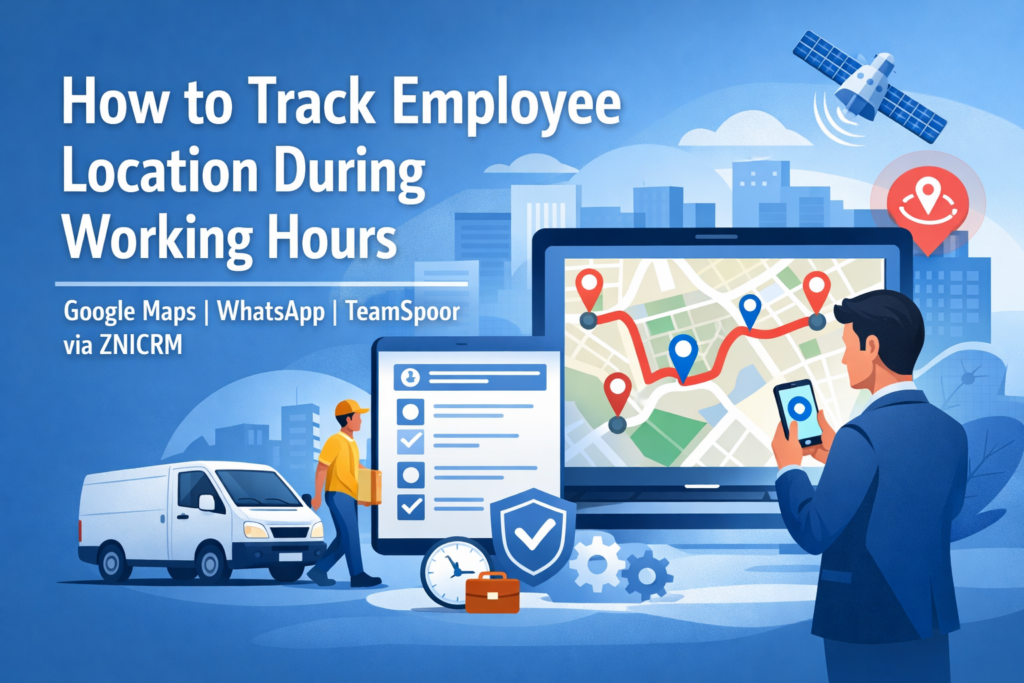
How to Track Employee Location During Working Hours

Organizations with field teams, hybrid workforces, delivery staff, service engineers, and distributed sales teams often…

Affordable field service management software for small business India

The Most Affordable Field Service Management Software for Small Business India

Streamline operations, track technicians in real-time, and automate reporting—designed specifically for the needs of Indian SMEs.

✓ No credit card required  |  ✓ Setup in 5 minutes  |  ✓ Made for India

Is Field Chaos Eating Your Profits?

Running a service business in India comes with unique challenges. Manual coordination and lack of visibility can stall your growth.

?

Where is my staff?

Technicians often go "off the radar." Without tracking, you can't verify client visits or optimize routes, leading to wasted fuel and time.

!

Lost Paperwork

Physical job sheets get lost, damaged, or delayed. This slows down invoicing and impacts your cash flow significantly.

X

Missed Appointments

Manual scheduling on whiteboards or Excel often leads to double bookings or missed service calls, damaging your reputation.

Why Indian SMEs Need Specialized FSM Tools

In a competitive market, efficiency is the key to survival. An affordable field service management software for small business India isn't just a luxury—it's a necessity. It bridges the gap between your office and your field force.

Many solutions are built for Western markets with high pricing and complex features that require heavy data bandwidth. ZniCRM is different. We understand the Indian landscape: we prioritize low-data usage apps, simple user interfaces for field staff, and cost structures that make sense for small businesses.

Why ZniCRM is the Best Choice

We combine powerful CRM capabilities with field force automation. You get total visibility over your operations without the enterprise price tag.

  • Geo-Fenced Attendance: Staff can only mark attendance when they reach the client location.
  • Offline Mode: App works even when internet connectivity is spotty—crucial for remote Indian locations.
  • Automatic Expense Calculation: Distance travelled is calculated automatically, reducing reimbursement disputes.
  • All-in-One Platform: CRM, Invoicing, and Support tickets integrated with Field Service.
Get Started Today
Live Field View
● All Systems Operational

Features That Empower Your Team

Everything you need to manage your field operations efficiently.

📍

Real-Time Location Tracking

Know exactly where your team is. Assign urgent tasks to the nearest available technician to reduce response time and fuel costs.

Live GPS updates every few minutes.
📅

Smart Scheduling

Drag-and-drop job scheduling. Send instant notifications to the field agent's mobile app with job details.

💰

Expense Management

Eliminate fake claims. ZniCRM validates travel claims against actual GPS data log.

📝

Digital Job Sheets

Collect signatures, photos, and job details on mobile. Generate instant invoices.

📊

Productivity Reports

Analyze who is performing best. Track total visits, tasks completed, and hours worked.

Who Uses ZniCRM?

Our affordable field service management software for small business India is versatile across industries.

🛠️ HVAC & Repair Services
🔌 Internet Service Providers
📦 Logistics & Delivery
🏥 Medical Representatives
🏠 Real Estate Agents
🛡️ Security Patrols
🏗️ Construction Supervisors
Tasks Completed (Weekly) +24% ▲
Mon
Tue
Wed
Thu
Fri

Data-Driven Decisions

Stop guessing. ZniCRM provides actionable insights into your field operations. Identify bottlenecks, reward high performers, and optimize your resource allocation.

Reports are available instantly on your desktop dashboard, aggregated from real-time data input by your field team.

Secure & Reliable

Your business data is our top priority. We use enterprise-grade encryption to ensure your client lists and employee data remain safe.

256-Bit SSL
Daily Backups
99.9% Uptime
GDPR Compliant

Trusted by Indian Businesses

"We used to struggle with manual attendance. ZniCRM solved it instantly. It is truly the most affordable field service management software for small business India available today."

— Rajesh Kumar
Owner, Swift Air Cool Services

"The GPS tracking is accurate, and the expense reports save my accounts team 10 hours a week. Highly recommended for service teams."

— Amit Verma
Director, Verma Logistics

"Simple interface, great support, and very cost-effective. It helped us scale our operations from 5 to 50 technicians."

— Sneha Gupta
Manager, City Broadband

Frequently Asked Questions

Is this software suitable for small teams?
Yes, ZniCRM is designed specifically as an affordable field service management software for small business India. Whether you have 2 employees or 200, the system scales with you.
Does the mobile app work without internet?
Yes, the ZniCRM mobile app has offline capabilities. Technicians can input data offline, and it syncs automatically once connectivity is restored.
Can I track travel expenses?
Absolutely. The system tracks the actual distance traveled using GPS coordinates, allowing you to reimburse employees accurately based on distance rather than estimates.
Is there a free trial?
Yes, we offer a free trial so you can experience the features firsthand. No credit card is required to sign up.

Ready to optimize your field operations?

Join thousands of Indian businesses growing with ZniCRM.

Employee Time Tracking Software

Simplify Workforce Management with Intelligent Employee Time Tracking Software

Stop guessing how work gets done. ZniCRM provides a unified platform to track attendance, monitor field productivity, and automate payroll without the micromanagement.

✓ No Credit Card Required  |  ✓ Setup in 2 Minutes

Why Businesses Need Better Tracking

Manual timesheets and disconnected tools are costing you money.

💸

Payroll Leakage

Overpaying due to rounded hours or unverified overtime adds up. Without precise tracking, you are bleeding operational budget every month.

📍

Field Visibility

For sales and service teams, knowing "where" is as important as "when." Blind spots in field operations lead to missed client visits.

📉

Productivity Gaps

Without data, you can't optimize. Identify bottlenecks and distinguish between busy work and billable work effortlessly.

How to Implement an
Employee Time Tracking System

Deploying employee time tracking software isn't about surveillance; it's about transparency and fair compensation. Here is the modern approach to getting it right:

  • Define the objective: Are you tracking for payroll accuracy, client billing, or productivity analysis?
  • Automate the capture: Move away from manual spreadsheets. Use GPS for field staff and login-timestamps for desk staff.
  • Integrate with CRM: Time data should live where your customer data lives. Connect efforts directly to sales outcomes.
  • Share the insights: Give employees access to their own data to build trust and self-correction.
Daily Activity Log Export ▼
Client Visit: TechCorp
1h 45m
Travel Time
0h 30m
CRM Updates
2h 15m
*ZniCRM Auto-generated Timesheet Example

Unified Productivity & CRM Alignment

ZniCRM isn't just a clock-in app. It's a complete business engine.

GPS & Geo-Fencing

Perfect for field sales and service teams. Automatically verify attendance based on location. Ensure your team is at the client site when they say they are.

● Active Location: Client Site A (Verified)

Automated Payroll

Convert approved timesheets into payroll data instantly. Calculate overtime, late arrivals, and billable hours automatically.

Task Association

Link time spent directly to CRM Leads and Deals. Understand the true cost of customer acquisition.

Expense Management

Employees can upload travel expenses and reimbursements linked to their daily visits and routes.

Tailored for Every Role

Field Sales

Route Optimization

Track meetings and travel time. ZniCRM helps sales reps plan their day and managers verify client interactions.

Support Teams

Ticket Resolution

Measure exactly how much time is spent on specific support tickets to optimize staffing and training.

HR Managers

Attendance Reports

Get a bird's eye view of late marks, absentees, and overtime trends to manage workforce policy effectively.

Operations

Project Costing

Ensure that client billing reflects actual hours worked. Stop undercharging for complex projects.

Data-Driven Workforce Decisions

Turn raw time data into actionable insights with our employee time tracking software dashboard.

  • Real-time "Who is Working" dashboard.
  • Detailed conveyance and travel distance reports.
  • Comparison of planned vs. actual activity.
  • Exportable formats (PDF, Excel) for payroll processing.
🛡️

Enterprise-Grade Security & Privacy

We respect employee privacy. ZniCRM is designed to distinguish between work hours and personal time. All location and activity data is encrypted and stored securely, accessible only to authorized administrators.

Trusted by Growing Teams

"Before ZniCRM, we had no idea if our field sales team was actually visiting clients. Now, revenue is up 30% because we can track and optimize their time."

- Rajesh K., Sales Director @ RapidLogistics

"The best part is the CRM integration. We don't just track time; we track time against revenue. It's a game changer for our billing."

- Sarah J., Operations Lead @ FinServe Inc.

"Simple, effective, and ethical. My staff loves that they can do expenses and attendance in one app."

- Amit V., Founder @ BuildConstruct

Frequently Asked Questions

Does the employee time tracking software work offline?
Yes, the mobile app captures location and time data offline and syncs it to the server once the internet connection is restored.
Can I track specific projects?
Absolutely. You can assign employees to specific clients, deals, or internal projects within the CRM.
Is there a free trial?
Yes, we offer a comprehensive free trial so you can experience the benefits before committing.

Ready to optimize your team?

Join thousands of users who have streamlined their operations with ZniCRM.

Get Started for Free

No credit card required.

Geofence Attendance System

Smart Workforce Management

Precision Tracking with a Geofence Attendance System

Eliminate buddy punching and time theft. Automatically mark attendance when your team enters the office, warehouse, or client site using ZniCRM's GPS-enabled mobile technology.

No Hardware Required   100% Mobile Ready
Site Entry Detected: 9:02 AM

Is Your Current Attendance Process Costing You Money?

Manual timesheets and biometric devices are outdated. They are prone to errors, hygiene issues, and simply don't work for field teams.

Buddy Punching

Employees clocking in for each other is a major revenue leak. Without location validation, you can never be sure who is actually at work.

Field Blindness

Sales and service teams work outside the office. Traditional biometrics can't track them, leaving you guessing about their start and end times.

Payroll Errors

Reconciling paper sheets or disconnected Excel files leads to improved payroll errors and unhappy employees.

What is a Geofence Attendance System?

A geofence attendance system is a modern time-tracking solution that uses GPS technology to create a virtual boundary (a "geofence") around a real-world location, such as your office, warehouse, or a client's site.

When an employee enters this zone with their mobile device, the system allows them to check in. If they leave the zone, they are automatically prompted to check out or the system logs the exit time. This ensures that attendance records are verified by actual location data, providing indisputable proof of presence without the need for expensive hardware.

Setup your first geofence today →

Ethical Tracking & Privacy

ZniCRM balances business needs with employee privacy. Our system only validates location during check-in and check-out actions or during active duty hours.

  • • Battery Efficient: Optimized to verify location without draining user battery.
  • • Transparent: Employees can see exactly when and where they are being clocked in.
  • • Offline Mode: Captures data even when internet connectivity is spotty and syncs later.

Why Choose ZniCRM?

We combine powerful CRM capabilities with advanced workforce management.

99%

Accuracy in Location Data

30%

Increase in Productivity

0

Hardware Costs

24/7

Real-time Visibility

Features Designed for Modern Teams

Everything you need to manage attendance from a single dashboard.

📍

Multiple Office Support

Do you have branches in multiple cities or client sites spread across the country? Create unlimited geofences. ZniCRM automatically recognizes which site an employee is visiting and logs attendance against that specific location ledger.

Active Site: Lucknow HQ
● Employee Within Bounds
📱

Selfie Validation

Add an extra layer of security by requiring a selfie along with the GPS tag during punch-in.

📅

Shift Management

Define flexible or fixed shifts. The system marks late arrivals automatically.

📊

Automated Timesheets

Forget manual calculations. ZniCRM aggregates check-in/out data, break times, and total hours worked into a payroll-ready format that you can export in one click.

🚶

Visit Verification

For sales teams: verify client meetings. The app logs the location of the meeting and ensures the salesperson was actually at the client's office.

Built for Every Industry

🏢 Corporate Offices

Replace expensive biometric machines with a touchless, hygienic mobile solution that works on your employees' existing smartphones.

🚚 Logistics & Supply Chain

Track drivers and warehouse staff. Ensure goods are picked up and dropped off at the correct geofenced locations.

👷 Construction & Field Services

Managing a remote workforce? Set up temporary geofences around construction sites to track labor hours accurately.

Real-Time Reporting Dashboard

Get a bird's-eye view of your workforce attendance. ZniCRM provides visual insights into punctuality, absenteeism, and overtime.

  • Daily attendance summaries via email
  • Late-arrival and early-departure reports
  • Distance travelled reports for reimbursement
View Sample Report

Attendance Overview (Today)

Present 85%
Late Arrivals 12%
Absent 3%

Secure, Private, and Reliable

We treat your data with the highest security standards. ZniCRM uses SSL encryption for all data transmission and stores your employee records on secure cloud servers.

GDPR Compliant Principles
Encrypted Data
99.9% Uptime SLA

Trusted by Growing Businesses

★★★★★

"The geofence accuracy is spot on. We reduced our payroll processing time by 3 days because the data is automatically ready."

— Rajesh K., Operations Manager
Logistics Co.
★★★★★

"Our sales team loves that they don't have to come to the office just to sign in. They punch in from the client site and start selling."

— Sarah T., VP of Sales
Tech Solutions Inc.
★★★★★

"Implementation was instant. No wiring, no scanners. Just downloaded the app and mapped our office."

— Amit V., Director
Construction Group

Frequently Asked Questions

Can I set up multiple geofences?

Yes, ZniCRM allows you to create unlimited geofences for different branches, warehouses, or client locations.

Does the geofence attendance system work offline?

Absolutely. If the internet is unavailable, the app stores the location and time data locally and syncs it once connectivity is restored.

Is it difficult to set up?

No technical skills are needed. Simply open the map in the dashboard, click to pin your office location, set the radius, and you are live.

Ready to modernize your attendance tracking?

Join thousands of users who trust ZniCRM for their field force and office management.

Get Started for Free

No credit card required. Cancel anytime.

Employee Attendance App

#1 Employee Attendance App for Modern Teams

Track Time in Seconds.
Run Payroll Without Disputes.

Replace manual registers with TeamSpoor—an all-in-one employee attendance app and attendance management software for office, remote, and field teams. Use GPS, selfies, and smart rules to capture accurate clock-ins and clock-outs, automate timesheets, and reduce payroll errors.

Active Staff
142
● 98% Checked In
Field Visits
850
▲ +12% vs Yesterday
Built-in time punch clock online for accurate work hours, breaks, and overtime—no hardware required.

Why Traditional Attendance Fails

Spreadsheets, manual registers, and fixed biometric devices can’t keep up with flexible workforces.

Buddy Punching

Proxy attendance and shared logins inflate hours. TeamSpoor adds GPS, selfie, and device checks to keep your attendance software honest.

Field Tracking Blindspots

You need proof of presence at sites—not assumptions. TeamSpoor combines geo-fences and location logs so your app for staff attendance works anywhere.

Payroll Nightmares

WhatsApp updates and Excel edits create disputes. TeamSpoor’s attendance management software automatically calculates hours, breaks, and overtime.

Automated GPS-Based Attendance Management

TeamSpoor is a modern app for staff attendance that doubles as a secure time punch clock online. Employees can clock in from approved locations (office, warehouse, or client site) and managers get real-time visibility with minimal admin work.

  • Geo-Fenced Punching: Punch in/out only within assigned coordinates or Wi-Fi zones.
  • Selfie Validation: Optional photo proof to prevent proxy attendance.
  • Shift + Break Rules: Auto-calculate late marks, early outs, breaks, and overtime.
  • Offline Sync: Capture punches offline and sync automatically when online.

Whether you need attendance software for a single office or attendance management software for multiple branches, TeamSpoor scales with your org structure and policies.

Status: Checked In
Accurate clock-in/out logs from one employee attendance app—with optional selfie + geo-fence validation.

More Than Just Attendance

TeamSpoor brings together attendance software, timesheets, and workforce insights—so HR and managers stay aligned.

Online Time Punch Clock + Timesheets

Stop chasing daily updates. TeamSpoor is a time punch clock online that automatically converts punches into timesheets—daily, weekly, and monthly. Export work hours, overtime, and breaks directly for payroll processing.

Real-Time Alerts

Instant notifications for late arrivals, absences, missed punches, and early check-outs—powered by your attendance rules.

Secure Attendance Records

Audit-ready logs with encryption, role-based access, and tamper-resistant history for clean HR reporting.

Visit & Worklog Management

For teams on the move, attendance alone isn’t enough. TeamSpoor links visits, meeting notes, and outcomes with attendance so managers can verify work done—inside one employee attendance app.

Use it as attendance management software for field sales, service, technicians, delivery teams, and multi-location operations.

Looking for full-featured attendance software?
TeamSpoor supports shifts, rosters, multi-branch rules, holidays, leave sync, approvals, and exports—everything you expect from attendance management software.

Built for Every Team

Field Sales Remote Support Operations Delivery Agents

For Field Sales Teams

Sales reps can punch in at client sites, capture proof of visit, and log outcomes. TeamSpoor connects every activity to time logs so your attendance software reflects real work—not guesses.

One time punch clock online experience for mobile teams, plus manager visibility for attendance, site presence, and productivity.

Try for Sales Teams
Route & Location History
Verify movement between sites with map-based history during checked-in hours.
Geo-Fence by Client
Set punch rules per customer location for clean reimbursements and accurate site presence.
Manager Approvals
Approve missed punches, corrections, and exceptions with an audit trail.

Data That Drives Decisions

Reports that turn your employee attendance app into measurable workforce insights.

Attendance Report
Daily in/out logs, break duration, total hours, and overtime summaries.
Time Punch Exceptions
Missed punches, manual edits, approvals, and policy violations with audit trails.
Late Marks & Trends
Identify patterns by team, branch, shift, and employee for fair action.

All reports exportable to Excel / PDF / CSV

View Sample Reports →
Multi-Location Ready
Configure branches, departments, shifts, and policies in one dashboard—ideal attendance management software for growing teams.
Payroll-Friendly Exports
Export to your payroll flow with clean totals for work hours, overtime, and leave impact—built into TeamSpoor attendance software.
Faster HR Closure
Close attendance faster each month with auto timesheets and approvals—your time punch clock online becomes a single source of truth.

Privacy-First Attendance Tracking

TeamSpoor is designed to be an app for staff attendance that balances accountability and privacy. Location is recorded only during “Checked In” working time, and stops immediately on check-out. As attendance management software, TeamSpoor keeps records secure with encryption and strict access controls.

Trusted by Growing Teams

"Switching to TeamSpoor’s employee attendance app saved us ~15 hours a week in payroll processing. The time punch clock online is accurate and easy for everyone."

RS
Rahul S.
Operations Manager

"Finally, an app for staff attendance that our field agents actually like using—fast check-ins, low battery usage, and clean reporting."

AP
Anjali P.
HR Director

"The geo-fencing and approvals reduced disputes instantly. TeamSpoor is the attendance software we needed for multi-site operations."

MK
Manoj K.
Sales Head
Start Free Trial
Get started with TeamSpoor—your employee attendance app, attendance software, and time punch clock online in one.

Frequently Asked Questions

Does the employee attendance app work without internet?
Yes. TeamSpoor stores punches on the device and syncs to the cloud once connectivity returns—ideal for field staff and low-network zones.
Is TeamSpoor available on Android and iOS as an app for staff attendance?
Yes. TeamSpoor supports modern Android and iOS devices, so your whole workforce can use the same attendance management software.
Is the GPS tracking continuous?
No. Location is captured only when an employee is checked in (working time). Check-out stops tracking immediately to protect privacy and battery life.
How does the time punch clock online prevent fake attendance?
TeamSpoor uses configurable controls like geo-fencing, selfie validation, and device binding—so attendance records stay authentic and audit-ready.
Is TeamSpoor suitable as attendance software for small and large businesses?
Yes. From small teams to multi-branch operations, TeamSpoor scales as attendance software with shift rules, approvals, and exports built in.

Ready to Automate Attendance with TeamSpoor?

Switch to TeamSpoor—powerful attendance management software with an easy employee attendance app and a reliable time punch clock online.

Start Your 14-Day Free Trial

No credit card required. Cancel anytime.

Time Tracking Software

New: Automated Payroll Integration

Seamless Time Tracking Software for Client Billing & Productivity

Stop guessing where the day went. ZniCRM's comprehensive time tracking software empowers your field and office teams to log hours, manage tasks, and bill clients accurately—without the micromanagement.

ZniCRM Dashboard > Time Tracker

Daily Activity Log

Active Tracking: 04:23:12
Client Meeting - ABC Corp
1h 30m
Project Planning
2h 15m
Site Visit - North Zone
On Route

Why Relying on Manual Timesheets Fails

Manual entry is prone to error and time theft. Modern businesses need automated time tracking software to stay profitable.

!

Revenue Leakage

Billable hours slip through the cracks when employees forget to log small tasks or client calls.

?

Lack of Visibility

Managers are left guessing if field agents are at the client site or stuck in traffic.

$

Payroll Nightmares

Reconciling messy spreadsheets at the end of the month costs your finance team days of work.

How to Track Time & Bill Clients Effectively

Implement a transparent workflow using ZniCRM's integrated tools.

1

Define Projects & Hourly Rates

Set up your client profiles in the CRM. Assign specific hourly rates or fixed project fees to ensure accurate billing from day one.

2

Automate "Clock-In"

For field teams, use geo-fencing to auto-start timers upon arrival. For office staff, use the one-click task timer integrated into their daily dashboard.

3

Approve & Invoice

Managers review timesheets with location proof. Convert approved hours into professional invoices instantly.

Complete Visibility, Zero Micromanagement

Why ZniCRM is the preferred time tracking software for growing teams.

Location-Verified Attendance

Unlike basic timers, ZniCRM verifies where the work is happening. Perfect for sales teams and field technicians. The timer is linked to GPS coordinates, ensuring that "billable time" is actually spent at the client's location.

  • ✔ Geo-fenced clock-ins
  • ✔ Route history playback
  • ✔ Real-time status updates
Distance: 12.4 km

One-Click Invoicing from Timesheets

Close the loop between work done and getting paid. Select a date range, choose a client, and ZniCRM automatically pulls all billable hours tracked by your team into a clean, professional invoice ready to be emailed.

Explore Billing Features →
INVOICE #2024-001 Due: Jan 30
Web Development (10 hrs) $500.00
Server Maintenance (2 hrs) $100.00
Total: $600.00

Beyond Basic Timers

A complete productivity suite built into your CRM.

Task Management

Assign tasks with estimated hours. Track actual vs. estimated time to improve future project quotes.

Expense Tracking

Employees can snap photos of receipts and attach them to specific client visits or project hours.

Offline Mode

Field staff in remote areas can still track time. Data syncs automatically once connectivity is restored.

Break Monitoring

Monitor excessive breaks or idle time to ensure productivity remains high during working hours.

Built for Every Role

From the front office to the field, keep everyone in sync.

Sales Teams

Track time spent on client calls and meetings to analyze the cost of acquisition.

Field Service

Verify technicians are at the job site with GPS stamps on clock-in/out.

Support Agents

Measure resolution times and ticket handling duration for better SLAs.

HR Managers

Automate attendance reports and simplify payroll processing.

Data-Driven Insights

Visualize productivity with our comprehensive reporting dashboard.

Weekly Productivity Trends

Comparison of billable vs. non-billable hours across departments.

Total Billable
342 Hrs
Utilization Rate
87%

Secure & Ethical Tracking

We balance business insights with employee privacy.

🔒

Data Encryption

256-bit SSL encryption for all logged data.

👁️

Transparency

Employees can see exactly what is being tracked.

⚙️

Role Controls

Custom permissions for who can view reports.

Trusted by 2,000+ Businesses

"ZniCRM's time tracking software transformed how we bill. We recovered about 15% of previously lost billable hours in the first month alone."

Rahul M.
Operations Head, TechFlow Solutions

"The GPS integration is a game changer for our delivery team. No more manual calls to check location. It's all on the dashboard."

Sarah J.
Fleet Manager, Rapid Logistics

Frequently Asked Questions

Is this time tracking software suitable for remote teams? +

Yes, ZniCRM is cloud-based, meaning your remote staff can log time from anywhere using the mobile app or web browser.

Does the software take screenshots? +

ZniCRM focuses on task duration and location validation rather than invasive screenshots, fostering a culture of trust.

Can I integrate this with my payroll? +

Absolutely. You can export timesheets to CSV/Excel formats compatible with most major payroll systems.

Ready to boost productivity?

Join thousands of businesses using ZniCRM to track time, manage clients, and grow faster.

Get Started for Free

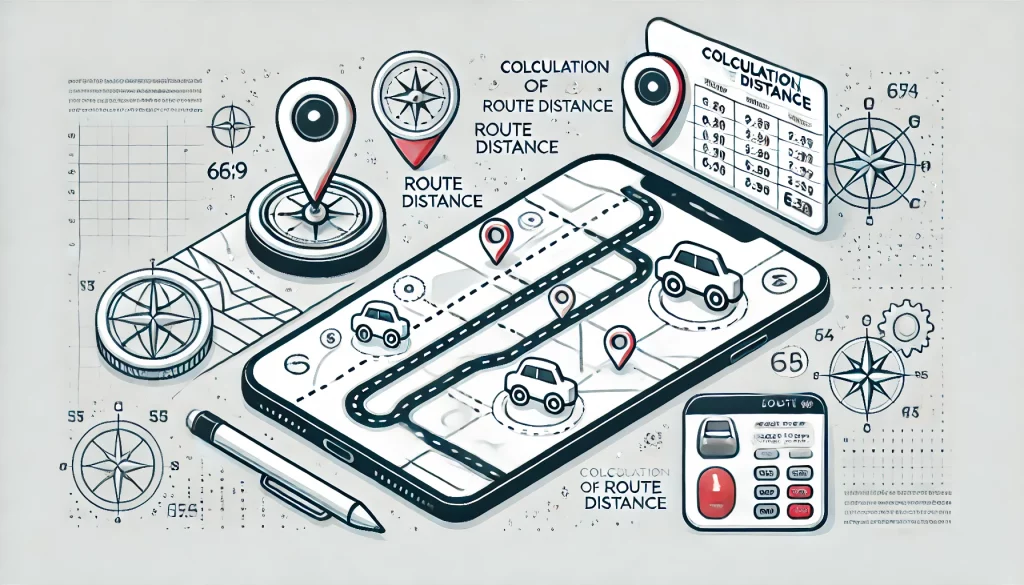
Auto Calculate Conveyance For Your Employees

Route Distance Calculator + Conveyance Calculator: The Practical Guide to Employee Travel Reimbursements Managing employee…