Store, search, sort, and reuse customer files from one CRM file workspace.
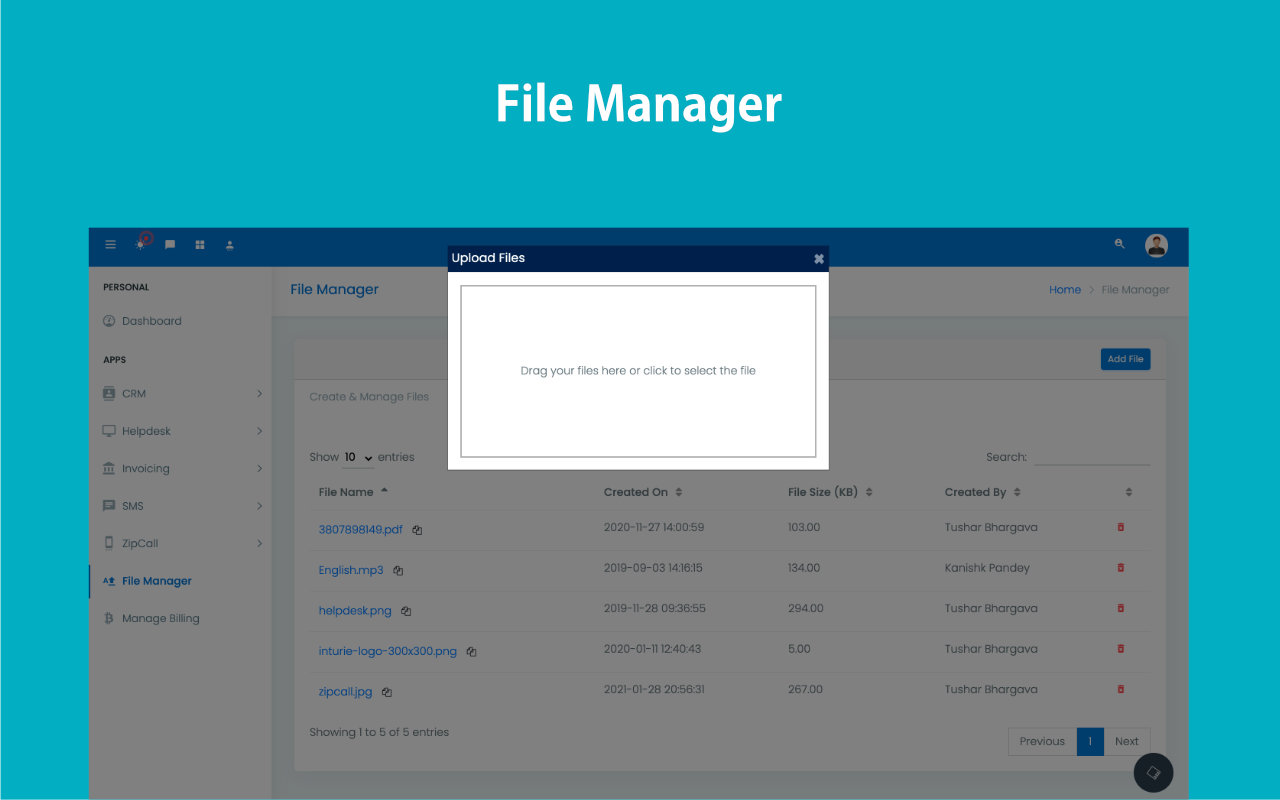
Use the standalone file manager to upload files, search by name or owner, sort by name, modified date, size, or owner, then open, copy link, or delete assets that need to be reused across proposals, CRM records, and outbound communication.
- Manage uploads from the central file manager and the file upload flow.
- Copy shareable links that can be reused in proposals, CRM conversations, and other communication workflows.
- Keep operational documents visible without relying on scattered cloud folders and inbox attachments.
Documents become reusable working assets instead of forgotten uploads.
Built for teams that need faster retrieval and cleaner document reuse.
Search by name or owner without memory-based hunting.
Reorder by size, modified date, or owner instantly.
Copy URLs and reuse documents across workflows.
Keep assets available for proposals and communication.
Stop re-uploading the same files repeatedly.
Customer file work slows down when retrieval, sharing, and reuse depend on memory.
Teams lose time when every proposal attachment, KYC document, or media asset has to be rediscovered across drives, inboxes, and local folders.
Search is fragmented
Users know the file exists but cannot retrieve it quickly because storage habits are inconsistent.
Sharing is repetitive
Teams keep re-uploading or re-sending documents because links and reuse paths are not obvious.
Operational assets drift away
Files that belong in the CRM flow end up sitting outside the very process they are meant to support.
Use the CRM file layer as a reusable asset library, not just a storage folder.
The file manager becomes operationally valuable because upload, search, sorting, sharing, and reuse are all handled from one workspace tied to the rest of the CRM.
Centralized upload flow
Use the CRM file manager and upload path instead of scattering attachments across external storage habits.
Search by name or owner
Find the document from practical metadata instead of remembering where it was first used.
Operational actions
Open, copy link, and delete from the same file surface when the team needs to act quickly.
Cross-workflow reuse
Copied file URLs can flow into proposals, communications, and CRM records without extra upload churn.
Upload once, find fast, then reuse the file link where the process needs it.
The file manager earns its place when stored assets can be acted on immediately rather than merely archived.
Upload into the file layer
Add the document through the central file manager and upload flow.
Search and sort
Filter by name or owner and sort by Name, Modified, Size, or Owner to find the right asset quickly.
Use the file actions
Open it, copy its link, or remove it from the workspace using the built-in controls.
Reuse across CRM work
Drop the copied URL into proposals, customer communication, or record updates when the file should stay visible in the process.
Stop chasing files across tools every time customer work needs proof or context.
Use ZNICRM file manager to upload, retrieve, share, and reuse the documents your team depends on every day.