Route Distance Calculator + Conveyance Calculator: The Practical Guide to Employee Travel Reimbursements
Managing employee travel reimbursements can get messy, fast. Between daily client visits, multiple stops, detours, and rushed reporting, teams often struggle to calculate conveyance fairly and consistently.
That’s where two tools make a real difference:
- A conveyance calculator to standardize reimbursements
- A route distance calculator to measure distances accurately and reduce disputes
Below is a clear breakdown of the most common methods manual sheets, GPS devices, mobile GPS, and map-based distance calculations plus a smarter option built for field teams.
What is a Conveyance Calculator?
A conveyance calculator is a structured way to calculate how much an employee should be reimbursed for work travel. Most companies use a simple logic like:
- Distance-based:
Approved distance × rate per km/mile + tolls + parking - Fixed allowance-based: daily/weekly cap + exceptions for long routes
- Hybrid: fixed allowance within city + distance-based for outstation visits
When your distance data is unreliable, the whole reimbursement process becomes slow, inconsistent, and hard to audit.
Why a Route Distance Calculator Matters
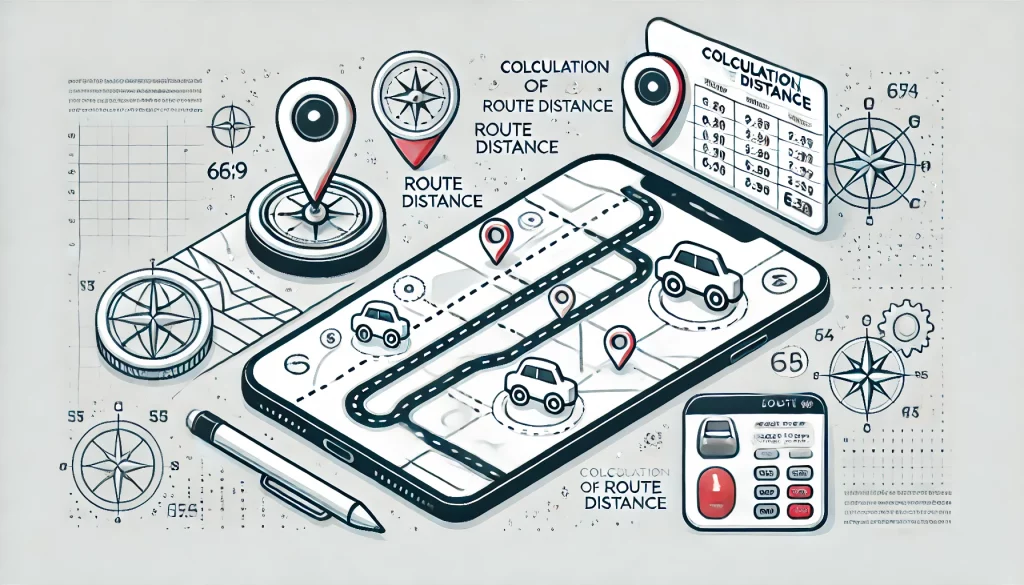
A route distance calculator gives a consistent “approved” distance between locations so your finance team pays for official travel distance instead of whatever was logged manually (or whatever route someone chose).
This helps you:
- reduce claim inflation
- speed up approvals
- keep policy enforcement consistent
- audit claims with confidence
1) Manual Distance Travelled Sheets
Employees record distances by hand (daily or weekly) and submit claims.
Pros
- Simple: no setup or special tech
- Low cost: no software or devices
- Customizable: formats can match your policy
- Easy to audit: if records are consistent
- Works offline: useful in low-network areas
Cons
- Human error: accidental mistakes are common
- Time-consuming: employees spend time filling logs
- Manipulation risk: intentional inflation is possible
- Slower reimbursements: finance must verify manually
- Messy storage: paper/email records are hard to manage
2) Dedicated GPS Devices (Vehicle Tracking)
Company vehicles use GPS devices to track distance and routes.
Pros
- Accurate distance tracking for vehicle movement
- Automated logs (less manual entry)
- Real-time visibility for operations teams
- Route analytics for planning and cost control
- Higher accountability vs. manual claims
Cons
- Higher upfront cost (devices + installation)
- Maintenance overhead (updates, replacements)
- Privacy concerns if used beyond work scope
- Training required for teams and admins
- Signal gaps in tunnels, dense areas, or remote regions
3) Mobile GPS (Employee Smartphones)
Uses the phone’s GPS to track movement during working hours.
Pros
- Convenient: employees already have phones
- No extra hardware cost
- Works beyond vehicles: walking, bike, mixed travel
- App integration: easy reporting and approvals
- Real-time insights for field managers
Cons
- Battery drain from continuous GPS usage
- Privacy concerns if boundaries aren’t clear
- Data usage can increase for employees
- Variable accuracy based on device + environment
- Security risks if location data isn’t protected properly
4) Map-Based Distance (Google Maps-Style Route Calculation)
Calculates distance between locations on a map using standard routing.
Pros
- User-friendly for both employees and admins
- Reliable routing (regularly updated maps)
- No dedicated hardware needed
- System integration is possible
- Cost-effective for many organizations
Cons
- Needs internet for best results
- Manual input if addresses aren’t captured automatically
Quick Comparison: Which Method Fits Best?
| Method | Accuracy | Battery Impact | Fraud/Inflation Risk | Best For |
|---|---|---|---|---|
| Manual sheets | Low–Medium | None | High | Very small teams, offline areas |
| GPS device in vehicle | High | None (to employee) | Low | Fleet/vehicle-based operations |
| Mobile GPS tracking | Medium–High | High | Medium | High-activity field teams |
| Map-based route distance | High (approved route) | Low | Low | Reimbursements & policy control |
A Smarter Approach: Map-Based Route Distance Calculator + Field Ops Tracking
If your goal is accurate reimbursement (not just tracking movement), map-based distance is often the cleanest method—because it measures the official route distance between two points, even if someone takes detours for personal reasons.
How it typically works in the field
- Field executive marks a visit (check-in/check-out)
- System captures the “from” and “to” locations
- Route distance calculator computes standard distance + travel time
- Conveyance calculator applies your reimbursement rules automatically
- Finance gets a clean report with audit-ready entries
Why this reduces disputes
- Employees know the distance is consistent
- Managers approve faster (less back-and-forth)
- Finance pays based on policy, not guesswork
Where Field Service Management (FSM) Helps Most
A route distance calculator becomes far more powerful when it’s connected to your day-to-day field workflows, visit logs, attendance, task updates, and reporting.
That’s why many organizations combine:
- FSM workflows (visits, tasks, service tickets)
- Employee tracking (work-hour movement visibility)
- Conveyance calculation (policy-based reimbursements)
This creates a single system that supports both operations and finance—without forcing employees to maintain separate logs.
Use Cases by Industry (Where Auto Distance + Conveyance Pays Off)
Field Sales & Marketing
- Pharma reps visiting hospitals/clinics
- FMCG sales staff covering retail beats
Logistics & Transportation
- Courier deliveries, route optimization, fuel reconciliation
- Freight movement tracking for billing accuracy
Utilities & Maintenance
- Technicians servicing electrical/water/gas complaints
- HVAC service visits across city zones
Healthcare Services
- Home care nurses visiting patients
- Equipment delivery teams handling scheduled drops
Construction & Engineering
- Supervisors moving between multiple sites
- Project managers tracking site-visit reimbursements
Telecommunications
- Field engineers for installations and network maintenance
- ISP technicians handling daily service calls
Real Estate
- Agents showing properties across localities
- Property managers overseeing multiple buildings
Government & Public Services
- Inspectors covering wards/zones
- Emergency response teams tracking operational movement
Retail & Distribution
- Grocery and appliance delivery teams
- Distribution executives covering hubs and outlets
Consulting & IT Services
- Consultants visiting client offices
- On-site IT support travel reimbursements
Best Practices for a Clean Conveyance Policy (That Employees Won’t Hate)
- Define rate per km/mile, and separate tolls/parking rules
- Set city vs outstation guidelines
- Decide if reimbursements use actual tracked movement or approved route distance
- Communicate privacy boundaries clearly (working hours only)
- Use exception approvals for rare cases (road closures, emergencies)
FAQ
How do I calculate employee conveyance accurately?
Use a conveyance calculator with consistent distance data. The most reliable approach is combining policy rules with a route distance calculator that standardizes distance between visits.
Which is better: mobile GPS tracking or a route distance calculator?
Mobile GPS is great for understanding movement, but reimbursements are often cleaner with a route distance calculator because it pays for the official route distance, not detours.
Can a route distance calculator reduce fake conveyance claims?
Yes, because it standardizes distances and makes claims auditable. It’s one of the easiest ways to reduce inflated claims without micromanaging employees.
Conclusion
Choosing the best conveyance method depends on your workforce size, budget, and how much accuracy and control you need.
- Manual sheets are easy, but error-prone
- GPS devices are accurate for fleets, but cost more
- Mobile GPS is flexible, but impacts battery and privacy expectations
- Map-based routing is often the best balance for reimbursements—especially when paired with FSM workflows and tracking
If you want faster approvals, fewer disputes, and cleaner reimbursement audits, a combined route distance calculator + conveyance calculator workflow is usually the most practical upgrade.