Sales force automation
Explore TeamSpoor’s existing field sales solution.
Explore TeamSpoor’s field management features through the work your team does: customer rounds, on-site reporting, location review and the next follow-up.
A field operation is a sequence of connected jobs. The planner prepares the round, the executive records the visit, and the manager uses the result to decide what happens next. TeamSpoor brings planning, location context, attendance and customer reporting into that process.
Start with the workflow you need to improve. The feature pages below show the relevant product screens, a practical example and the records to check. Use the directory to compare related features, then take one real field day into your trial or demo.
Feature directory
Explore a workflow, see the product screens and find the features that connect to it.
Explore TeamSpoor’s existing field sales solution.
Build, repeat and import reviewed customer visit schedules.
Follow an assigned stop from app receipt to its linked visit.
Explore the broader TeamSpoor platform for field operations.
Explore TeamSpoor for customer service and on-site work.
Explore recorded field employee locations and GPS tracking.
Find the TeamSpoor mobile app for field staff.
Inspect recorded journeys and supporting event layers.
Explore route distance calculation and conveyance workflows.
Review a licensed executive’s latest recorded device position.
Explore virtual boundaries around field locations.
Review geofence events, send messages and connect event workflows.
Review time and attendance features for field teams.
Explore workforce administration and payroll workflows.
Find customer visits and inspect the information submitted from the field.
Review structured answers and their visit context.
Review available images with the recorded visit details.
Inspect recorded acknowledgement within the customer visit.
Explore reporting for pharmaceutical field teams.
Set team scope and review planned work, visits and locations.
Compare planned stops, recorded activity and travel context.
Plan a verified handoff to ZNICRM or your own systems.
Prepare a plan comparison and find published pricing.
Find the right path for evaluation or account help.
Discuss a representative customer workflow and rollout.
No matching features. Try a broader word or choose All workflows.
Product walkthrough
Prepare customer stops with the executive, time, visit type and contact details. Repeat or copy recurring rounds, then review the selection before assignment.
Use saved accounts or enter the customer details manually.
Check dates, visit order and any duplicate warnings.
Use the report to distinguish assignment, app receipt and a completed linked visit.
Beat Plan → Build beat plan
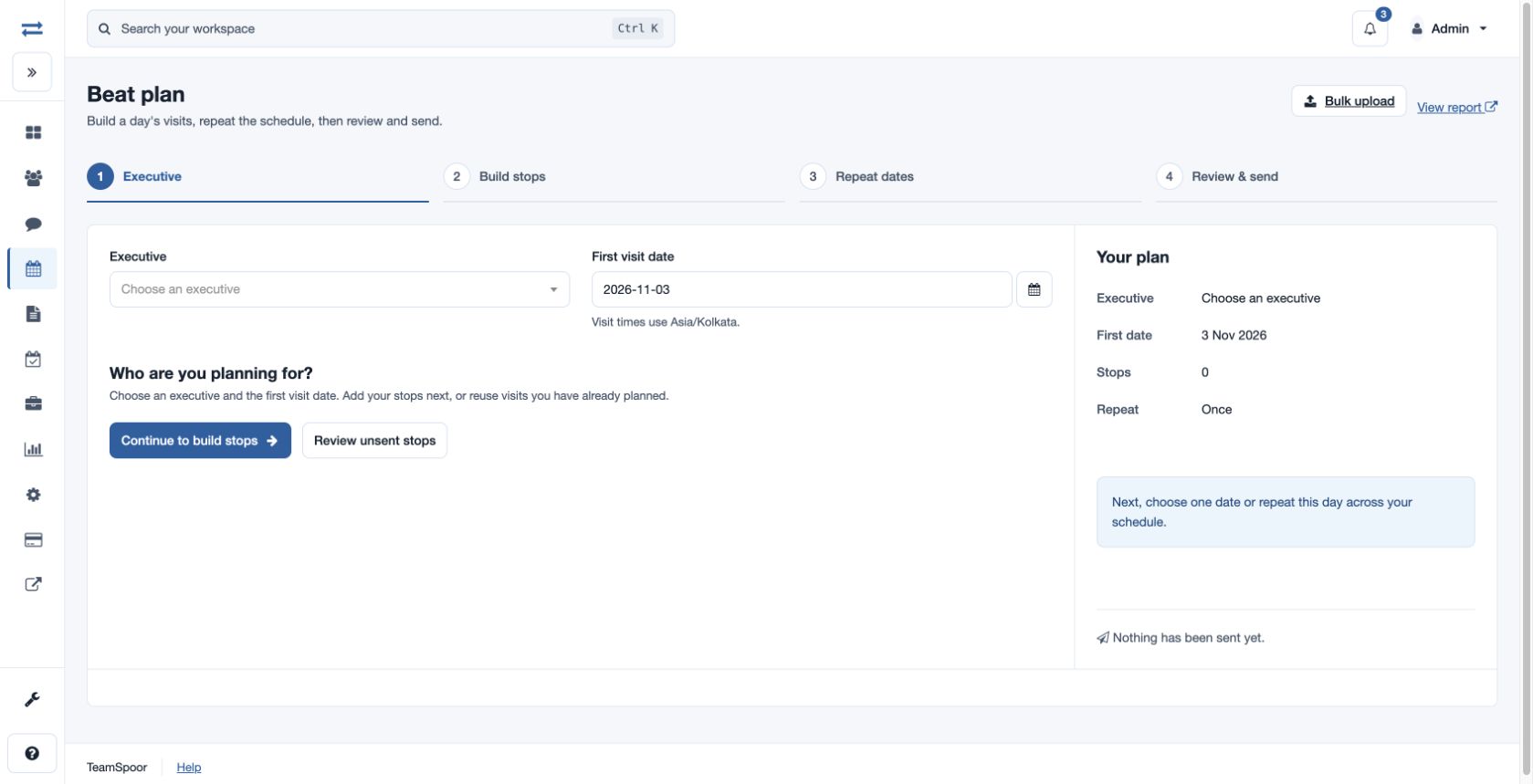
The employee knows which customer interaction is expected and the manager can follow the handoff.
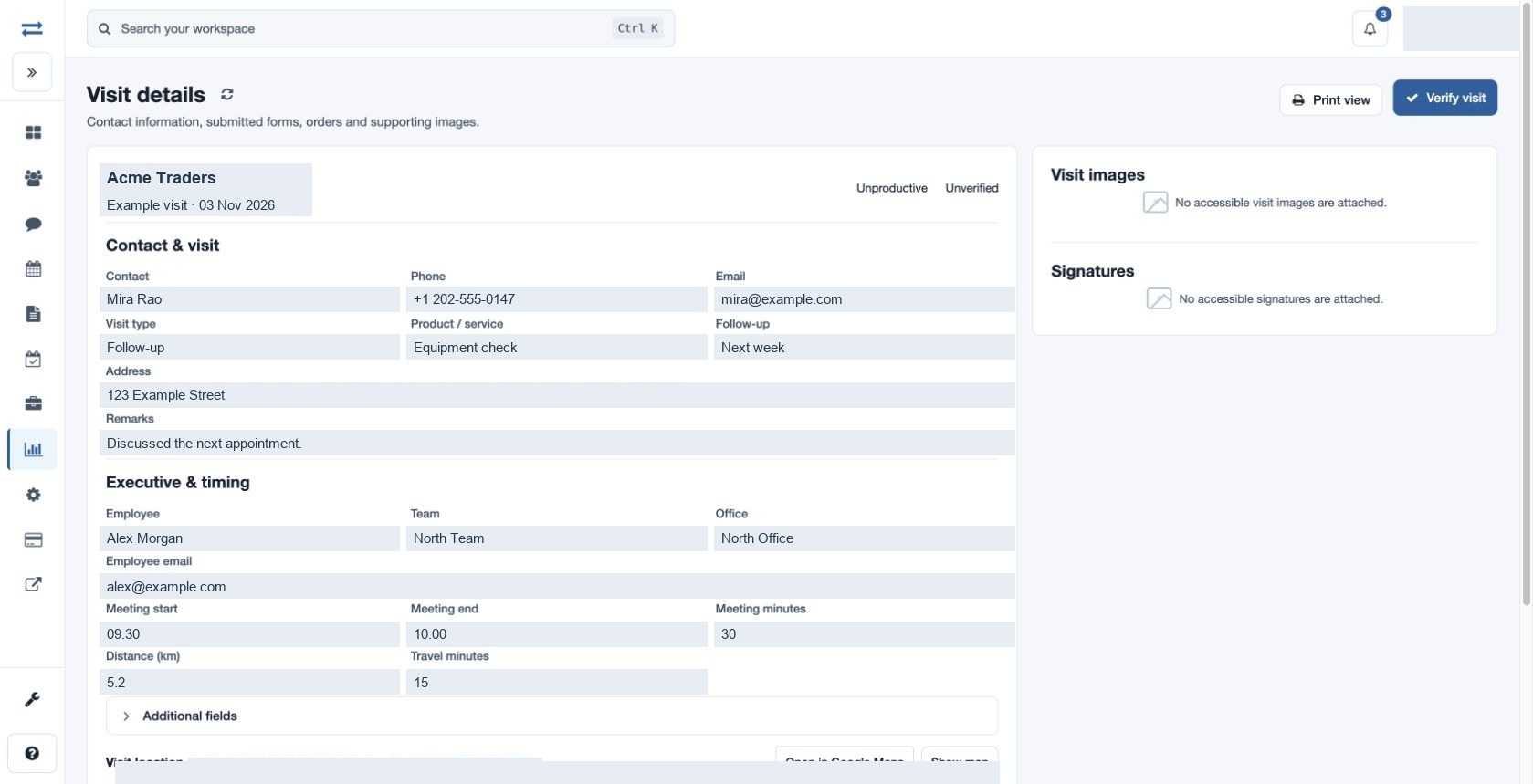
Review the customer, contact, meeting times, remarks and follow-up in the visit detail. Open accessible forms, orders, images and signatures when the process uses them.
Start with the meeting status and remarks.
Open relevant submissions instead of treating a visit count as the full story.
Use the recorded follow-up to prepare the next customer action.
Reports → Visits → Visit ID
The office can understand a customer visit without starting the conversation again.
Compare planned work and recorded visits within your date and team scope. Use the relevant detail report to investigate a gap, and connect supported events to another system where the process needs it.
Use the same team and period across the review.
Compare pending stops, visit outcomes and verification separately.
Use Beat Plan, Visits or distance reports for the supporting records.
Reports → Team field activity
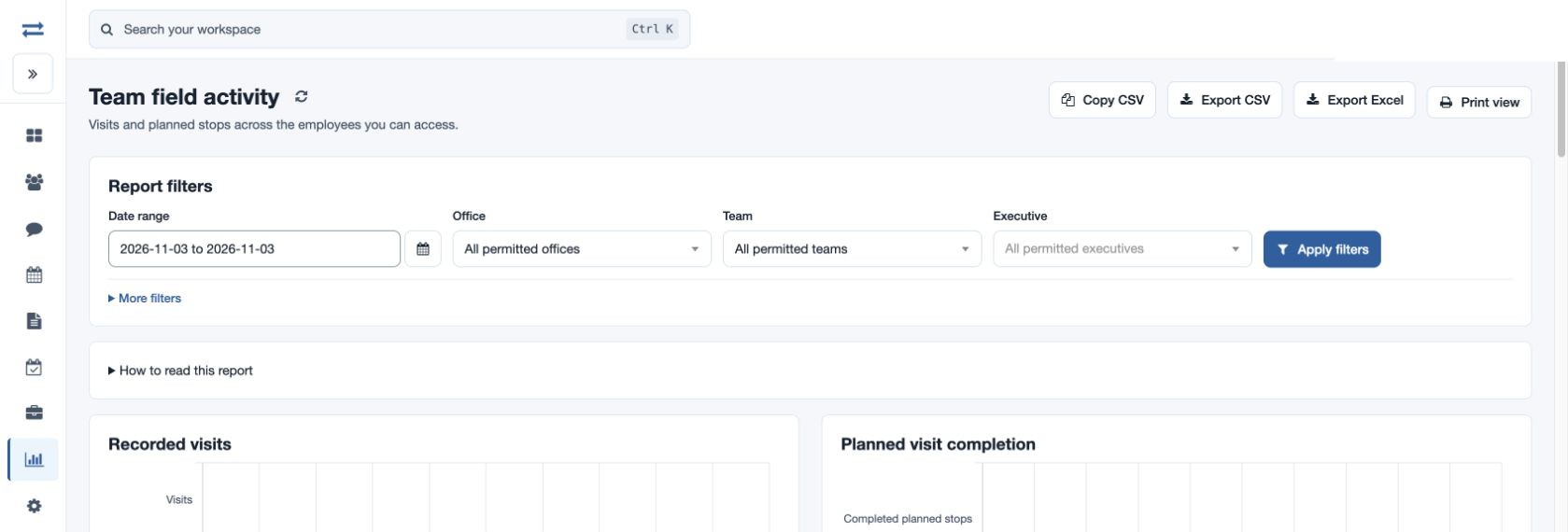
The next customer round can reflect what the team actually recorded.
Example workflow
A sales team needs to visit customers, record their requirements and give the office a clear view of outstanding work.
Illustrative scenario · not a customer resultBefore the round
Build a beat plan, include contact details and explain the purpose of each visit. Check app receipt after assignment.
During the review
Open completed visits, review remarks and available forms or orders, and identify any follow-up requirement.
For the next day
Compare pending stops with recorded visits. Prepare a follow-up round based on the customers that still need attention.
Planning, field evidence and manager review become a repeatable cycle.
Use this map to find the right feature before exploring the full directory.
Swipe across the table to compare all columns.
| Your team needs to… | Start with | Then connect it to |
|---|---|---|
| Organize recurring customer coverage | Beat planning | Field tasks and recorded visits. |
| Understand the result of a visit | Field reporting | Custom forms, photos and acknowledgement. |
| Review the recorded field journey | Route map / InstaTrack | Visit details and distance reports. |
| Explain planned vs recorded activity | Field analytics | Manager review and customer follow-up. |
| Move field events to another system | Integrations | A tested receiving workflow. |
Use the same connected process in the customer interactions your team handles every day.
Use customer beat plans, visit records and team analytics to review customer coverage. Inspect order, form and follow-up details where available, and confirm any required CRM handoff.
Assign visits, collect configured answers and review available customer evidence. Use the service pages for broader solution evaluation and the individual feature pages to understand the documented field workflow.
Review location and attendance within the configured scope. Compare work records with their available supporting context and use the HRMS page to explore related workforce processes.
Make it practical
Start small enough that the entire team can explain the outcome. A pilot with representative customer visits, a manager review and one exception is more useful than browsing every feature in isolation.
Confirm the required plan features, licenses and permissions, then use the linked usage guides to repeat the process with your team.
Questions, answered
Need to walk through your own process?
Talk to the TeamSpoor teamTeamSpoor supports field planning, employee location, attendance, customer visit reporting and review of available evidence. Managers can review activity within their permitted scope and use documented integration options for supported field-event handoffs.
Route history shows recorded locations and related events for a selected day. Distance reports summarize qualifying readings, while the route distance calculator supports a separate calculation workflow. Choose the source that matches the business question.
TeamSpoor provides an employee tracking app for Android and iOS and a web workspace for management and reporting. Confirm device compatibility and app readiness before rollout. The app page and usage guide explain where to start.
Choose a sample team and one customer process. Test an assigned stop, app receipt, visit capture and manager review. Use a demo to confirm plan, optional modules or integration requirements before a wider rollout.
TeamSpoor reports recorded app and device activity for enrolled employees within the permitted scope. A phone number alone does not supply a recorded position. Use the employee setup and app readiness workflows to check the account and device.
Check the selected employee and report scope, app readiness, device recording and coordinate availability. The latest marker includes a recorded time or age; an old marker alone does not establish why an update is missing.
Authorized non-executives can send messages to active executives with registered devices. Report downloads also depend on permissions. Message history records a send attempt, and visit report downloads contain data rather than photo and signature files.
Use Plan selection in this directory to find current pricing and the billing guide. Use Demo and support for account issues or a workflow discussion. Confirm payment, renewal and trial terms in the current published information for your account.
Bring one real workflow to a TeamSpoor trial or demo.