Understand the boundary event before acting.
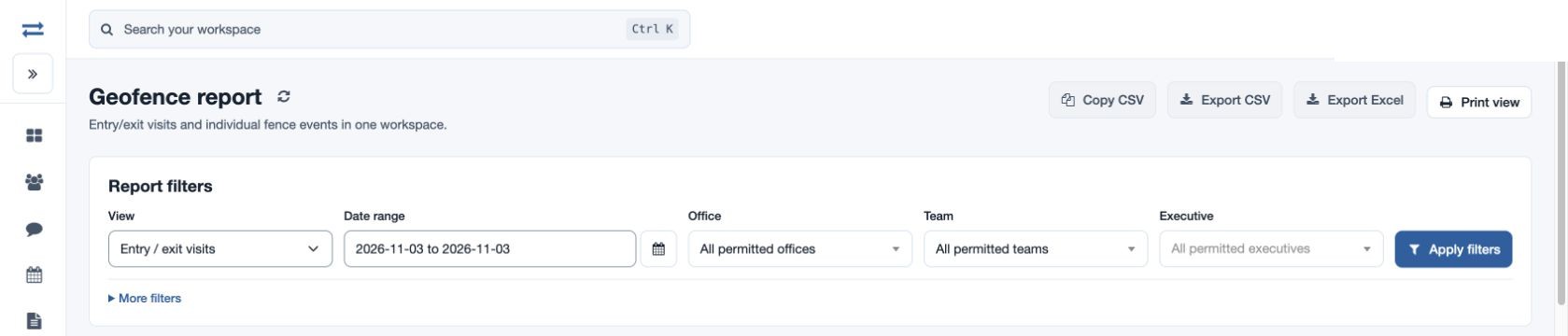
Filter the period and team, then choose Entry / exit visits or Breach events. Read the fence, recorded timestamps and movement classification with the available location context.
Choose the view
Use entry/exit for arrival and departure records, or breaches for individual boundary events.
Find the fence or employee
Use More filters to narrow the investigation.
Read missing values carefully
A blank exit means no departure was recorded; investigate with the location evidence.
Reports → Geofence report
Inside TeamSpoor
Why it matters
The reviewer can identify the recorded event and ask a precise follow-up question.