Published plans
See current TeamSpoor plan details and pricing.
View current plansCompare TeamSpoor pricing with a clear view of your users, field workflows and billing needs. Use current published prices and your account’s quote for the final amount.
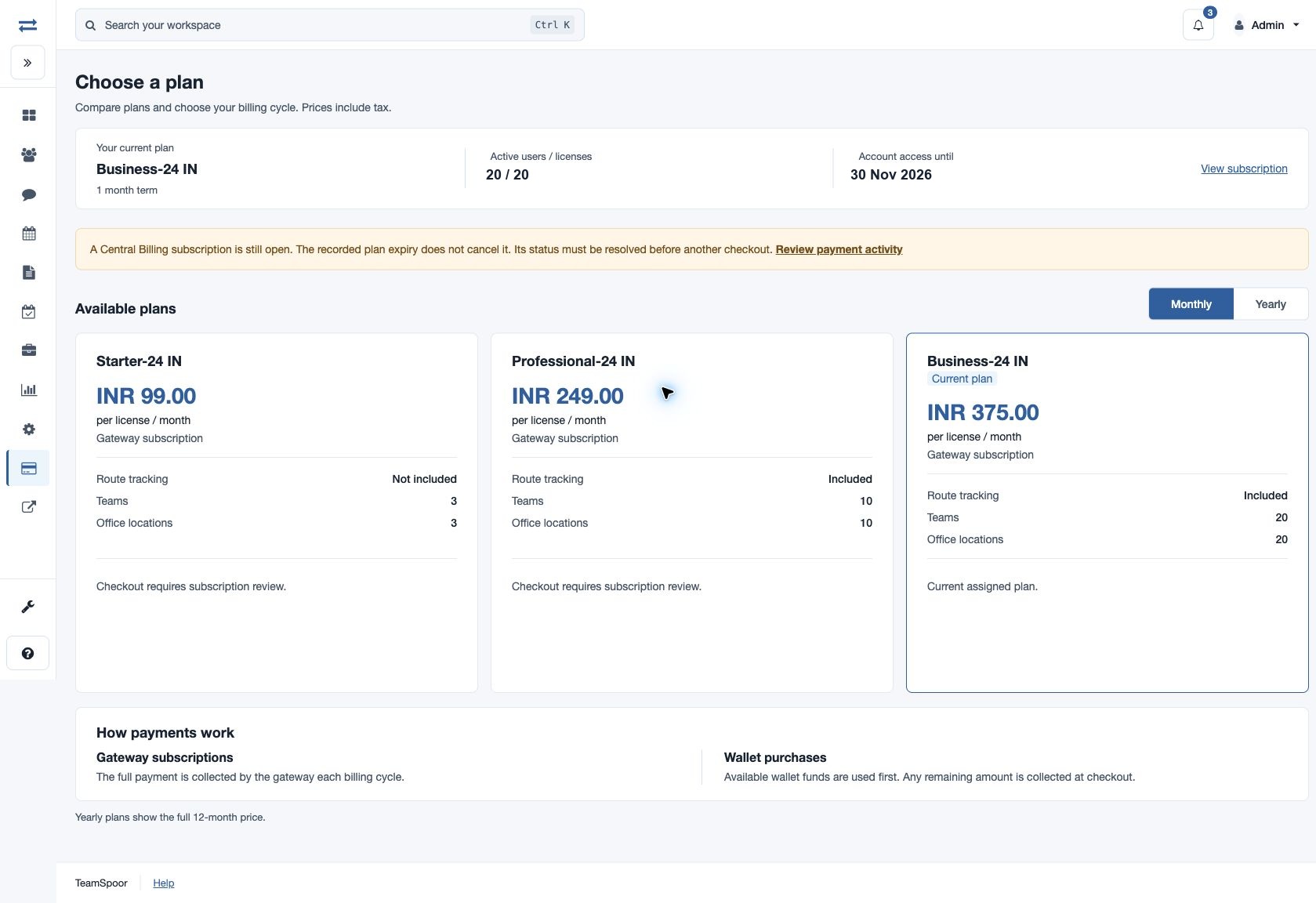
See current TeamSpoor plan details and pricing.
View current plansReview the regional pricing page for Indian teams.
View India pricingBring your users, offices and required workflows to a demo.
Talk through your requirementsYour plan should support the people doing the work and the managers reviewing it. Begin with the executive population, offices and teams, then list the workflows that must work on day one: attendance, customer rounds, location review, evidence or connected systems.
Use the current pricing pages for published offers, and Billing → Plans inside your account for the available options and final quote. The comparison below helps you bring the right requirements to that decision without relying on a copied price that may no longer apply.
Product walkthrough
List the executives using the app, the managers reviewing activity and the offices and teams in the rollout. Use the pilot to identify the reporting and feature access each role needs.
Include the employees who need access at the start of the rollout.
Record the teams and offices that need separate oversight.
Include planning, location, evidence, attendance and integration requirements relevant to your process.
Quick Setup → Offices & teams / Add executives
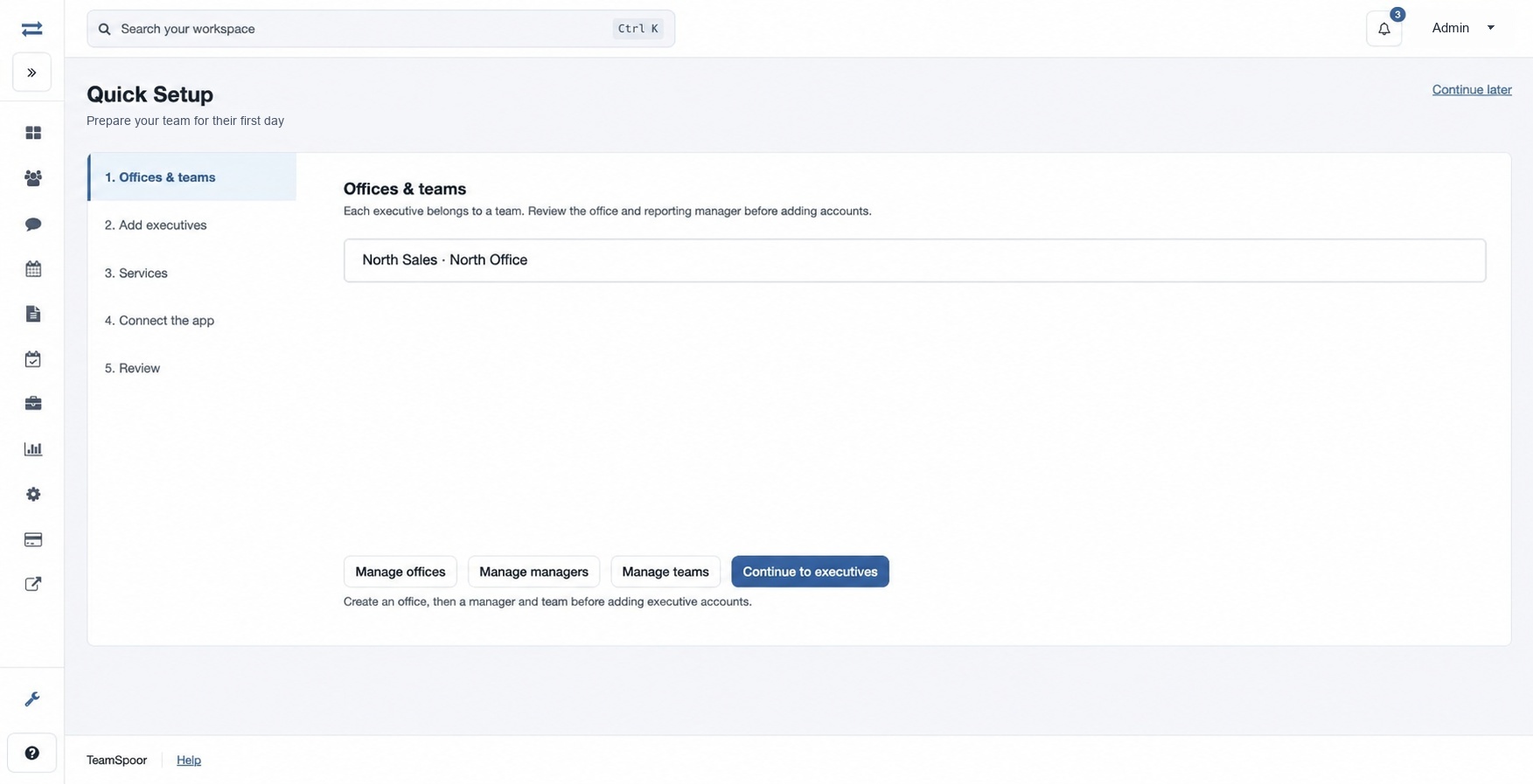
A clear requirements list makes the plan comparison concrete.
Compare the currency, billing cycle, license or plan unit, feature limits and payment type. Monthly and yearly choices have different displayed terms; yearly prices show the full 12-month amount.
Distinguish per-license plans from an unlimited-user plan purchase.
Where licenses are selected, the quantity must cover active users.
Gateway subscriptions collect a recurring cycle payment; eligible prepaid wallet purchases apply available funds before any shortfall.
Billing → Plans
The person approving the purchase understands the displayed total and recurring terms.
Example workflow
A growing distribution team wants mobile visit reporting, repeat customer rounds and a weekly manager review.
Illustrative scenario · not a customer resultPeople
Record active executives, managers, offices and teams. Note expected expansion separately so the first phase stays clear.
Workflow
Include beat planning, visit forms, reporting access and any location or integration needs. Test them in a representative pilot.
Commercial review
Open current plans or request a discussion. Review the account quote, billing cycle, license quantity, optional additions and renewal terms.
The plan decision is based on a defined rollout and a current quote.
Use this checklist with the published plans or a TeamSpoor demo.
Swipe across the table to compare all columns.
| Requirement | Write down | Check in the plan or quote |
|---|---|---|
| Users and structure | Active executives, managers, teams and offices. | License basis and relevant team or office limits. |
| Field workflow | Attendance, visits, beat planning and location needs. | Included features and required licenses. |
| Data and integrations | Report downloads, archives, webhooks or API needs. | Feature availability, allowances and access. |
| Billing | Currency, monthly or yearly term, billing owner. | Displayed total, payment type and renewal terms. |
| Optional additions | Any credits or add-ons needed for the workflow. | Separate cost, quantity and applicability. |
Use the same connected process in the customer interactions your team handles every day.
Start with attendance and work-time review requirements, then confirm the license and reporting scope that matches the employee population.
Include beat planning, mobile visit submissions and manager review in the evaluation. Check which roles need access and which reports will inform follow-up.
Add integration, export and evidence requirements to the comparison. Confirm the relevant permissions, feature availability and account limits before selecting a plan.
Make it practical
Use the pilot to validate the feature list before choosing the wider rollout. In the account, review the final payment summary and recurring terms before confirming a purchase.
If an existing subscription or payment attempt is open, review it in Payment activity rather than starting a duplicate checkout. Account-specific eligibility and available plan changes are shown in billing.
Questions, answered
Need to walk through your own process?
Talk to the TeamSpoor teamUse the published TeamSpoor plans link on this page for current pricing information. Confirm the final amount, currency and billing details for your account in the appropriate checkout.
Feature availability and limits depend on the plan and account configuration. Compare the required licenses, modules and permissions with the current published plan information.
Yes. Use a trial to test a representative workflow or request a demo with your team size, reporting needs and optional feature requirements.
Review the details for your billing region and confirm the final terms in checkout.