Discuss a partnership
Introduce your customer focus, region and proposed role.
Start the conversationExplore a TeamSpoor partnership around the customers you serve, the field problems you solve and the rollout support you can provide.
Introduce your customer focus, region and proposed role.
Start the conversationUse feature walkthroughs to choose a representative customer process.
Explore TeamSpoor featuresUnderstand offices, teams, executives and app connection before a pilot.
Read the setup guideCustomers with mobile sales, service or workforce teams often need help connecting the field day to the office. They may have a visit list, a reporting sheet and a separate follow-up process that do not work well together.
Use a TeamSpoor partnership discussion to examine that workflow and the role your business could play in evaluation, configuration, training or connected systems. Start with a representative customer and a practical pilot. Confirm the applicable partner arrangements and responsibilities directly with TeamSpoor.
Product walkthrough
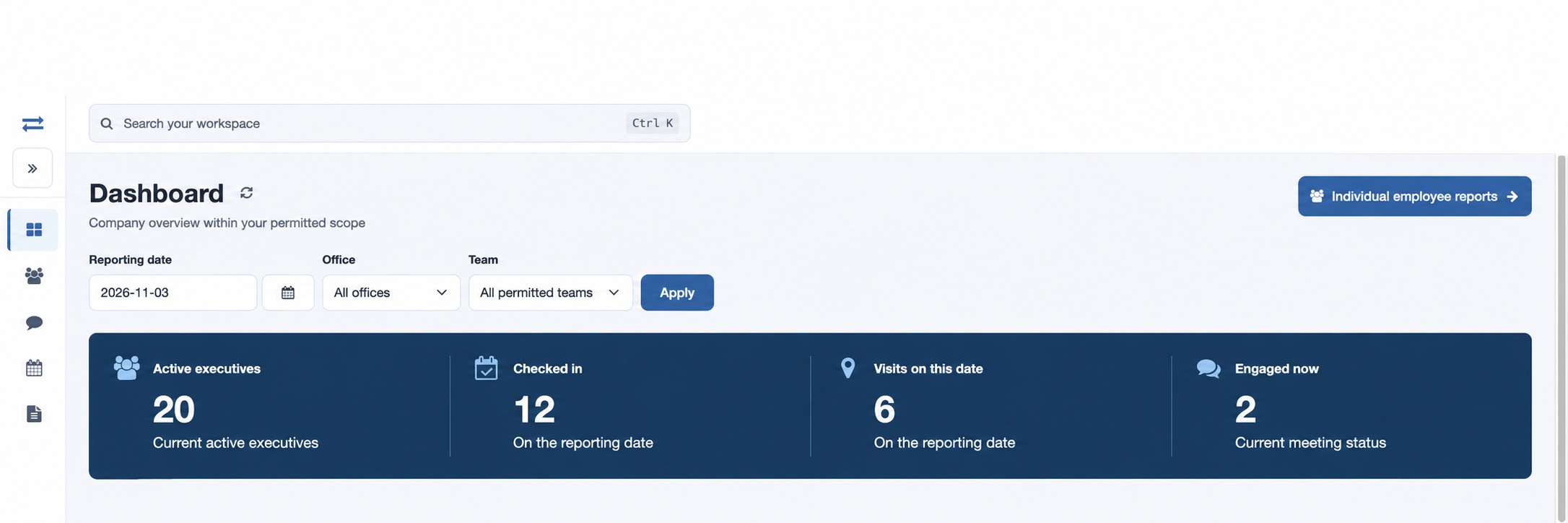
Choose a process the customer already performs, such as a retailer round or service visit. Demonstrate how an assignment becomes a recorded customer interaction and a manager follow-up.
Describe the gap in planning, evidence or review that the customer wants to solve.
Follow the plan, the visit and the team report in the demonstration.
Ask the customer to identify the record or decision that proves the pilot is useful.
Beat planning → Visits → Team field activity
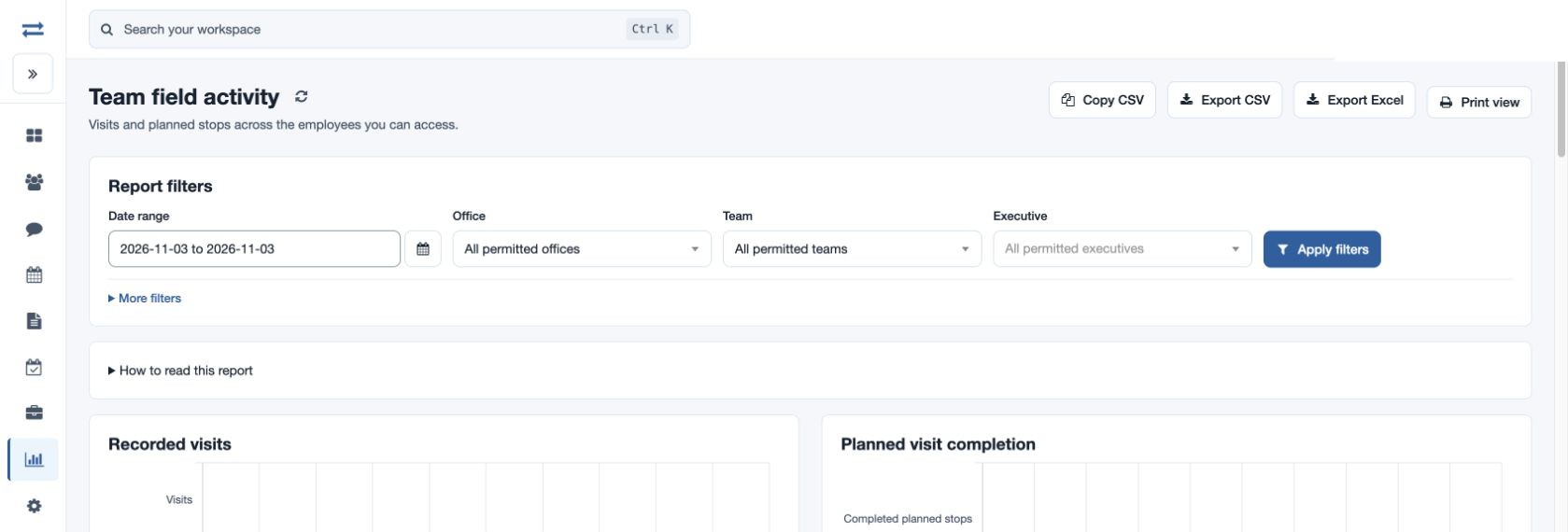
The product discussion stays tied to a customer outcome that can be tested.
A rollout needs the organization structure, employee access, app readiness and a management routine. Decide who prepares the data, checks the first reports and supports adoption.
Review offices, managers and teams before adding executives.
Check invitation results and app connection evidence.
Agree who handles training, report questions, account administration and any integration.
Quick Setup → Offices & teams → Connect the app
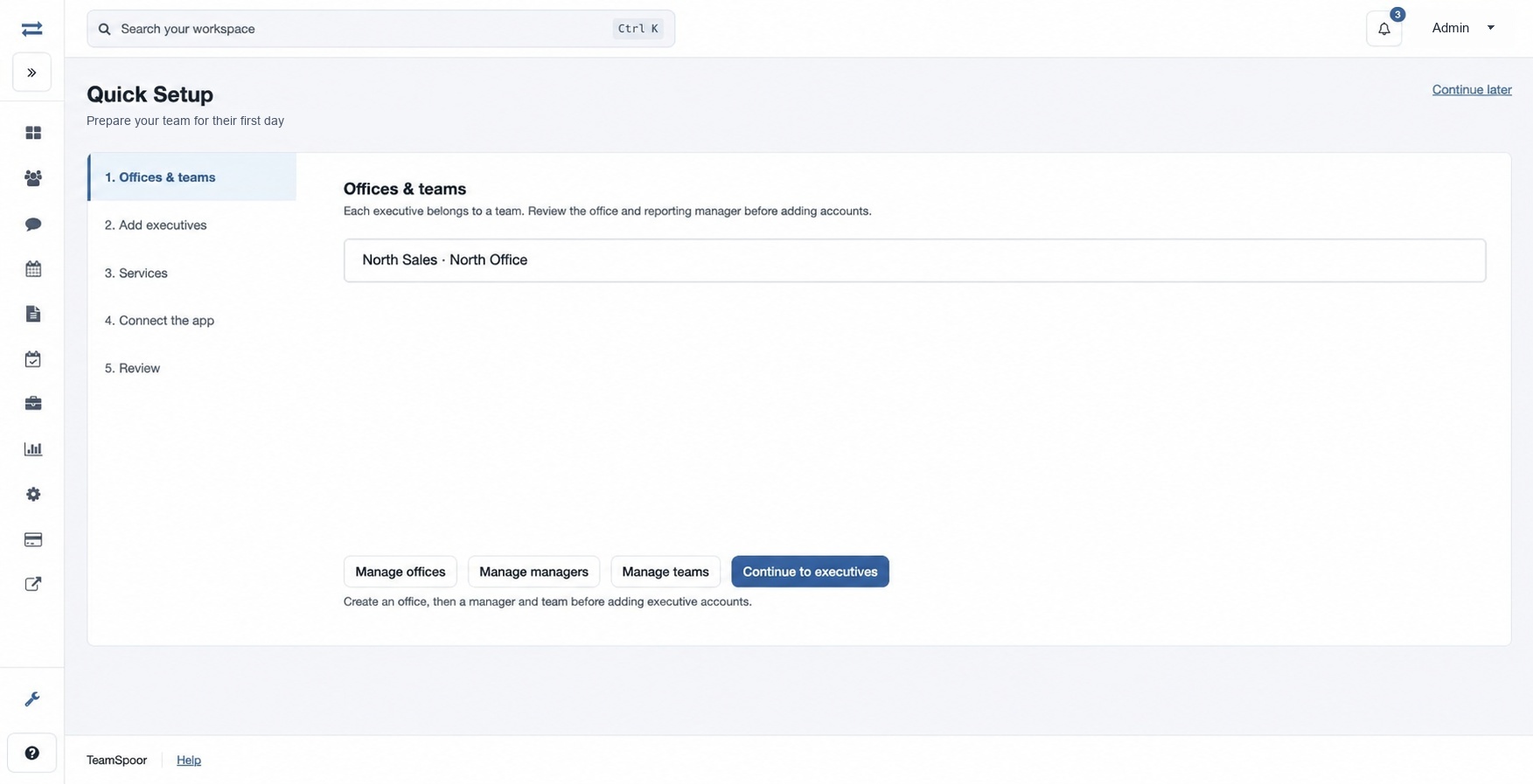
The pilot has clear responsibilities beyond the initial demonstration.
Example workflow
A consultant supports a distributor whose field team needs a repeatable customer round and consistent visit reporting.
Illustrative scenario · not a customer resultDiscover
Identify how stops are assigned, which answers the office needs and who reviews the results today.
Demonstrate
Show the planned stop, app handoff and resulting customer record. Include the form or evidence relevant to the customer’s process.
Prepare
Name the pilot employees and manager, the setup owner and the success check. Discuss commercial and support responsibilities with TeamSpoor.
The customer sees a practical adoption path and the proposed partner role is explicit.
These details help make the initial discussion specific.
Swipe across the table to compare all columns.
| Area | Bring to the discussion | Agree before a customer rollout |
|---|---|---|
| Customer focus | Industries, regions and field-team types you support. | The representative workflow for a pilot. |
| Delivery role | Your proposed evaluation, configuration or training services. | Ownership of each setup and adoption step. |
| Connected systems | Any CRM, API or event-handoff requirement. | Supported scope, implementation and maintenance responsibility. |
| Commercial model | The arrangement you want to discuss. | Current eligibility, terms and support process with TeamSpoor. |
Use the same connected process in the customer interactions your team handles every day.
Show how recurring customer coverage can connect planned stops with recorded visits and available order or follow-up context.
Evaluate assigned visits, structured reporting and supporting evidence against the customer’s service process. Confirm separate service-management requirements during the discussion.
Define the customer handoff and verify supported API, webhook or ZNICRM options. Plan the work and operational ownership around the actual receiving workflow.
Make it practical
Bring a clear proposal for how you would help the customer adopt and operate the workflow. Use the product guides to prepare the demonstration and record the questions the pilot should answer.
Confirm the current partner process and applicable terms directly before making commitments to customers. Product capability, implementation services and commercial arrangements should each have an agreed scope.
Questions, answered
Need to walk through your own process?
Talk to the TeamSpoor teamUse the partnership enquiry link and describe your organization, customers and sample field workflow. The team can discuss the current process and applicable terms.
Yes, when the required path has been confirmed. Review the documented integration options, then agree on data scope, access and who owns the receiving implementation.
Start with the feature directory, then use the usage guide to prepare a representative customer workflow. Include realistic role access, field records and a manager review.
Bring a sample customer and explain how you would support their rollout.