
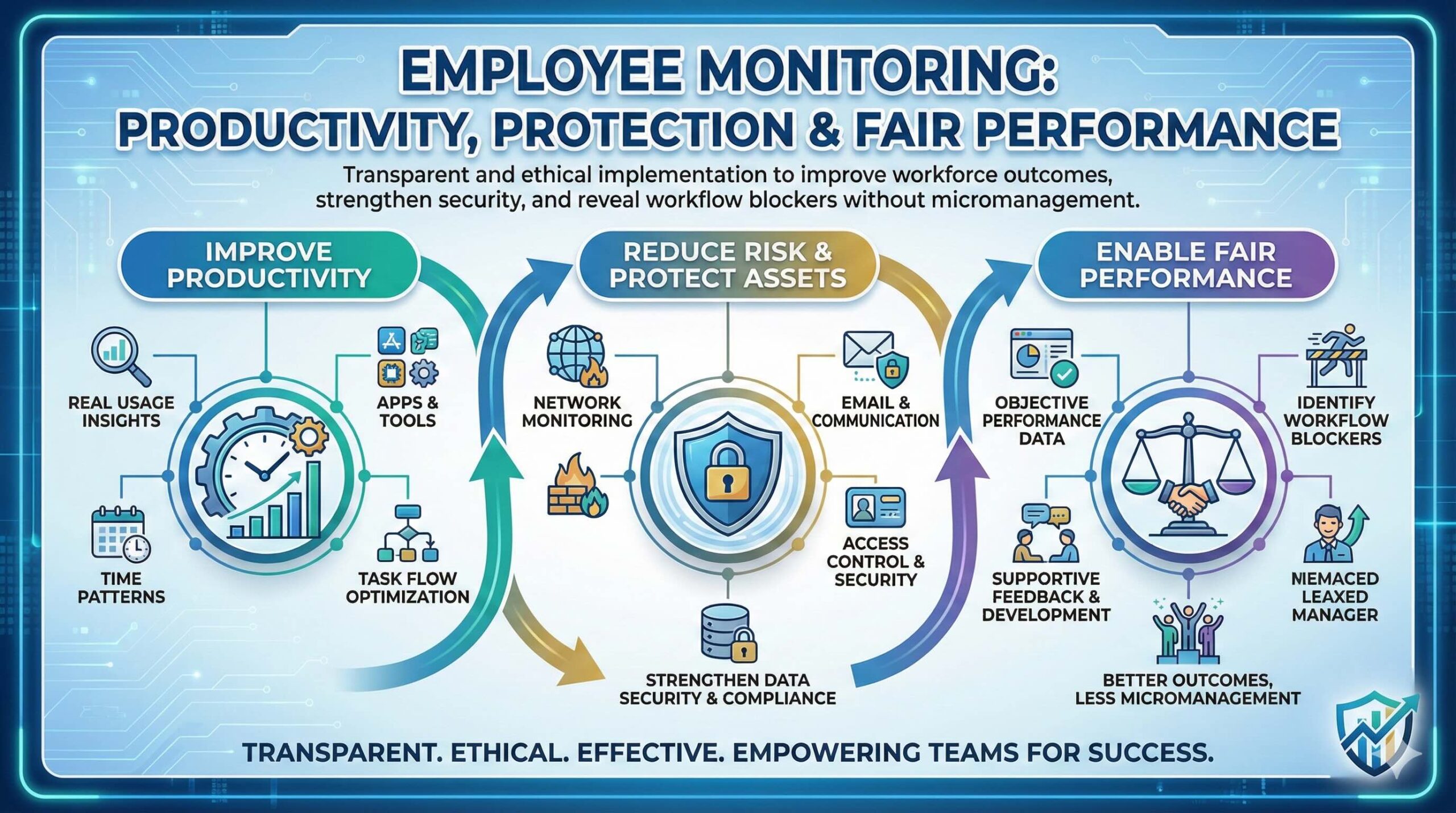
Employee monitoring can improve workforce performance when implemented transparently and ethically. It helps protect corporate assets, strengthen data security, and reveal workflow blockers—so teams can improve outcomes without micromanagement.
Insights for office, remote, and field teams
Monitoring isn’t about spying—it’s about visibility. When used with clear boundaries, it supports fair performance assessment, protects corporate resources, and helps leaders remove friction from daily work.
Identify bottlenecks, time sinks, and repetitive tasks that slow teams down.
Detect suspicious activity, reduce data leakage risk, and support incident response.
Clarify responsibility for sensitive files, client communications, and systems.
Use real data to guide training, improve processes, and recognize high performance.
Different roles need different monitoring methods. Below are common approaches, what they measure, and how they support productivity and security.
Some organizations use shared or open workstations while maintaining accountability through usage logs. Direct monitoring often focuses on system usage patterns, not personal content.
Field teams drive revenue and customer experience. Tracking supports safety, route efficiency, accurate reporting, and visibility into blockers during deal closure or service delivery.
Official email accounts represent the organization. Monitoring helps maintain professional communication, reduce phishing risk, and prevent sensitive information from being shared incorrectly.
Network monitoring records incoming and outgoing traffic to identify threats, reduce misuse, and improve performance. It helps uncover risky websites, suspicious downloads, and unusual access behavior.
VPN access lets employees work securely from anywhere while keeping resources protected. Monitoring here focuses on access events, authentication, and unusual behavior patterns rather than content.
Software monitoring provides visibility into app usage, website logs, and file changes. It also helps IT teams troubleshoot faster and maintain consistent security standards across devices.
Implement monitoring as a structured program: define goals, set boundaries, communicate clearly, and use insights for coaching and process improvements.
Productivity, security, compliance—avoid “monitor everything”.
What’s monitored, why, who can access it, retention rules.
Transparency increases trust and reduces friction.
Dashboards, alerts, and role-based reporting with audit logs.
Use trends to remove blockers, train, and recognize good work.
The best monitoring programs protect the organization while helping employees succeed—by improving clarity, tools, and workflows.
If monitoring feels secretive or excessive, morale suffers. If it’s transparent, limited, and secure, it improves fairness and clarity.
Match monitoring methods to responsibilities. Use security-first logging for sensitive roles and lightweight productivity insights for knowledge workers.
| Role / Team | Recommended Monitoring Types | Primary Goal |
|---|---|---|
| Office Staff | Direct Software Network | Productivity insights + secure system usage |
| Sales Field Team | Field Tracking VPN CRM Activity | Execution visibility + coaching + forecasting accuracy |
| Customer Support | Software Email (Compliance) Quality Reviews | Service consistency + compliance + training feedback |
| IT / Admin | Network VPN Endpoint Logs | Threat detection + access control + incident response |
| Finance / Legal | Email Access Logs DLP | Audit trails + confidentiality + regulatory readiness |
Common questions about employee monitoring and how to implement it responsibly.
It depends on your region and industry. The safest approach is transparency, obtaining consent where needed, and monitoring only what’s necessary for legitimate business purposes.
It can if it feels secretive or punitive. Clear policies, limited data collection, and focusing on coaching and workflow improvement can make it feel fair and supportive.
Avoid personal content, sensitive data, and anything unrelated to business goals. Minimize collection, use aggregated trends where possible, and set retention rules.
Track trends, identify blockers, optimize workflows, and provide coaching. Use monitoring as an improvement tool—not as a constant pressure mechanism.
Purpose and transparency. Productivity tracking supports measurable improvements with clear boundaries; surveillance is often excessive, unclear, and can invade privacy.
Use monitoring to improve performance, reduce risk, and support teams with data-driven coaching—without crossing ethical boundaries.
Tip: Start with goals, communicate clearly, and measure improvements in workflow—not just “time online”.