In every growing business, customer data starts simple and then quickly becomes messy. A lead arrives without a phone number. A customer gets handed to onboarding without all the documents collected. A sales rep marks a prospect as qualified, but key company details are still missing. Teams try to move fast, yet incomplete data quietly slows everything down.
That is exactly where checklists in CRM become valuable.
A CRM is not just a place to store names, numbers, and conversations. It is the operational backbone of how teams capture, validate, and act on customer information. When businesses use checklists inside CRM properly, they turn scattered processes into consistent workflows. They make it easier to know what is missing, what is complete, and what still needs attention before the next step in the customer journey can happen.
In ZNICRM, the Checklist feature gives admins a practical way to define required CRM data and process checkpoints for contacts. Instead of depending on memory, manual follow-ups, or disconnected spreadsheets, teams can rely on built-in checklists to guide data completeness, department-specific requirements, and Pending Details behavior directly inside CRM.
This matters because CRM success does not come only from collecting data. It comes from collecting the right data, at the right time, for the right team.
In this article, we will break down what checklists in CRM are, why businesses need them, the benefits they bring across teams, common use cases, and how to implement them in ZNICRM in just a few clicks.
What Are Checklists in CRM?
At a basic level, checklists in CRM are structured sets of required or optional items that help teams confirm whether a contact record is complete and ready for the next action.
These items can represent data points, qualification rules, or process checkpoints. Instead of asking agents to manually remember every required detail, checklists make the expectations visible inside CRM.
In ZNICRM, checklist records can store:
- name
- description
- active state
- department scope
- customer type scope
- checklist items
The checklist items themselves can use different CRM sources, including:
- contact fields
- company fields
- lead status
- contact profile types
- company custom fields
- custom forms
- custom form fields
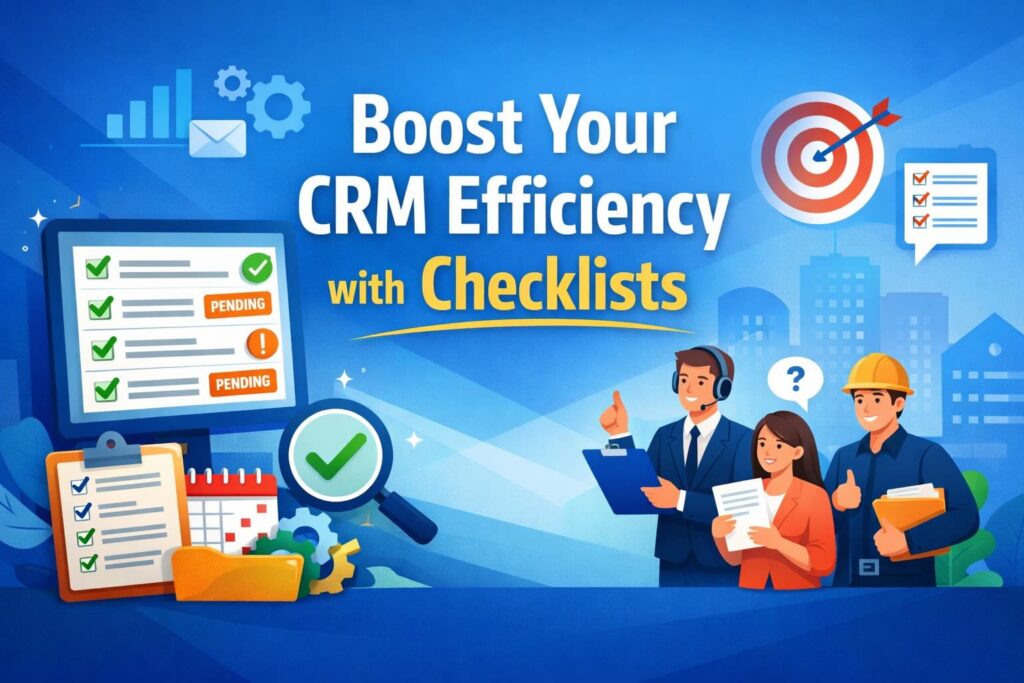
The result is highly practical. Checklist outcomes are displayed on CRM contacts as pending or checked items, giving teams a clear view of what is complete and what still needs attention.
That means a CRM checklist is not just a static list. It is a working layer of control inside the CRM that supports better data quality, better handoffs, and better execution.
Why Checklists Matter More Than Ever in CRM
As businesses grow, complexity grows with them. More leads come in. More team members touch the same customer record. More departments rely on shared CRM data. More workflows depend on complete information.
Without checklists, this complexity creates friction in several ways.
A sales rep may collect only part of the intake details. An onboarding specialist may assume qualification is complete when it is not. A customer support team may need fields that were never captured by the first point of contact. Management may review pipeline performance without realizing that records are incomplete or inconsistent.
This is why checklists in CRM are not a nice-to-have. They are a practical system for reducing preventable errors.
Businesses need CRM checklists because they help answer essential operational questions:
- What information is still missing from this contact?
- Is this contact ready for the next stage?
- Do different departments need different required details?
- Are Pending Details based on actual missing information?
- Can agents quickly see what remains incomplete?
ZNICRM addresses these questions by allowing admins to define checklist logic centrally and display the outcome where teams actually work: on contact records and inside Pending Details workflows.
The Real Problem Businesses Face Without CRM Checklists
Many organizations think they already have a checklist process because someone wrote a SOP document, shared a spreadsheet, or posted a team note in chat. But that is not the same as having checklists inside CRM.
When checklists live outside the CRM, teams run into several common problems.
1. Data completeness becomes inconsistent
Different agents collect different details. Some prioritize speed, while others focus on documentation. Without standardized checklists, records become uneven.
2. Teams rely on memory instead of systems
Even experienced teams forget steps when they are under pressure. Memory-based processes do not scale.
3. Pending work becomes unclear
If Pending Details are not based on actual missing CRM information, teams may chase the wrong items or miss the right ones.
4. Departmental needs get ignored
Sales, onboarding, compliance, and account management often need different data from the same contact. A one-size-fits-all process usually fails.
5. Handoffs break down
When one team passes a customer to another, missing fields create delays, confusion, and repeated questions.
6. Visibility is poor
Managers and agents cannot quickly see what is incomplete without opening multiple sections or manually checking records.
This is where CRM checklists create a major operational advantage. They bring expectations into the workflow itself.
Benefits of Using Checklists in CRM
The value of checklists in CRM becomes clear when you look at the day-to-day impact on teams, records, and customer experience. ZNICRM’s Checklist feature is designed to support that impact in very practical ways.
Makes Pending Details depend on actual missing information
One of the strongest benefits is that Pending Details can reflect what is genuinely incomplete. Instead of generic reminders or assumptions, the system can show missing items based on real contact or company information.
This improves focus. Teams stop guessing and start acting on what is actually missing.
Supports department-specific requirements
Not every team needs the same information. A sales team may care about lead status and qualification data. An onboarding team may need profile types, custom forms, or company-specific fields. A compliance team may need a different set of verification points.
With scoped checklists, businesses can align CRM requirements to department needs rather than forcing a universal list on everyone.
Supports customer-type-specific requirements
Different customer types often require different onboarding standards, qualification logic, or documentation. A global rule may not fit every segment. ZNICRM allows customer-type scope so businesses can make checklists more relevant and accurate.
Gives agents visibility into what is still incomplete
Visibility is one of the biggest wins. Agents can see pending and checked items on CRM contacts. That means they do not have to guess whether a record is ready. They can quickly identify what still needs to be completed.
Improves data quality across the CRM
Better checklists lead to better records. Better records lead to cleaner reporting, more reliable workflows, and more confident decision-making.
Reduces process delays
When teams know exactly what is missing, they can resolve gaps faster. That helps keep deals moving, onboarding progressing, and internal reviews more efficient.
Standardizes execution without slowing teams down
The goal of CRM checklists is not to add bureaucracy. It is to remove ambiguity. When designed properly, checklists reduce friction because the next steps are clearer.
Creates a better customer experience
Customers notice when businesses are organized. They also notice when they are asked the same question multiple times because teams did not collect or share the right information the first time.
By using checklists in CRM, businesses create a smoother experience for the customer and a more structured experience for internal teams.
Why Every Business Should Implement Checklists in CRM
No matter the industry, businesses depend on accurate customer records and repeatable processes. That makes checklists one of the most practical CRM improvements a company can implement.
Here is why businesses should prioritize them.
Growth makes inconsistency more expensive
A small team may survive on tribal knowledge for a while. But as volume increases, inconsistency becomes expensive. Missing details create rework. Rework wastes time. Wasted time slows growth.
CRM checklists help businesses scale without losing control over data quality.
Different teams need different kinds of completeness
The definition of “complete” changes depending on the department. Sales may need a baseline qualification set. Onboarding may require additional profile or form information. Operations may need company-level details.
ZNICRM supports department and customer-type scope, which makes it easier to define completeness in a more useful way.
Businesses need visibility at the record level
It is not enough to know that “some data is missing.” Teams need to know exactly what is missing for each relevant contact. By showing checklist results as pending or checked items on CRM contacts, ZNICRM makes this visible where it matters.
CRM should guide action, not just store data
A modern CRM should do more than hold information. It should help teams know what to do next. Checklists in CRM turn passive data storage into active operational guidance.
Better data improves every downstream workflow
When contact and company records are complete, almost everything improves:
- lead qualification
- handoffs
- onboarding
- follow-ups
- reviews
- reporting
- internal accountability
That is why checklists are not just an admin feature. They are a business performance feature.
Common Use Cases for CRM Checklists
The best way to understand the practical value of CRM checklists is to look at real business use cases. The Checklist feature in ZNICRM is especially useful in situations where teams need a visible and structured way to enforce completeness.
1. Sales intake completeness
This is one of the most common uses for checklists in CRM.
A business receives leads from multiple channels, and sales reps need to confirm that key intake information is captured before the lead is actively worked, qualified, or handed off. Checklist items can help ensure required contact fields, company fields, and lead status values are completed.
This reduces incomplete lead records and improves sales discipline.
2. Onboarding compliance
Onboarding often depends on collecting the right information in the right order. If profile types, forms, or company details are missing, the onboarding process slows down or becomes error-prone.
A CRM checklist can act as a readiness layer that shows whether the contact has all the required information before the next onboarding step proceeds.
3. Department-specific qualification requirements
Different departments may evaluate readiness differently. A sales department may need one set of criteria. A support or implementation department may need another. With scoped checklists, each department can work with the requirements that actually matter to them.
4. Customer-type-based workflows
Businesses that serve multiple customer types often struggle to maintain consistent standards across segments. One customer type may require different forms or fields than another. ZNICRM’s customer-type scope makes checklist logic more precise.
5. Record-level verification during live operations
Since checklist output can be reviewed on the contact conversation page, teams can verify completeness while actively working on the record. That reduces the gap between process design and day-to-day execution.
6. Missing-data visibility for managers and operations teams
The feature also supports review through areas such as:
CRM > Lead Data Missing- CRM digest pending-details views
- contact conversation checklist card for record-level verification
This means the checklist system is not only useful for frontline agents. It also helps operational oversight.
What the Checklist Feature in ZNICRM Actually Does
Before implementation, it helps to understand the role of this feature inside ZNICRM.
The Checklist feature lets admins define required CRM data or process checkpoints for contacts. It is used to control:
- data completeness
- department-specific requirements
- Pending Details behavior inside CRM
That design is powerful because it connects configuration with action. Admins define what matters. Teams then see pending or completed items directly in CRM contact workflows.
In practical terms, a checklist in ZNICRM includes a header, scope, and items.
Checklist header
The header contains the foundational identity of the checklist:
Checklist NameDescription
Scope
The scope determines who or what the checklist applies to:
- department checkboxes
- customer type checkboxes
This allows businesses to keep a checklist global or make it specific when needed.
Checklist item
Each item defines a particular requirement or checkpoint:
Item TypeSourceLabelSequenceRequired
This level of structure makes the feature flexible enough to support different CRM completeness strategies without becoming confusing.
How Checklists Help Improve CRM Adoption
One overlooked advantage of checklists in CRM is that they improve user adoption.
Many CRM systems fail because users do not see immediate value in keeping records complete. If CRM feels like extra admin work, adoption drops. But when checklists clearly show what is missing and why it matters, the system becomes more actionable.
Agents can understand, in the moment:
- what needs to be filled in
- what is already complete
- what still blocks the next step
That clarity helps users engage with the CRM more naturally. Instead of asking people to remember a long standard operating procedure, the CRM surfaces the needed actions in context.
This matters for adoption because people follow systems more consistently when the system is visible, relevant, and easy to act on.
Best Practices Before Setting Up Checklists in ZNICRM
Before jumping into configuration, it is smart to think through the checklist structure. A good CRM checklist should create clarity, not noise.
Here are a few practical principles to keep in mind.
Start with essential requirements
Do not begin by adding every possible field or process step. Start with the items that truly matter for operational completeness.
Separate global needs from scoped needs
Some requirements apply to everyone. Others apply only to certain departments or customer types. Use scope intentionally so the checklist remains relevant.
Use clear labels
Checklist labels should be easy for agents to understand. Avoid vague wording. A checklist should tell users what matters without forcing them to interpret.
Think in workflow order
Since checklist items use sequence, place them in a logical order. This makes the output easier to review.
Decide which items must be required
Not every checklist item needs to be mandatory. Use the Required setting carefully so teams can distinguish between essential and optional items.
Validate on real contacts
A checklist may look correct in setup but behave differently in practice. Always test on live CRM contacts that match the intended scope.
How to Set Up Checklists in ZNICRM in a Few Clicks
Now let’s get practical.
If your goal is to implement checklists in CRM quickly, ZNICRM keeps the setup straightforward. Once you know where to go, an admin can create, scope, and activate a checklist in just a few clicks.
Where to open the feature
To begin, go to:
Admin > CRM Data > Checklists
This is the main area for creating and managing checklists.
You can also access:
- checklist detail page from the
Manageaction - contact-level verification from the contact conversation page
Quick setup flow
At a high level, the process looks like this:
- Open the checklist area.
- Create a new checklist.
- Define the scope.
- Add required or optional items.
- Save and enable the checklist.
- Review the result on live contact records.
That is the big picture. Now let’s go step by step.
Step-by-Step: Creating a Checklist in ZNICRM
Step 1: Open the Checklists section
Navigate to:
Admin > CRM Data > Checklists
This is where admins manage the checklist configuration.
Step 2: Click Add New
Select Add New to create a new checklist record.
Step 3: Enter the checklist header details
Fill in the basic checklist information:
Checklist NameDescription
Choose a name that clearly reflects the purpose of the checklist. For example, a checklist meant for lead qualification should have a name that makes that use obvious.
The description should explain the intent of the checklist so future admins and team leads can understand it at a glance.
Step 4: Save the checklist
After entering the header details, save the checklist and open the manage page.
At this point, the base checklist exists, but it still needs scope and items.
Step 5: Set the scope
Now decide whether the checklist should be global or limited.
Use:
- department checkboxes
- customer type checkboxes
If the checklist applies across the board, you can leave it global. If it should only apply to certain departments or customer types, select the relevant scope.
Then click Save Scope.
This is an important step because the scope determines which contacts should match the checklist.
Step 6: Add checklist items
Click Add Item.
For each checklist item, define the following:
Item TypeSourceLabelSequenceRequired
This is where the real checklist logic comes together.
Item Type
The item type determines the kind of requirement being added.
Source
The source tells ZNICRM what exact field, form, or value the checklist item should use. Available checklist item sources can include:
- contact fields
- company fields
- lead status
- contact profile types
- company custom fields
- custom forms
- custom form fields
Label
The label is what users will effectively understand as the item name. It should be clear and meaningful.
Sequence
Sequence controls the order in which items appear. Use this to keep the checklist organized.
Required
Choose whether the item is required or optional. Required items are especially important when the checklist is being used to control actual completeness and Pending Details behavior.
Step 7: Save each item
After filling in the item fields, click Save Item.
Repeat the process for additional checklist items as needed.
Step 8: Enable the checklist
If the checklist is inactive, enable it.
This is critical. A well-designed checklist will not help unless it is active.
Minimum Setup Requirements to Make the Feature Work Well
For businesses implementing checklists in CRM for the first time, there are a few essential setup points to remember.
Create at least one active global checklist with active items
A checklist without active items will not provide useful output. Having at least one active global checklist is a strong starting point, especially for core CRM completeness.
Set department or customer type scope if needed
If your business has different workflows for different teams or customer segments, apply scope intentionally.
Add the required checklist items
The value of the feature depends on the actual checklist items being relevant and actionable.
Validate the checklist on live CRM contacts
Never stop at setup. Validation is where you confirm that the checklist behaves as expected.
How to Review Checklist Output in ZNICRM
After configuration, the next question is simple: how do you know it is working?
ZNICRM provides several ways to review and verify checklist behavior.
On the contact conversation page
This is one of the most important places to review checklist output.
Open a contact that should match the checklist scope and review the checklist card on the contact conversation page. This is where you can see whether items are marked as pending or checked.
In Pending Details
Because the feature helps Pending Details depend on actual missing information, it plays a direct role in helping teams understand incomplete records.
In reports and views
You can also check:
CRM > Lead Data Missing- CRM digest pending-details views
- contact conversation checklist card for record-level verification
This gives both operational and individual visibility.
How to Verify That Your CRM Checklist Is Working Correctly
Verification is a critical part of successful checklist implementation.
Here is a clean way to validate your setup.
Confirm the checklist appears in the checklist list
Make sure it shows with:
- the correct scope
- the expected item count
If these details are wrong, the problem likely exists in configuration rather than execution.
Open a matching contact
Go to a contact that should fall within the checklist’s scope. If the checklist was scoped by department or customer type, choose a contact that matches that logic.
Review the checklist card
Check whether the expected items appear as pending or checked.
This is where you confirm that the checklist items are reading the correct CRM data sources.
Update contact data and refresh
After changing the contact data, use the refresh icon on the checklist card.
This helps confirm that the checklist updates as expected after data changes.
How Businesses Can Use Checklists Strategically, Not Just Operationally
Many teams first adopt checklists in CRM because they want to fix missing data. That is a great start, but the strategic value goes further.
They create a standard definition of readiness
A contact is no longer “ready” because someone says so. It is ready because the CRM checklist confirms required items are complete.
They improve interdepartmental trust
When one team hands off to another, a visible checklist creates confidence. The receiving team can see whether the needed information is complete.
They reduce management guesswork
Managers do not need to rely as much on anecdotal updates. Checklist-based visibility helps identify bottlenecks and recurring gaps.
They support process maturity
Businesses that want to professionalize operations need systems that scale. CRM checklists are a simple but powerful foundation for process maturity.
Examples of Smart Checklist Design in ZNICRM
Although every business is different, the structure of a strong checklist tends to follow a few useful patterns.
Example 1: Global sales intake checklist
This type of checklist can be active across all relevant contacts and may include fundamental items tied to contact fields, company fields, and lead status.
The goal is to make sure every incoming lead reaches a minimum standard of completeness.
Example 2: Department-specific onboarding checklist
This checklist may be scoped to the onboarding department and include contact profile types, custom forms, or custom form fields needed before onboarding can proceed.
The goal is to create clarity for implementation or success teams.
Example 3: Customer-type-specific qualification checklist
If different customer types require different inputs, a checklist can be scoped accordingly so teams see the right expectations for the right records.
The goal is relevance rather than generic enforcement.
Mistakes to Avoid When Implementing CRM Checklists
Like any process tool, checklists work best when they are designed intentionally. Here are a few common mistakes to avoid.
Making the checklist too long
If every possible field becomes a checklist item, users may stop engaging with it. Focus on what truly matters.
Not using scope properly
A checklist that applies too broadly can confuse teams. Use department and customer type scope where appropriate.
Using vague item labels
A user should not have to guess what a checklist item means. Clear labels improve usability.
Forgetting to activate the checklist
This sounds simple, but inactive checklists cannot support workflows.
Skipping validation on live contacts
Without testing on actual records, businesses may assume the setup is correct when it is not.
Treating optional items like required ones
Be clear about what is mandatory and what is nice to have. Overusing “required” can create unnecessary friction.
Why ZNICRM Makes CRM Checklists Practical
Some CRM features sound useful in theory but become too complicated in practice. What makes ZNICRM’s Checklist feature practical is that it connects configuration with visible CRM behavior.
Admins can define the rules in one place:
Admin > CRM Data > Checklists
Then users can see outcomes where they work:
- contact conversation page
- Pending Details behavior
- lead data missing views
- CRM digest pending-details views
This connection matters. It reduces the gap between admin setup and frontline execution.
The feature is also flexible enough to support real-world business requirements through:
- global or scoped applicability
- multiple field and form sources
- required versus optional items
- sequence-based organization
- record-level visibility
That combination is what makes checklists in CRM genuinely useful instead of just technically available.
How Checklists Improve Operational Discipline Across the Business
Operational discipline is often the difference between a business that scales smoothly and one that becomes chaotic as volume grows.
Checklists in CRM contribute to operational discipline by turning expectations into visible standards. Teams know what needs to be complete. Managers know where the gaps are. Handoffs become more structured.
This matters in areas such as:
- lead qualification
- onboarding readiness
- compliance-related intake
- department-specific processing
- customer-type-based workflows
When a business uses CRM checklists consistently, the result is not just better data. It is better operational behavior.
SEO Value of CRM Checklists for Modern Business Operations
From a search and content perspective, the topic of checklists in CRM matters because it sits at the intersection of several business priorities:
- CRM data quality
- sales process consistency
- onboarding efficiency
- workflow visibility
- missing data control
- process standardization
Businesses looking for ways to improve CRM performance often search for practical solutions, not abstract strategy. That is why educational content about checklists performs well when it focuses on tangible outcomes:
- reducing missing details
- improving handoffs
- making workflows clearer
- helping teams act faster
- keeping records more complete
ZNICRM’s Checklist feature speaks directly to those needs.
A Simple Adoption Plan for Businesses Starting with CRM Checklists
If your business is just getting started, do not try to solve everything at once.
A smart rollout plan looks like this:
Phase 1: Start with one essential checklist
Create one active global checklist with active items that capture your most important data completeness requirements.
Phase 2: Validate on live records
Check how the checklist appears on actual contact records and how it affects Pending Details visibility.
Phase 3: Add scoped logic
Once the base structure works, introduce department-specific or customer-type-specific checklists where needed.
Phase 4: Review reporting and missing-data visibility
Use record-level views and lead data missing views to understand where teams still struggle.
Phase 5: Refine labels and items
As teams use the system, improve clarity and relevance without overcomplicating the checklist.
This approach keeps implementation manageable while still delivering value quickly.
Frequently Asked Questions About Checklists in CRM
What are checklists in CRM used for?
Checklists in CRM are used to define required data or process checkpoints for customer records. They help businesses verify completeness, guide workflows, and make missing information visible.
Why should businesses implement CRM checklists?
Businesses should implement CRM checklists because they improve data quality, reduce process inconsistency, support department-specific requirements, and make incomplete records easier to identify.
Can CRM checklists support different departments?
Yes. In ZNICRM, checklists can be scoped by department, which helps businesses align requirements with how each team works.
Can CRM checklists support different customer types?
Yes. ZNICRM supports customer-type scope, allowing businesses to define different checklist requirements for different customer segments.
Where can admins create checklists in ZNICRM?
Admins can go to:
Admin > CRM Data > Checklists
From there, they can create, manage, scope, and activate checklists.
What kinds of sources can checklist items use?
Checklist items can use:
- contact fields
- company fields
- lead status
- contact profile types
- company custom fields
- custom forms
- custom form fields
How do teams review checklist results?
Checklist results can be reviewed on CRM contacts as pending or checked items, especially from the contact conversation page. Businesses can also review related missing-data and pending-details views.
How do you verify that a checklist is working?
Open a contact that matches the checklist scope, review the checklist card, update the relevant data, and use the refresh icon to confirm the status updates correctly.
Final Thoughts: Why Checklists Belong at the Center of CRM Discipline
Businesses often invest heavily in CRM systems but underestimate the importance of structured completeness. Yet incomplete records are one of the biggest hidden causes of inefficiency across sales, onboarding, support, and operations.
That is why checklists in CRM matter so much.
They bring consistency to data capture. They reduce ambiguity in workflows. They improve visibility for agents and managers. They make Pending Details more meaningful by tying them to actual missing information. They allow businesses to tailor requirements by department and customer type. Most importantly, they make CRM more actionable.
ZNICRM’s Checklist feature gives businesses a practical way to do all of that without creating unnecessary complexity.
With a few clicks, admins can go to:
Admin > CRM Data > Checklists
From there, they can create a checklist, define its scope, add required or optional items, activate it, and verify the results on live contact records. That simple setup can lead to a major improvement in how customer data is managed and how teams work together.
If your business wants a cleaner CRM, clearer workflows, and better visibility into what is still incomplete, now is the right time to implement checklists.
Because in CRM, better outcomes start with better completeness. And better completeness starts with the right checklists.