Subscriptions Feature

Run every customer subscription from one operational workspace.

Create subscription types once, launch live customer subscriptions, control recurring commercial rules, and track renewals through list, detail, report, and digest views without stitching the process together manually.

Built for operations, CRM, and billing teams
Standardize recurring service, membership, retainer, or booking-based subscription setup.
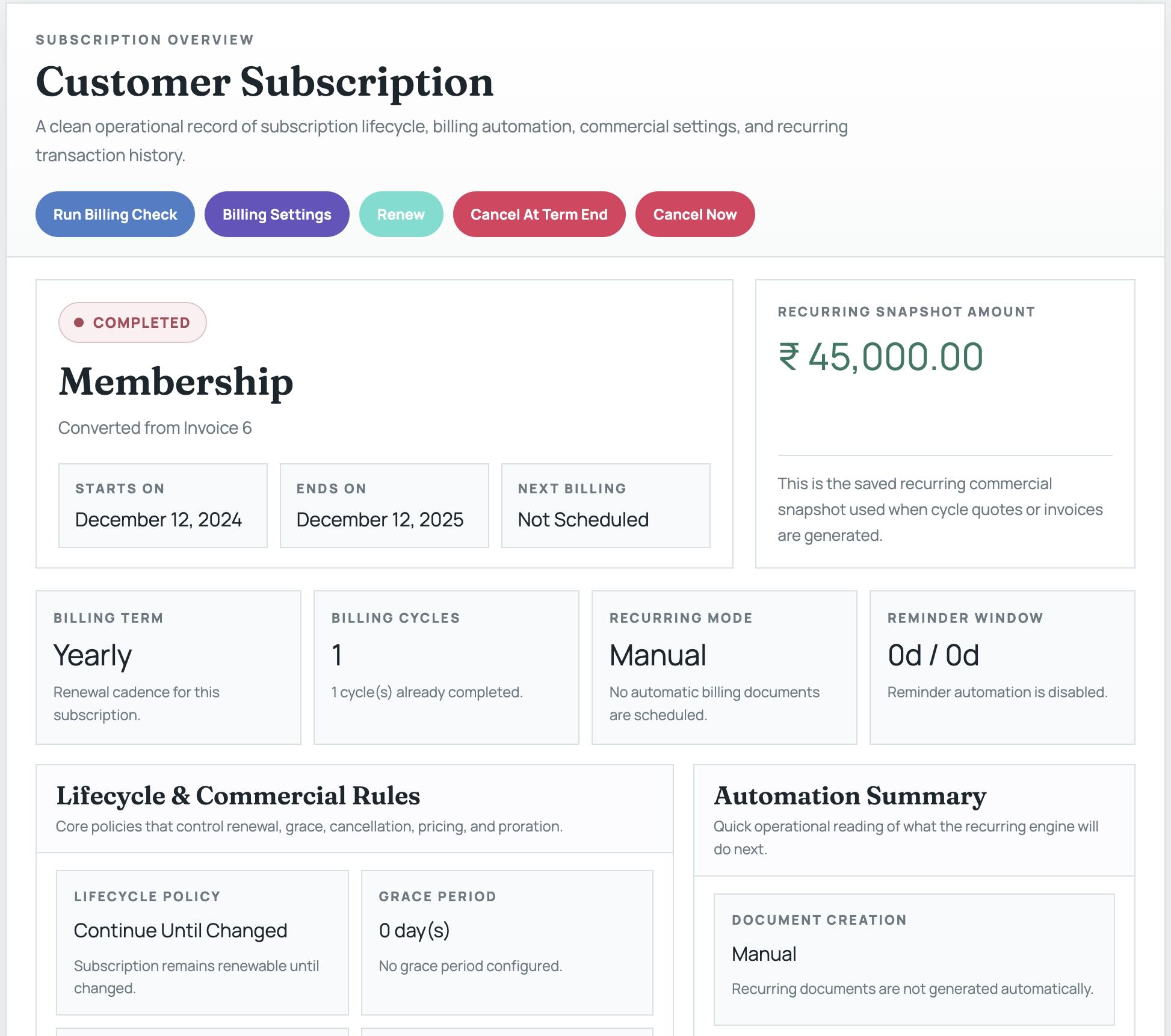
Keep contact, term, cycles, recurring value, reminders, seat count, and proration in one live record.
Monitor expiring, paused, cancelled, and active subscriptions through operational and report views.
Review downstream history with billing ledger, pricing adjustments, and audit trail tables.
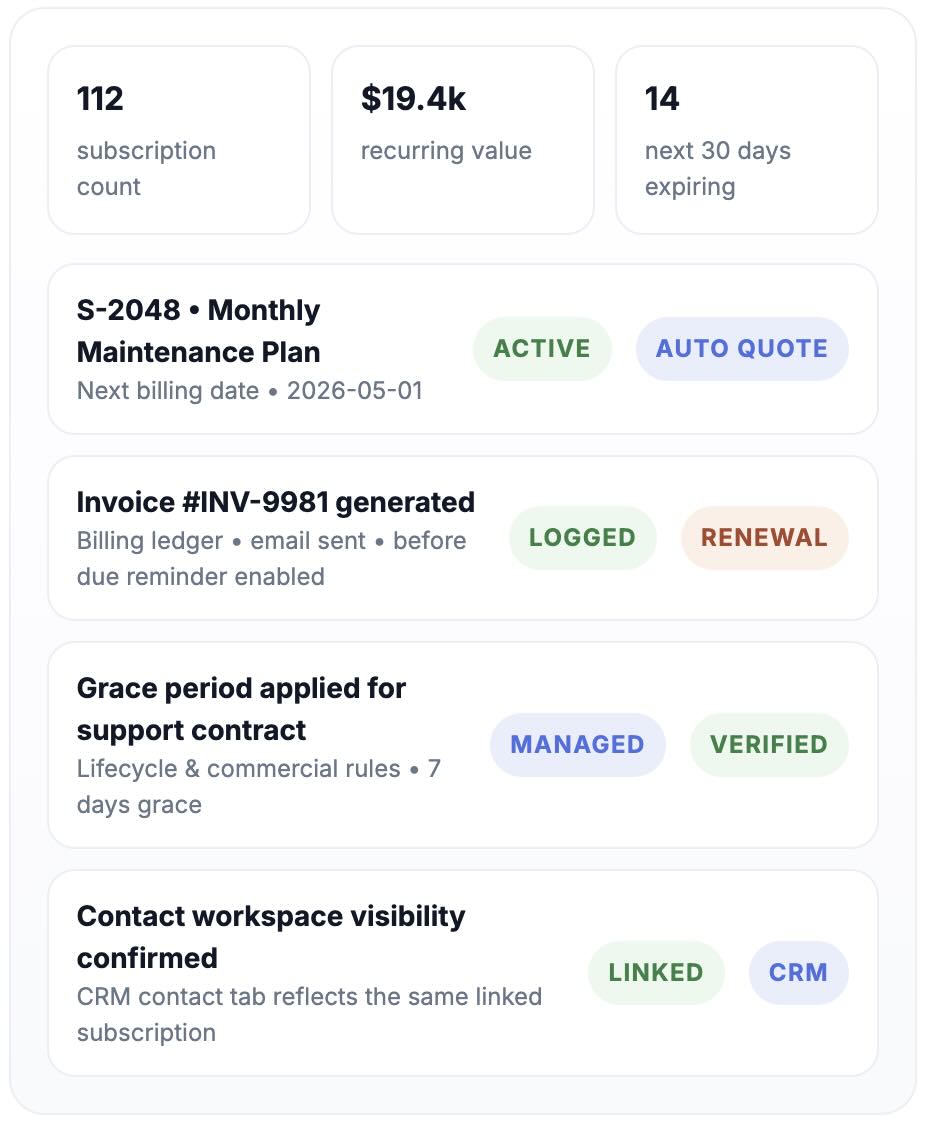
Subscription record screenshot
Automation preview See next billing date, computed ending date, and first document trigger before save.
Contact-linked visibility Open the same subscription from the contact workspace, report page, or live register.
Recurring revenue gets messy when setup, billing, and follow-up live in different places.

When your team manages renewals through separate invoices, reminders, notes, and spreadsheets, small mistakes become missed billing events, unclear lifecycle states, and weak downstream visibility.

Rules drift away from the live customer record

Billing mode, due reminders, grace period, discount, proration, and seats often sit outside the actual subscription record, so handoffs break down.

Teams cannot see the same status everywhere

Sales, CRM, and billing teams need one consistent view of starts on, ends on, next billing date, amount, and lifecycle status without reconciling multiple screens.

Verification becomes manual and slow

Without report views, digest visibility, and record-level logs, it takes too long to confirm what changed, what renewed, and what billing action actually ran.

Where subscription operations usually lose control
A live operational module needs more than a simple recurring invoice toggle.
Operational risk snapshot
18 records expiring in the next 30 days
3 billing modes that must stay aligned with reminders
7 manual checks needed when logs are missing
1 source of truth needed per subscription
Renewal reminders lack context The team can see a due event but not the saved commercial snapshot or lifecycle rule behind it.
Record ownership becomes unclear CRM sees the contact, billing sees the invoice, but neither gets the full subscription management picture.
Subscription type reuse breaks down Teams create inconsistent plans because there is no clean admin setup flow before the live record is created.
Downstream audits take too long Without billing ledger and audit trail tables, you have to reconstruct renewals, reminders, and operator actions manually.

Subscriptions becomes the shared operational record your teams actually work from.

ZNICRM lets you configure subscription types once, create customer subscriptions with validated recurring line items, and manage billing, reminder, lifecycle, and commercial settings from one place.

  • Create types first from admin settings so every customer subscription uses the right reusable setup.
  • Create live subscriptions directly from the invoicing screen or convert an invoice into a subscription draft when needed.
  • Save recurring billing mode, reminder windows, grace rules, seats, discounts, and proration as the billing snapshot used downstream.
  • Verify the same record from the list page, contact workspace, reports page, digest widget, and record-level logs.
From setup to downstream monitoring Exact workflow fit
1
Admin setup creates reusable subscription types `Admin > Features Settings > Subscriptions` stores the plan name, description, support flag, and booking rules.
2
Customer subscription captures the live commercial record The create page stores customer, start date, billing term, billing cycles, description, recurring items, taxes, and recurring mode.
3
Billing engine runs from saved settings instead of manual memory Generate before billing, auto email, reminder timing, grace period, seat quantity, discount, and proration settings drive recurring actions.
4
Operations monitors status and downstream logs everywhere Open the subscription from the register, reports, contact subscriptions tab, or digest widget and review billing ledger, pricing adjustments, and audit trail.

Everything your team needs to define, bill, and monitor customer subscriptions.

The feature is designed for companies managing subscriptions sold to their own customers, not for internal company-plan billing.

Admin Setup

Reusable subscription types

Define subscription names, descriptions, support billing flags, booking-based behavior, and booking limits once so operations can create live records consistently.

Live Records

Customer-linked subscription creation

Store the linked contact, start date, billing term, billing cycles, subscription type, description, and recurring product rows in one operational record.

Billing Controls

Manual, Auto Quote, or Auto Invoice modes

Choose how recurring documents are generated, how far ahead they trigger, and whether documents or reminders are emailed automatically.

Commercial Rules

Seat, discount, tax, and proration snapshot

Capture seat quantity, discount mode, discount value, tax rows, and proration behavior so each subscription preserves its own recurring commercial context.

Lifecycle Actions

Renew, pause, resume, or cancel with control

Manage grace period, cancel at term end, immediate cancel, renewals, and billing checks from the subscription manage page without losing auditability.

Visibility

Reports, digest, and record-level logs

Track active, paused, cancelled, expired, and expiring subscriptions through reports, contact tabs, daily digest widgets, billing ledger, pricing adjustments, and audit trail tables.

You get clarity around renewals, commercial rules, and lifecycle status.

Subscriptions gives sales, CRM, and billing teams a single place to review the record, act on it, and verify what happened after each billing or lifecycle event.

  • Standardize monthly, yearly, lifetime, maintenance, support, and booking-based recurring service models.
  • Reduce setup errors by saving recurring configuration directly on the customer subscription instead of in side notes.
  • Give teams one place to review next billing date, ending date, lifecycle status, and recurring value before taking action.
  • Improve downstream verification with record-level billing ledger, pricing adjustments, audit trail, and report visibility.

Operationally, the difference is simple

Your team stops chasing billing facts across disconnected screens and starts managing renewals from the subscription record itself.

Before
  • Subscription type naming varies by operator.
  • Reminder timing lives in memory or email threads.
  • Contact workspace and billing view are disconnected.
  • Renewal history needs manual reconstruction.
After
  • Admin setup creates reusable, controlled types.
  • Recurring billing and reminders stay on the saved record.
  • CRM, invoicing, reports, and digest view the same subscription.
  • Logs show billing events, adjustments, and audit actions.
Outcome cluster
What becomes easier the moment subscriptions are managed as structured operational records.
Team-facing value
Faster verification Check list view, contact tab, reports page, and digest widget for the same subscription without duplicate searching.
Cleaner automation Auto Quote and Auto Invoice follow saved timing, reminder, email, and lifecycle rules instead of ad hoc operator steps.
Better commercial accuracy Seat counts, discounts, proration, products, and tax rows remain attached to the recurring subscription snapshot.
Improved accountability Billing ledger, pricing adjustments, and audit trail give clear downstream evidence for renewals, reminders, and cancellations.

Configure once, launch the live record, then manage renewals with confidence.

The workflow is straightforward and matches the exact operational sequence teams need to follow when setting up and verifying a customer subscription.

1

Prepare your master data

Confirm the CRM contact, recurring products, taxes, and optional email templates before you start the subscription setup.

Prerequisites make the live creation flow clean and reduce save-time validation issues.
2

Create the subscription type

Open Admin > Features Settings > Subscriptions and define the reusable type with support or booking flags if needed.

This is what populates the subscription type dropdown on the live create page.
3

Build the customer subscription

Select the contact from search suggestions, set dates and cycles, choose the subscription type, and add at least one valid recurring product row.

Computed preview fields show next billing date, ending date, and first document trigger before save.
4

Save billing and lifecycle rules

Choose billing mode, reminder timing, email templates, grace period, seat count, discount, and proration behavior directly on the subscription.

Use the manage page later to refine settings without recreating the whole record.
5

Verify and monitor everywhere the team works

Use the subscription register, the report page, the contact subscriptions tab, the daily digest widget, and the log tables to confirm the saved setup and follow renewals over time.

Actions such as renew, pause, resume, cancel at term end, cancel now, and run billing check remain available from the manage page.
Verification Views

Every save can be checked from multiple downstream screens.

That matters when billing, CRM, and reporting teams all need fast confirmation that the subscription record reflects the intended setup.

  • Invoicing > Subscriptionregister
  • CRM contact > Subscriptions tablinked
  • Reports > Subscriptionsreporting
  • CRM > Daily Digestexpiring
  • Manage page logsaudit

Simple flow to manage the subscription lifecycle

The subscription record is the single source of truth for billing, CRM, and reporting teams, so the workflow focuses on making that record easy to create, update, and verify without jumping between screens.

Subscription Example

Teams value the clarity that comes from one subscription record.

This module is especially useful for service businesses, membership operators, support teams, and finance-led operations that need repeatable billing with clear lifecycle control.

Service Contracts
Membership Ops
Support Retainers
Training Programs
Booking Plans

“Our renewal process finally has structure.”

We can see the next billing date, lifecycle status, and billing settings without jumping between invoices, notes, and CRM history.

Operations Lead Professional services business

“Billing and CRM now look at the same record.”

The contact subscriptions tab, report view, and subscription register all reflect the same saved setup, which removes back-and-forth during renewals.

Finance Manager Membership and recurring services team

“The logs make follow-up and audits much easier.”

Billing ledger, pricing adjustments, and audit trail give us a clear record of what renewed, what changed, and which operator took action.

Subscription Coordinator Support and maintenance subscriptions
Call To Action

Bring subscription operations, billing rules, and renewal visibility into one workflow.

If your team sells memberships, service contracts, support retainers, or recurring commercial plans, this feature gives you the structure needed to set them up cleanly and manage them with confidence.

Setup with control Create types first, then launch live customer subscriptions with valid product rows and saved commercial rules.
Manage with confidence Pause, resume, renew, cancel, or run billing checks from the manage page with clear lifecycle visibility.
Verify without guesswork Use reports, digest widgets, contact views, and record-level logs to confirm every saved subscription.